Category:Guests: Difference between revisions
No edit summary |
|||
| (4 intermediate revisions by 2 users not shown) | |||
| Line 5: | Line 5: | ||
__TOC__ | __TOC__ | ||
=Overview= | =Overview= | ||
<span style="color: #f3e504; font-size: 250%;" >{{#fas:lightbulb}} </span> The guest database is designed to deal with repeat guests. If you require CRM functions you can set up an integration with many CRM systems via MAKE in {{#fas:cog}} (SETTINGS) MARKETPLACE > MAKE. | |||
The guests menu combines bookings by the same guest and allows you to save information about the guest and view their previous bookings. | The guests menu combines bookings by the same guest and allows you to save information about the guest and view their previous bookings. | ||
The search field can be used to search guests by booking reference, name, Email address or any other information saved about them. | The search field can be used to search guests by booking reference, name, Email address or any other information saved about them. | ||
| Line 10: | Line 13: | ||
When a new booking has the same Email address as a previous booking the system will automatically create a guest record in the database and will combine the bookings as the same guest. | When a new booking has the same Email address as a previous booking the system will automatically create a guest record in the database and will combine the bookings as the same guest. | ||
If you do not want to automatically create entries for the guest database you can set this in SETTINGS | If you do not want to automatically create entries for the guest database you can set this in {{#fas:cog}} (SETTINGS) ACCOUNT > PREFERENCES. | ||
Manual changes of Email addresses in bookings do not automatically move bookings. | Manual changes of Email addresses in bookings do not automatically move bookings. | ||
| Line 29: | Line 32: | ||
*To delete a guest tick them then scroll to the end of the page select "Delete" and click "Go" | *To delete a guest tick them then scroll to the end of the page select "Delete" and click "Go" | ||
*To | *To merge guests to combine them into one, tick them then scroll to the end of the page select "Link" and click "Go" | ||
*To unlink previously combined guests to restore combined guests into separate entries click on the guest then tick the booking(s) you want to unlink and click "unlink" | *To unlink previously combined guests to restore combined guests into separate entries click on the guest then tick the booking(s) you want to unlink and click "unlink" | ||
Latest revision as of 14:53, 19 September 2025
This page is about the menu BOOKINGS > GUESTS
Overview
The guest database is designed to deal with repeat guests. If you require CRM functions you can set up an integration with many CRM systems via MAKE in (SETTINGS) MARKETPLACE > MAKE.
The guests menu combines bookings by the same guest and allows you to save information about the guest and view their previous bookings.
The search field can be used to search guests by booking reference, name, Email address or any other information saved about them.
When a new booking has the same Email address as a previous booking the system will automatically create a guest record in the database and will combine the bookings as the same guest.
If you do not want to automatically create entries for the guest database you can set this in (SETTINGS) ACCOUNT > PREFERENCES.
Manual changes of Email addresses in bookings do not automatically move bookings.
Initial booking from a new guest, will NOT automatically create a guest record in the guest database. If you want to add a record for a new guest, then open the booking, go to the Guest tab and click 'Add Guest' then select 'Create guest from booking' the guest will be added to the database with the booking details attached.
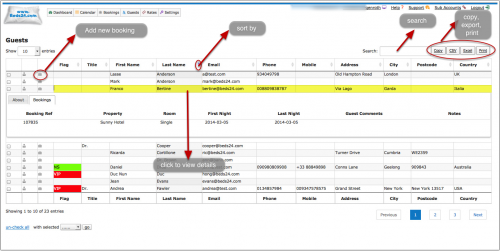
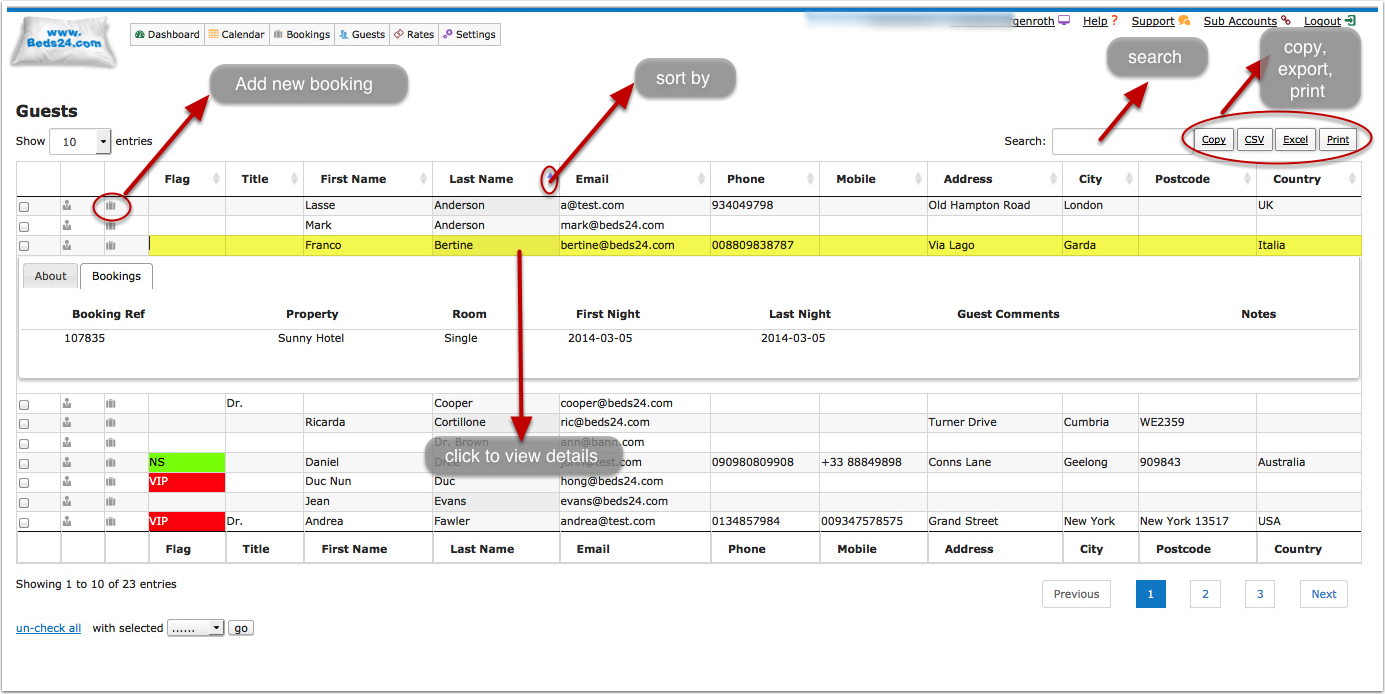
- To add a booking populated with the guests details click on the suitcase icon
- To view guests details click on the guest then go to the "About" tab
- To view and edit a guests bookings click on the guest then go to the "Bookings" tab the click on the booking you want to view or edit
- To print click on the buttons on the top right of the guests table
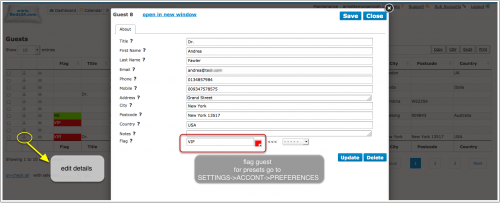
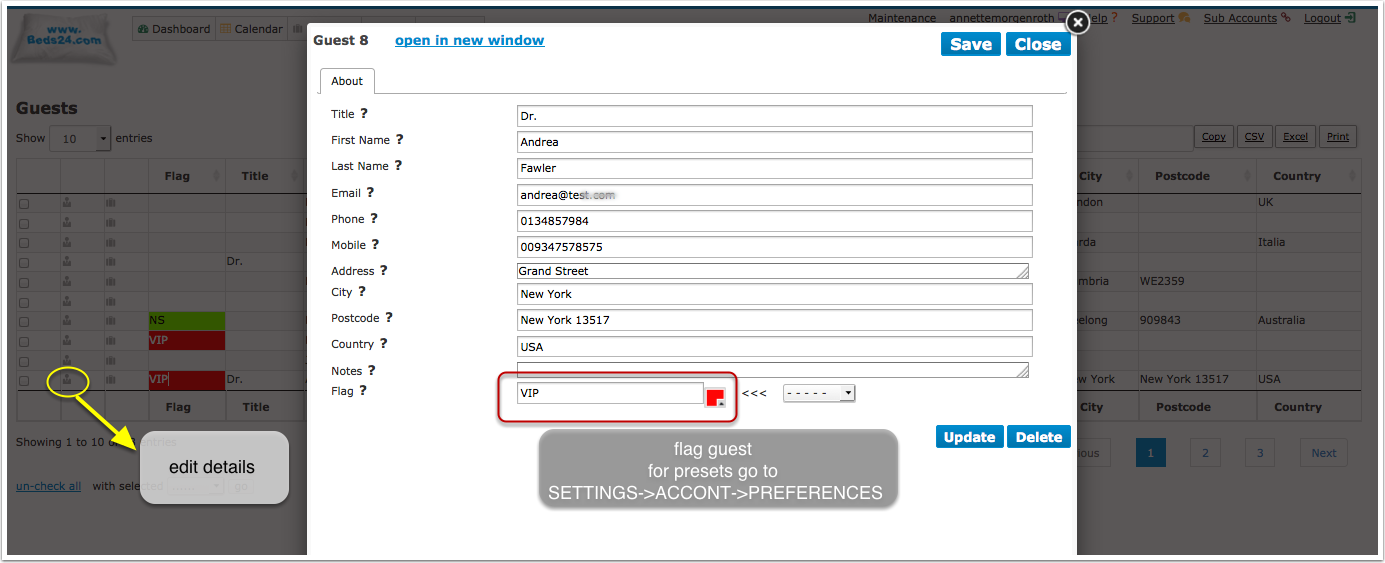
- To edit guests details, add a note or a flag click on the guest icon
- To delete a guest tick them then scroll to the end of the page select "Delete" and click "Go"
- To merge guests to combine them into one, tick them then scroll to the end of the page select "Link" and click "Go"
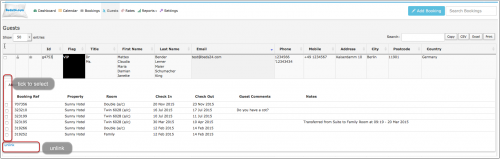
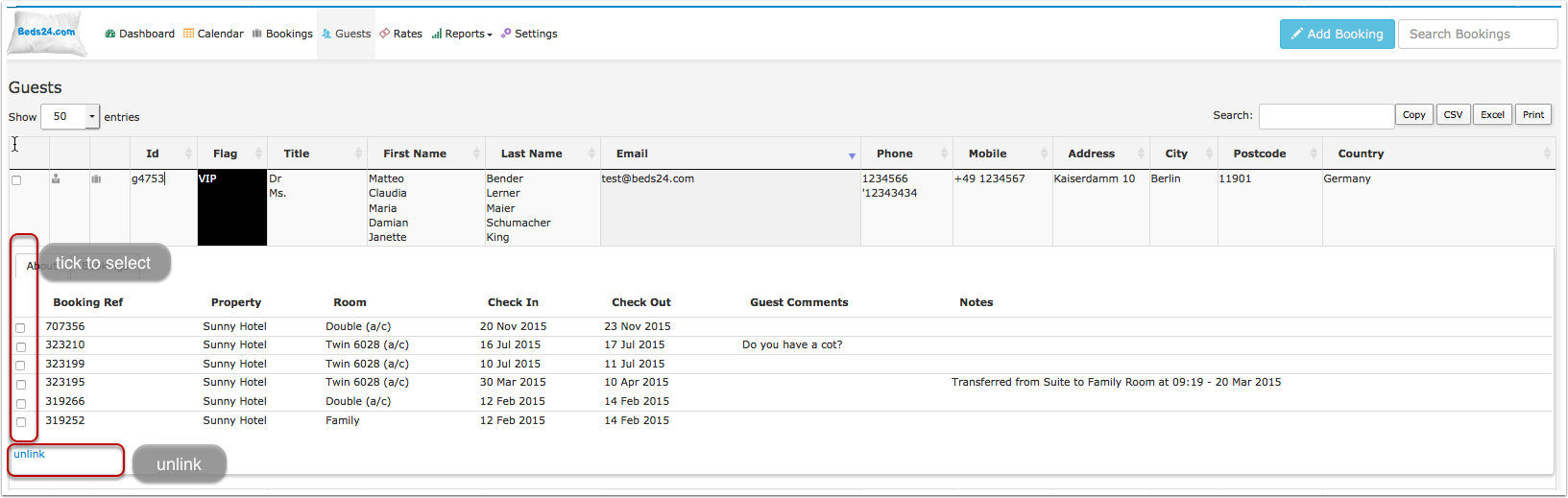
- To unlink previously combined guests to restore combined guests into separate entries click on the guest then tick the booking(s) you want to unlink and click "unlink"
- To restore a deleted guest go to BOOKINGS search and open the booking(s), go to the "Details" tab and set "Guest Database"=yes
- To manually add a booking for a guest who previously stayed use the "Search" field in the booking.
Initial booking from a new guest, will NOT automatically create a guest record in the guest database. If you want to add a record for a new guest, then open the booking, go to the Guest tab and click 'Add Guest' then select 'Create guest from booking' the guest will be added to the database with the booking details attached.
Export / Print Data
You export guests to process the data further in Excel or another spread sheet programme.
Pages in category "Guests"
The following 3 pages are in this category, out of 3 total. download this selection of articles as a PDF book