Waitlist: Difference between revisions
Jump to navigation
Jump to search
Created page with "Category:Bookings Category:Daily_Use <div class="heading">Create a waitlist</div> This page explains how to create manage waitlist bookings. =Create Waitlist booking..." |
|||
| (One intermediate revision by one other user not shown) | |||
| Line 12: | Line 12: | ||
'''Step 2: Set the "Status"= Request (first selector) Waitlist (second Selector) ''' | '''Step 2: Set the "Status"= Request (first selector) Waitlist (second Selector) ''' | ||
The room will now show | The room will now show overbooked. If you do not want to show the room overbooked you can either set "Bookings with Request Status" = Do not block the room {{#fas:cog}} (SETTINGS) PROPERTIES > BOOKING RULES) or set the "Status"= Cancelled (first selector) Waitlist (second Selector) ''' and apply a "Flag" so you can differentiate them from real cancellations. | ||
[[Image:waitlist.gif|600px|link=]] | [[Image:waitlist.gif|600px|link=]] | ||
Latest revision as of 09:53, 2 December 2024
Create a waitlist
This page explains how to create manage waitlist bookings.
Create Waitlist bookings
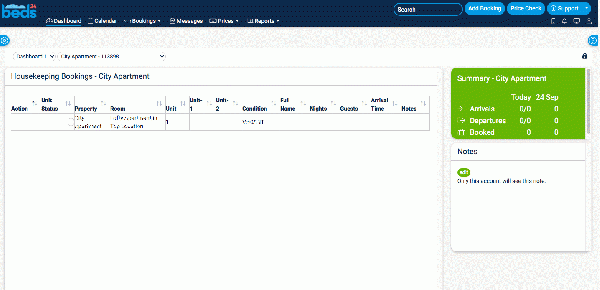
This is how you can add bookings even though you have no availability:
Step 1: Click on "Add Booking"
Step 2: Set the "Status"= Request (first selector) Waitlist (second Selector)
The room will now show overbooked. If you do not want to show the room overbooked you can either set "Bookings with Request Status" = Do not block the room (SETTINGS) PROPERTIES > BOOKING RULES) or set the "Status"= Cancelled (first selector) Waitlist (second Selector) and apply a "Flag" so you can differentiate them from real cancellations.

Manage Waitlist bookings
You can set up a custom report in REPORTS > CUSTOM REPORTS which you can add to your Dashboard for all bookings which contain the "Substatus" = Waitlist.