Hrs: Difference between revisions
No edit summary |
|||
| (2 intermediate revisions by 2 users not shown) | |||
| Line 31: | Line 31: | ||
*We can send one price to each HRS room type. For a double you need a price for two guests, a price for extrabed 1 you need a price for 3 guests, for extrabed 2 you need a price for 4 guests. | *We can send one price to each HRS room type. For a double you need a price for two guests, a price for extrabed 1 you need a price for 3 guests, for extrabed 2 you need a price for 4 guests. | ||
*If you use daily prices with "Extra Person" prices your daily price needs to be set for the max occupancy and the "Extra Person" price needs to be added with a negative value so the price for the full occupancy can send. | *If you use daily prices with "Extra Person" prices your daily price needs to be set for the max occupancy and the "Extra Person" price needs to be added with a negative value so the price for the full occupancy can send. | ||
*Each rate type or additional room category in HRS has its own availability. You can map Beds24 rooms to each rate or category, this way the availability of the Beds24 room controls the availability of the HRS rate or category. Alternatively, | *Each rate type or additional room category in HRS has its own availability. You can map Beds24 rooms to each rate or category, this way the availability of the Beds24 room controls the availability of the HRS rate or category. Alternatively, fixed prices or daily prices in Beds24 can be mapped to specific HRS rates or categories. This way the availability of the Beds24 room will be sent to each HRS rate type or additional room category. | ||
<div class="warning">{{#fas:exclamation-triangle}} HRS availability is per rate type. Sending the same availability to each rate type can potentially allow over bookings. HRS can limit the number of rooms allowed per booking to 1 to prevent this. | <div class="warning">{{#fas:exclamation-triangle}} HRS availability is per rate type. Sending the same availability to each rate type can potentially allow over bookings. HRS can limit the number of rooms allowed per booking to 1 to prevent this. | ||
| Line 49: | Line 49: | ||
== Set Up== | == Set Up== | ||
===HRS=== | ===HRS=== | ||
| Line 78: | Line 76: | ||
If you set "The availability of this category depends on the availability of the standard category" Beds24 can not send prices. . | If you set "The availability of this category depends on the availability of the standard category" Beds24 can not send prices. . | ||
Each rate type or additional room category in HRS has its own availability. You can map Beds24 rooms to each rate or category, this way the availability of the Beds24 room controls the availability of the HRS rate or category. Alternatively, | Each rate type or additional room category in HRS has its own availability. You can map Beds24 rooms to each rate or category, this way the availability of the Beds24 room controls the availability of the HRS rate or category. Alternatively, fixed prices or daily prices in Beds24 can be mapped to specific HRS rates or categories. This way the availability of the Beds24 room will be sent to each HRS rate type or additional room category. | ||
<div class="warning">{{#fas:exclamation-triangle}} Sending the same availability to each rate type can potentially allow over bookings. HRS can limit the number of rooms allowed per booking to 1 to prevent this. | <div class="warning">{{#fas:exclamation-triangle}} Sending the same availability to each rate type can potentially allow over bookings. HRS can limit the number of rooms allowed per booking to 1 to prevent this. | ||
| Line 130: | Line 128: | ||
===Sending multiple Rates to HRS === | ===Sending multiple Rates to HRS === | ||
You can send different rate types on different dates (i.e. "Special" on weekdays and "Weekend" on weekends, "Trade show" during trade show periods). If you want to do this you can map the applicable codes directly in the | You can send different rate types on different dates (i.e. "Special" on weekdays and "Weekend" on weekends, "Trade show" during trade show periods). If you want to do this you can map the applicable codes directly in the Fixed Prices or Daily Price. [[Setting_Prices_for_Booking_Channels|Please use these instructions]]. | ||
If you do this do not map the room rate combination in the channel manger settings (leave "Room Type" blank). Make sure the periods do not overlap. | If you do this do not map the room rate combination in the channel manger settings (leave "Room Type" blank). Make sure the periods do not overlap. | ||
Latest revision as of 11:52, 24 April 2026
This page is about the menu (SETTINGS) CHANNEL MANAGER > HRS and explains how the connection with HRS works and how to set it up.
General
- Click here for general information on how the channel manager works.
- This tutorial explains how to set prices for channels.
Capabilities
The XML can be used for HRS and Hotel.de but not for HRS Holidays. You can use the iCal Sync for HRS Holidays.
- Beds24.com can export Inventory
- Beds24.com can export Minimum Stayfor for certain rate types
- Beds24.com can export Closed to Arrival for certain rate types
- Beds24.com can export Multiple Rates
- Beds24.com can import Bookings
- Beds24.com can import Booking Modifications and Cancellations
- Beds24.com can add a multiplier to prices to convert to a different currency.
- Importing modifications or cancellations can be disabled for individual bookings.
Limitations
- HRS allows white label properties only upon request. If you want to connect a hotel which uses our white label options please send us a support ticket via the SUPPORT button in the top right of the control panel.
- HRS supports check-in no allowed and minimum stays only for the rate types ""Trade show", "Special", "Hot Deal" and "Season".
- HRS does not send guests contact details.
Before you connect
Prices
- We can only send availability if you have set up prices which are activated for this channel. This tutorial gives general information how to set prices for channels.
- Prices for "Extra Person", "Extra child" and discounts set in the "Discounts" tab of the rates can not be sent.
- We can send one price to each HRS room type. For a double you need a price for two guests, a price for extrabed 1 you need a price for 3 guests, for extrabed 2 you need a price for 4 guests.
- If you use daily prices with "Extra Person" prices your daily price needs to be set for the max occupancy and the "Extra Person" price needs to be added with a negative value so the price for the full occupancy can send.
- Each rate type or additional room category in HRS has its own availability. You can map Beds24 rooms to each rate or category, this way the availability of the Beds24 room controls the availability of the HRS rate or category. Alternatively, fixed prices or daily prices in Beds24 can be mapped to specific HRS rates or categories. This way the availability of the Beds24 room will be sent to each HRS rate type or additional room category.
Bookings
New booking will import. Bookings you had before the connection can be imported manually.
Extras and Taxes
"Upsell Items" can not be exported.
Rooms and room types
If you sell rooms individually at another channel or your own web site and want to sell them on HRS as a "roomtype" with a quantity of more than one you can set up virtual roooms.
Set Up
HRS
Login to the HRS extranet and go to HOTEL SELF ADMINISTRATION.
1. Adjust the rate settings for your rooms
Single and Double Room are "Primary" room types which are automatically set up in HRS.
There must be an HRS rate for the whole year for singles and doubles. The rate can then be overridden by Beds24, but the system needs this default. You can do this basic setting with 0 availability and a 999 Euro dummy price.
This basic setup must be done for each year.
Double and single rooms generate the most bookings because HRS is strongly focused on business travellers. We recommend connecting double and single rooms and avoiding additional categories if possible. If you do not want to offer double or single rooms, they may be closed but this is not recommended.
All other room types are "Additional" which need to be set up in HRS. For example:
- 3-bed room (Extrabed 1)
- 4-bed room (Extrabed 2)
- Comfort/Superior Double or Single room
- Budget/Economy Double or Single room
- Apartment
...
If you want send prices from Beds24 for additional room categories you need to set "Manage the availability for this category separately" in HRS.
If you set "The availability of this category depends on the availability of the standard category" Beds24 can not send prices. .
Each rate type or additional room category in HRS has its own availability. You can map Beds24 rooms to each rate or category, this way the availability of the Beds24 room controls the availability of the HRS rate or category. Alternatively, fixed prices or daily prices in Beds24 can be mapped to specific HRS rates or categories. This way the availability of the Beds24 room will be sent to each HRS rate type or additional room category.
If you have problems with the basic set up in HRS please contact HRS account management.
2. Select Beds24 as Channel manager.
- Go to HOTEL SELF ADMINISTRATION ->CHANNEL MANGER and choose Beds24.
HRS reconfirm the connection in the HRS extranet. You will receive a message from HRS that the connection is ready.
Beds24
General Settings
- Enter your HRS hotel ID
- Choose the applicable hotel type
- SAVE
If you change your hotel type after you have done the mapping you will loose your mapping and you will need to enter your codes again.
Mapping
Due to the primary and additional room methodology you always need to map a primary room (single and/or double). Since each rate group has its own availability the mapping is done by room and rate type combination.
Room and rate types combinations from HRS are imported in the following format:
Standard room types (single or double): Standard - Rate Group (Row) - Single or Double - Rate Type
This will allow The Channel Manager to send Min Stay values.
Additional room category (Extrabed, Economy, Suite...): Extrabed 1 or Extrabed 2 or Single Room + Type Name or Double + Room Type Name
- Use the selector next to "Room Type" to retrieve a list of combinations.
- Choose the HRS room and rate combination you want to map to the Beds24 room and click on it.
- When the correct value has copied to the room id setting, click Save.
Each HRS room and rate combination can only be mapped to one room type in Beds24. If required you can set up virtual rooms a explained here: set up virtual roooms.
Meal Plans, Cancellation and Reservation Mode can be set per room in Beds24. If you want to offer breakfast or exclusive rates you need to state a price in the HRS extranet even if meals are not included in the rate directly.
If you leave the settings for Meal Plans, Cancellation, Reservation Mode blank the settings entered in HRS will be used.
For "Cancellation" = Not Allowed you need to set "Reservation Type" = Guaranteed with credit card.
Additional room categories do not have their own rules. The "inherit" them from the standard room type.
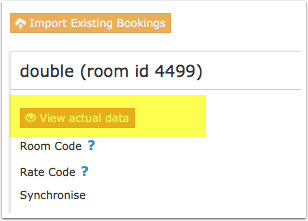
Click on the "View Actual Data" Button to check which prices and availability will send. Prices that had already been set in HRS be overridden but cannot be removed. If no prices have are sent from Beds24, no availability is sent, but the which originally was in HRS is displayed.
Sending multiple Rates to HRS
You can send different rate types on different dates (i.e. "Special" on weekdays and "Weekend" on weekends, "Trade show" during trade show periods). If you want to do this you can map the applicable codes directly in the Fixed Prices or Daily Price. Please use these instructions.
If you do this do not map the room rate combination in the channel manger settings (leave "Room Type" blank). Make sure the periods do not overlap.
Price Multiplier
If you want to add a multiplier to your prices, for example because of a different currency to your Beds24 currency, add a * followed by the multiplier number to your hotel Id.
For example a hotel id setting 123456*1.23 will multiply all prices by 1.23 sent for hotel id 123456. (i.e. raised by 23%) Lower prices can be sent with a multiplier less than 1, i.e. 123456*0.85 will send a price 85% of the normal price (i.e. lowered by 15%)
To convert the price of bookings imported from HRS add a * after the multiplier, for example 123456*1.23* will divide the price of the booking by 1.23.
You can also use currency conversion template variable. All currencies supported by the booking page currency selector can be used.
For example *[CONVERT:IDR-EUR] will convert Indonesian Rupees to Euros.
Hot Deal
Hot Deals have their own availability. To avoid overbookings you can ask HRS to limit the number of rooms bookable with one booking to 1.
Import upcoming bookings
Click on "Import Bookings" and enter your HRS booking numbers one per line. Then click "Import".
Maximum number accepted bookings
By default all all available rooms are sent to activated channels. In SETTINGS->CHANNEL MANAGER->CHANNEL INVENTORY limit the number of accepted bookings for this channel.
Activating
Before you activate the connection you can view the live availability and prices that will be sent to HRS using the "View actual data" button.
For additional room categories you will see the price for which HRS offers the room and the surcharge/discount which is the price for the Standard Double minus the price for the additional room category.
Check connection
The connection is working if you are not receiving error messages and the display in the channel is correct. If you are receiving error messages check in the "Common Errors" section why you are receiving the error and how to fix it.
Updates
Changes to availability and prices will be instantly sent to the channel. Changes for settings for example minimum stays or number of rooms will send with the next update. Click on "Update" if you want to push them through instantly.
Warnings
- Prices for additional room categories are calculated as offsets from the standard room type (standard double or standard single). HRS will automatically recalculate the offset whenever there is a price change in the standard room type which will automatically change the price for the additional categories. Beds24 will send the correct difference with the next update. This might take a couple of hours though. If you use the multiplier in the CALENDAR to dynamically update prices for the standard room type go to SETTINGS-CHANNEL MANAGER-HRS after you have made a change and press "Update" for the additional categories to push the change through instantly.
- You should not use the yield optimizer on the standard room types to automatically adjust prices.
- Additional room categories do not have their own rules. The "inherit" them from the standard room type (standard double or standard single).
- If you are looged into your HRS Account HRS will not accept updates.
Setup Problems
Common Errors
session is invalid: 1300: session is invalid
Check that the number you have entered as "Property Code" is your HRS hotel ID and that you have selected Beds24 as channel manager in your HRS extranet.
session is not valid: -1000: session is not valid
Beds24 can not send updates. Possible reasons are:
*The connection is not set up properly. Check that the number you have entered as "Property Code" is your HRS hotel ID is correct and that you have selected Beds24 as channel manager in your HRS extranet.
*You were logged into the HRS hotel self administarion when Beds24 sent an update. Avoid logging in when you use the channel manager.
*HRS had a technical problem.
rate save failed due to validation errors: -4101: rate save failed due to validation errors (Validation errors occurred: The entered type of breakfast is invalid. Please modify your data accordingly.
If you want to offer meal inclusive or exclusive you need to add prices in the  HRS extranet.  If you do not offer breakfast use "not available". This requires no setting in HRS. If you have already offered breakfast in the current calendar year, HRS does not allow the setting "not available". Select "exclusive" instead.
 The Hot Deal cannot be saved because an HRS rate is not available throughout the selected period.
To send a Hot-Deeal you need to create and map a (Standard) HRS rate.
4101: rate save failed due to validation errors (Validation errors occurred: The column does not exist. Please first create the column
If you want to send multiple prices to HRS you need to create additional rows in HRS.
rate save failed due to validation errors (Validation errors occurred: a parameter of the to saved object is invalid or out of range.
Check that you have done the basic set up in HRS for each year you want to send data for.
cancelable flag is invalid
HRS does not allow the choosen combiation of  "Cancellation" and "Reservation Mode". For "Cancellation" = Not Allowed you need to set "Reservation Tye" = Guaranteed with credit card.
rate save failed due to validation errors
If you are looged into your HRS Account HRS will not accept updates.
A peak season rate cannot be set up for the specified period because your hotel will be listed as a City Hotel on HRS from next year onwards. Peak season rates do not apply to this type of hotel.
Set your "Hotel Type" to "City" and set your "Room Type" to one of the  HRS or Trade types. If the error messages persist log into HRS and remove any "Season" rates.
11100: category availability save failed (com.hrs.ws.hsv.core.exception.GenericException: -11101: category availability save invalid due to validation errors (Validation errors occurred: Saving of the category availabilities was not possible because the type of price is not changeable. Please modify your data accordingly (back to the old value of the price type). and Saving of the category availabilities was not possible because the type of price is not changeable."'
You must change the offset stored in the HRS Extranet to "Fixed amount".
Notes
Disconnect
In Beds24 untick "Inventory", "Prices" and "Bookings".
You will also need to disconnect from Beds24 in HRS. Contact HRS support if you can not see how to do this.