Offers: Difference between revisions
No edit summary |
No edit summary |
||
| (2 intermediate revisions by 2 users not shown) | |||
| Line 6: | Line 6: | ||
This page is about the menu {{#fas:cog}} (SETTINGS) PROPERTIES > OFFERS | This page is about the menu {{#fas:cog}} (SETTINGS) PROPERTIES > OFFERS | ||
= | =Summary= | ||
An offer is the price combined with certain conditions. Offer1 is normally your standard offer | <div class="summarybox"> | ||
An offer is the price combined with certain conditions. Offer1 is normally your standard offer that is always in place unless you hide it. | |||
For your booking page additional offers can show your guests alternative price options for example refundable/non refundable or packages. | |||
</div> | |||
=Functionality= | |||
*If you choose that your "Offer type" is per property your offers will be available across all properties. | *If you choose that your "Offer type" is per property your offers will be available across all properties. | ||
*If you choose that your "Offer type" is per room you can set up separate offers for all rooms. | *If you choose that your "Offer type" is per room you can set up separate offers for all rooms. | ||
| Line 28: | Line 31: | ||
'''If you use Daily Prices''' | '''If you use Daily Prices''' | ||
Go to PRICES > DAILY PRICES | Go to PRICES > DAILY PRICES RULES select the room you want to set up and set "Daily Price 2" "Offer"=2. You can activate up to 16 offers. | ||
When you go to the CALENDAR you will now see additional "Daily Price" rows where you can enter the prices. | When you go to the CALENDAR you will now see additional "Daily Price" rows where you can enter the prices. | ||
Latest revision as of 13:21, 9 February 2025
This page is about the menu (SETTINGS) PROPERTIES > OFFERS
Summary
An offer is the price combined with certain conditions. Offer1 is normally your standard offer that is always in place unless you hide it.
For your booking page additional offers can show your guests alternative price options for example refundable/non refundable or packages.
Functionality
- If you choose that your "Offer type" is per property your offers will be available across all properties.
- If you choose that your "Offer type" is per room you can set up separate offers for all rooms.
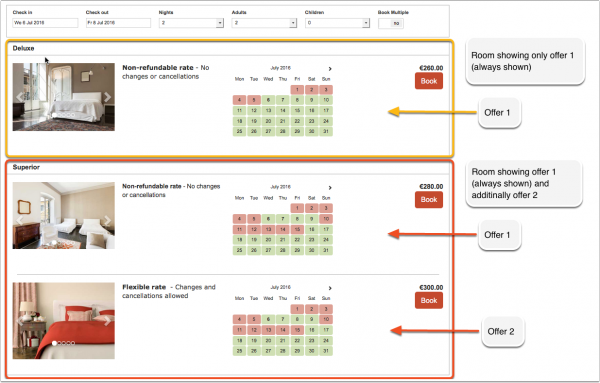
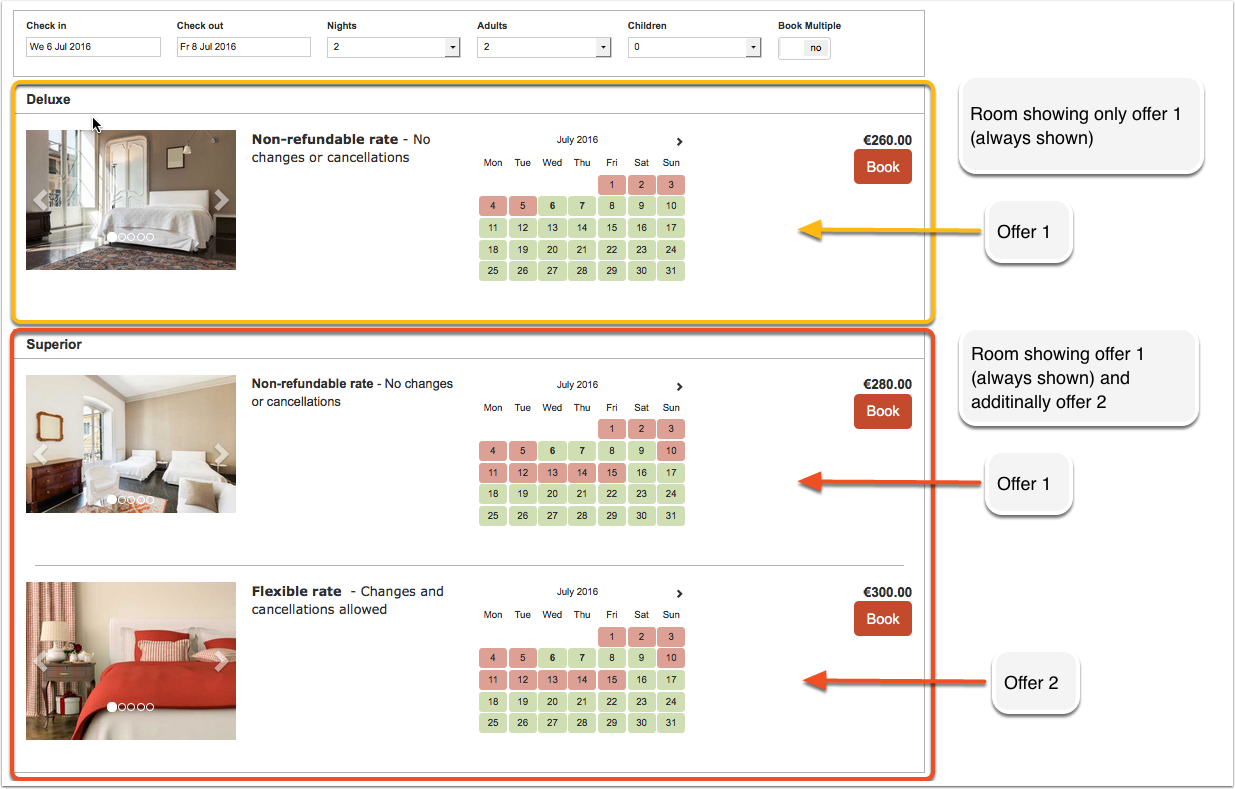
This example shows one room which shows offer 1 only (the default) and one room for which one additional offer is set up:
Create additional offers
Step 1 - enable display of additional offers
Additional offers can be set to always display or only when a price is available.You can enter descriptive information and a picture for each extra offer. For example to enable offer 2 go to (SETTINGS) PROPERTIES -> OFFERS the click on "Offer 2" and enable it.
Step 2 - create prices for additional offers
If you use Daily Prices
Go to PRICES > DAILY PRICES RULES select the room you want to set up and set "Daily Price 2" "Offer"=2. You can activate up to 16 offers.
When you go to the CALENDAR you will now see additional "Daily Price" rows where you can enter the prices.
If you use Fixed Prices
To set prices for your offers add a price for them and set the offer setting in the "Rooms" tab of your Fixed Price to the appropriate number.
- You can link an existing Fixed Prices to offers with a price offset in the "Rooms" tab of the Fixed Price.
- If you have different booking conditions you can create a new Fixed Price for each offer and set the specific rules.
If you set "Only If Available" on all your offers this means when they are not available, the offer including it's specific warning message is hidden. If all offers are hidden only a generic warning is shown for the room.