Setting Prices for Booking Channels: Difference between revisions
No edit summary |
|||
| Line 68: | Line 68: | ||
Check the instructions for the channel if this feature is supported. If the instructions do not mention the option to add a multiplier please send us a support ticket (click on HELP in the top right in the channel page in the control panel) and we will see if we can add it. | Check the instructions for the channel if this feature is supported. If the instructions do not mention the option to add a multiplier please send us a support ticket (click on HELP in the top right in the channel page in the control panel) and we will see if we can add it. | ||
==Multiple rates for channels == | ==Multiple rates for channels == | ||
Revision as of 09:17, 14 July 2017
This page explains how to set different prices for booking channels
The system can send prices to many booking channels. For capabilities please check this page.
Daily Prices
Each daily price can be used for any combination of channels and your booking page. Use the tick boxes at SETTINGS-> PROPERTIES-> ROOMS> DAILY PRICES to specify which channels the price can be used for.
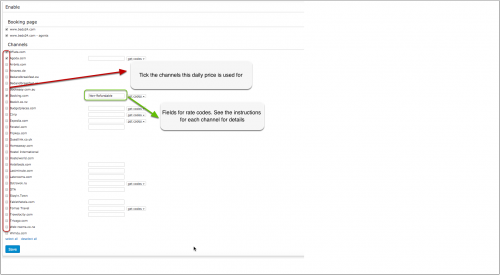
If you have multiple rate codes at a channel, you can map different daily prices to each and enter the rate code for the channel in the daily price settings.
Rates
The "Channels" tab of the rate defines where a rate is used.
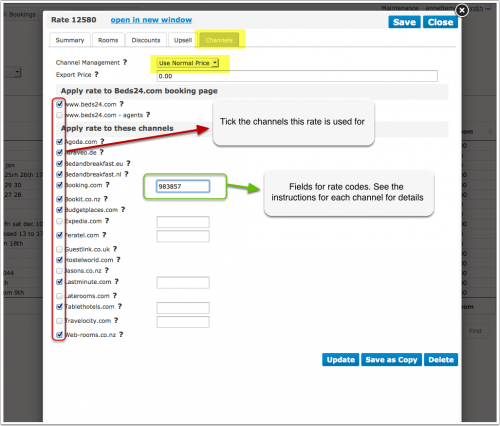
- If you want to use a rate only on your own web site untick all channels.
- If you want to us a rate only for channel management untick "Beds24" and "Beds24 Agents".
Multiple Rates
You have the option to create a special rate for one or each channel and your web site.
1. Rate for your web site
- Create a rate clicking on "Add Rate" in the RATES menu
- Go to the "Channels" tab of the rate and make sure "Beds24" is ticked but not the channels you do not want to use the rate for
2. Rate for the booking channel
- Create a your rate clicking on "Add Rate" in the RATES menu
- Only per night prices can be sent to booking channels so make sure "Prices per" is set to "Night"
- Go to the "Channels" tab of the rate and make sure "Beds24" is unticked and the channels you want to send the rate to are ticked
Rate Strategy: You can set three different values:
- Allow lower prices - this is the default and will always apply the lowest price for the guests selection
- Do not allow lower prices - if you use multiple rate codes this blocks only this rate code
- Do not allow any other prices - if you use multiple rate codes this blocks all other rate codes
Using the Export Price
- Open the rate and go to the "Channels" tab
- Enter the price you want to send to the channels in the filed "Export Price"
- Set "Channel Management" = "Use Export Price"
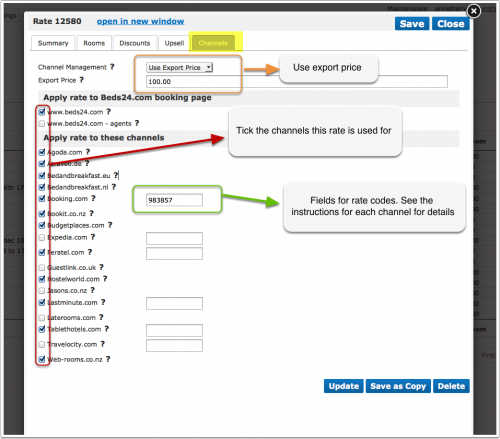
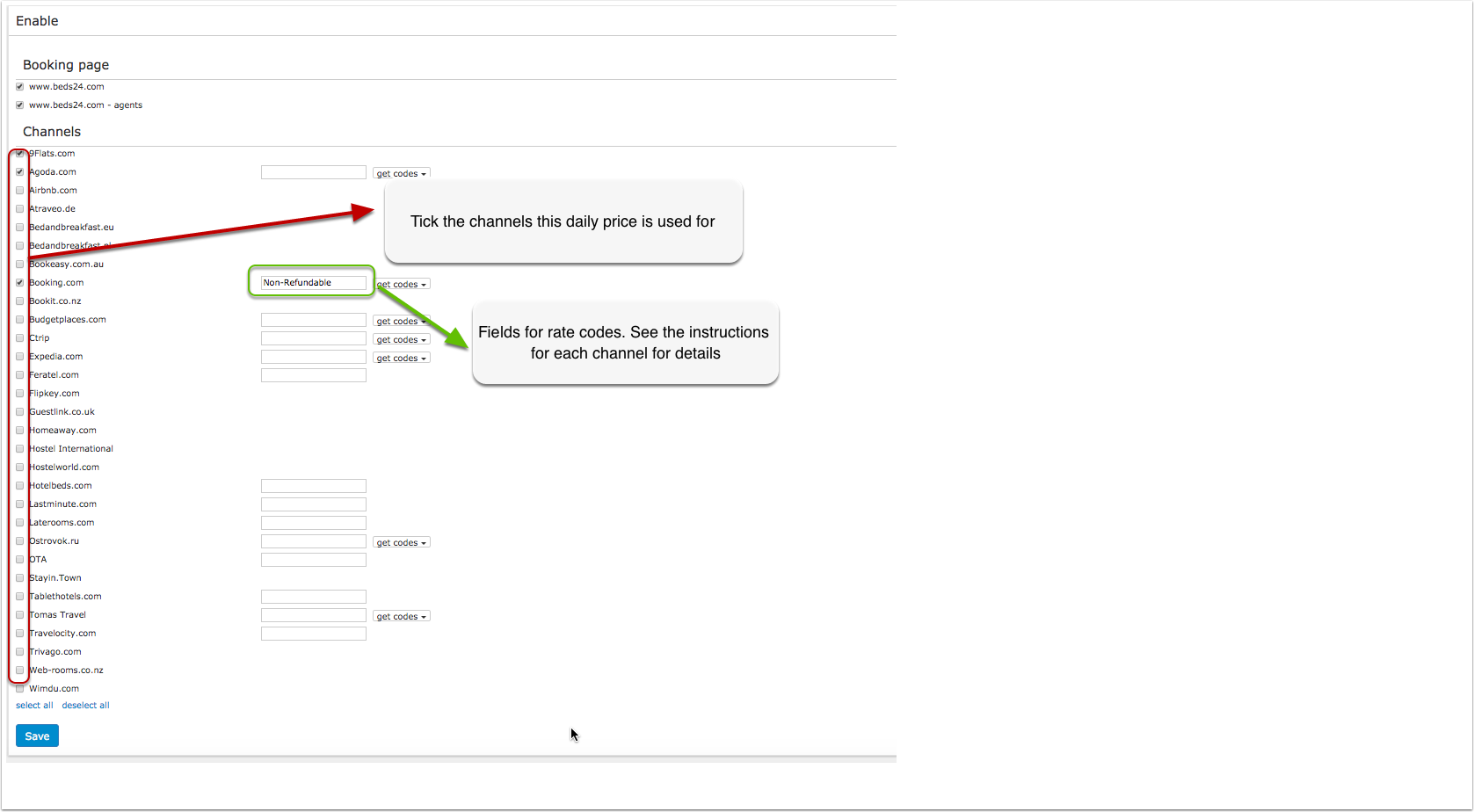
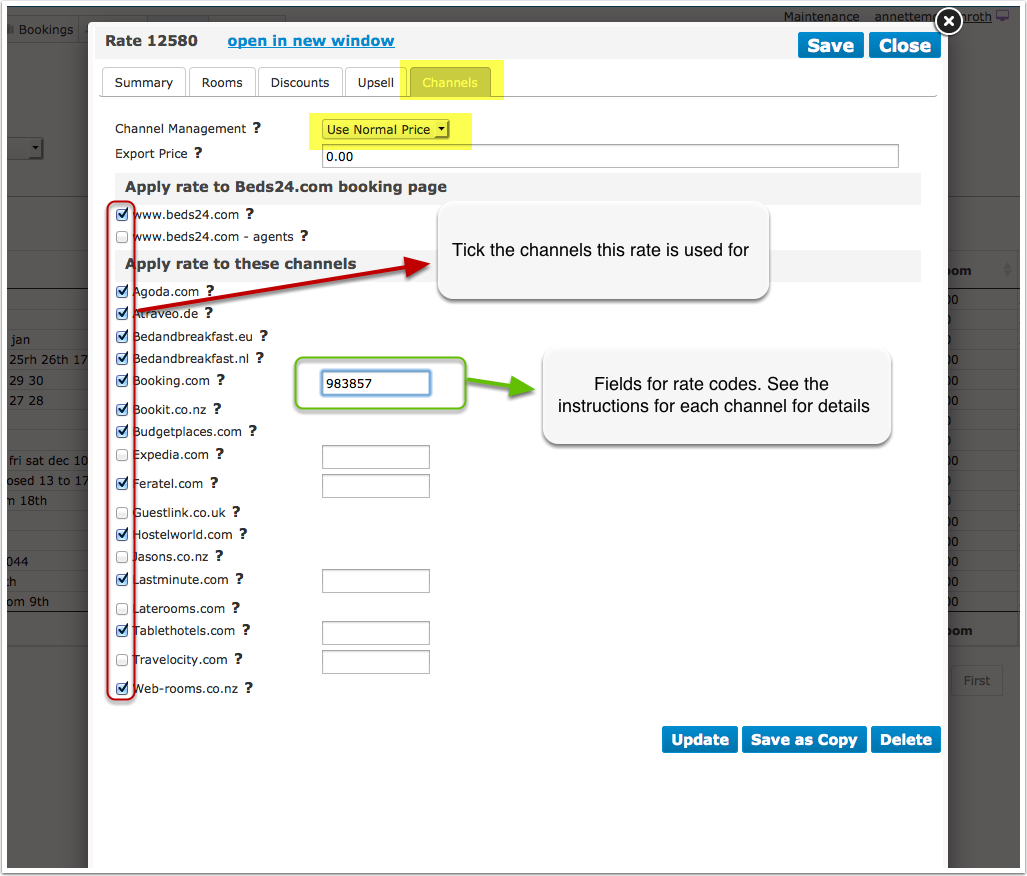
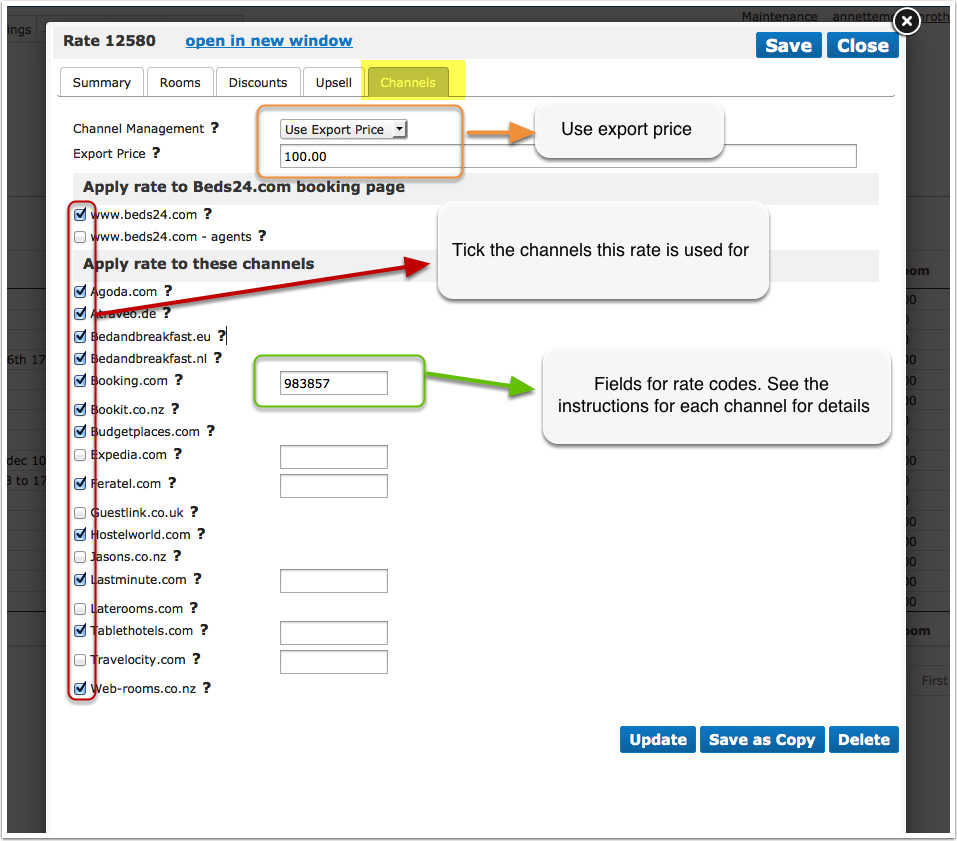
When you go to RATES in the top menu you will see a list of all rates activated for channels.
NOTE: Only price "Per Day" can be sent to OTAs so make sure that "Price Per" is set to "Day" in all rates you want to send to OTAs.
Use Daily Prices in combination with rates
If you use rates and daily prices together, the system will offer the lowest available price which meets all your rules.
Price Multiplier
For many channels you can add multiplier to your prices, for example because the channel requires a different currency to your Beds24 currency.
For some channels we can also convert the prices of bookings imported back to the currency you use in Beds24.
Check the instructions for the channel if this feature is supported. If the instructions do not mention the option to add a multiplier please send us a support ticket (click on HELP in the top right in the channel page in the control panel) and we will see if we can add it.
Multiple rates for channels
Some channels support multiple rates for example refundable/non refundable, standard/last minute/early bird, prices for different occupancies. The capabilities depend on the channel and are explained on the help page for each channel.
Note:
The prices will only be sent to the channels you have activated in the channel manger settings.