Group Bookings: Difference between revisions
No edit summary |
No edit summary |
||
| Line 1: | Line 1: | ||
[[Category:Bookings]] | [[Category:Bookings]] | ||
''This page explains how to create and manage group bookings'' | ''This page explains how to create and manage group bookings'' | ||
__TOC__ | |||
== Add a group booking == | |||
To add a booking for multiple rooms or to check for available rooms click on "Add Booking" and then on "Price Check". | To add a booking for multiple rooms or to check for available rooms click on "Add Booking" and then on "Price Check". | ||
| Line 7: | Line 8: | ||
[[Media:book_multiple.gif|view large]] | [[Media:book_multiple.gif|view large]] | ||
__Manage Group Bookings__ | |||
You can manage and also create a group booking in the "Invoice" tab of a booking. | You can manage and also create a group booking in the "Invoice" tab of a booking. | ||
Revision as of 13:25, 16 October 2017
This page explains how to create and manage group bookings
Add a group booking
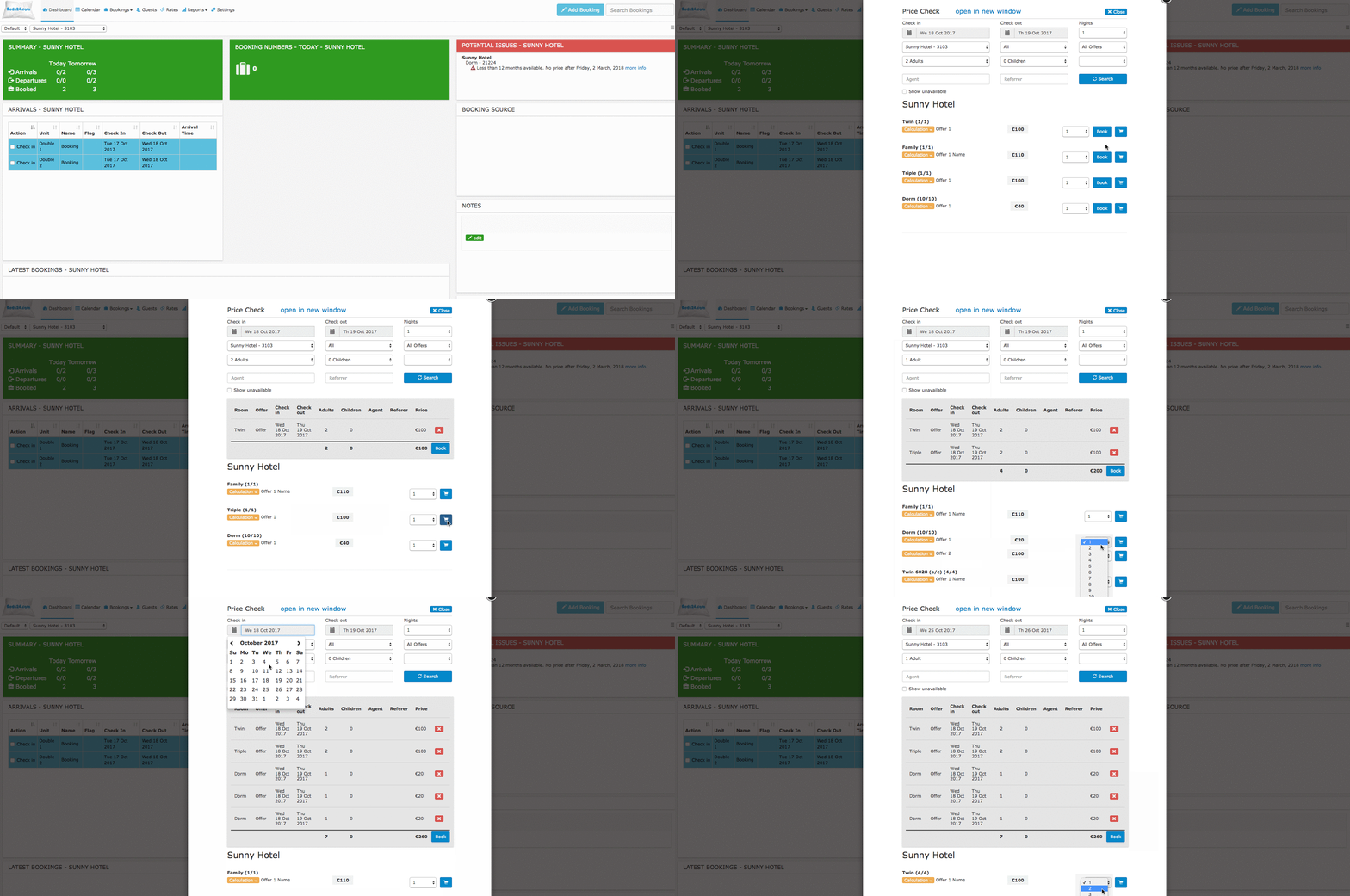
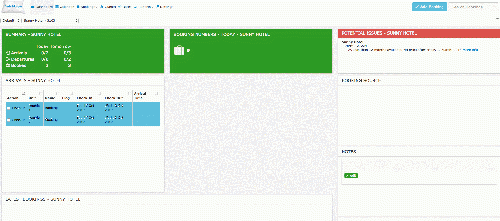
To add a booking for multiple rooms or to check for available rooms click on "Add Booking" and then on "Price Check".
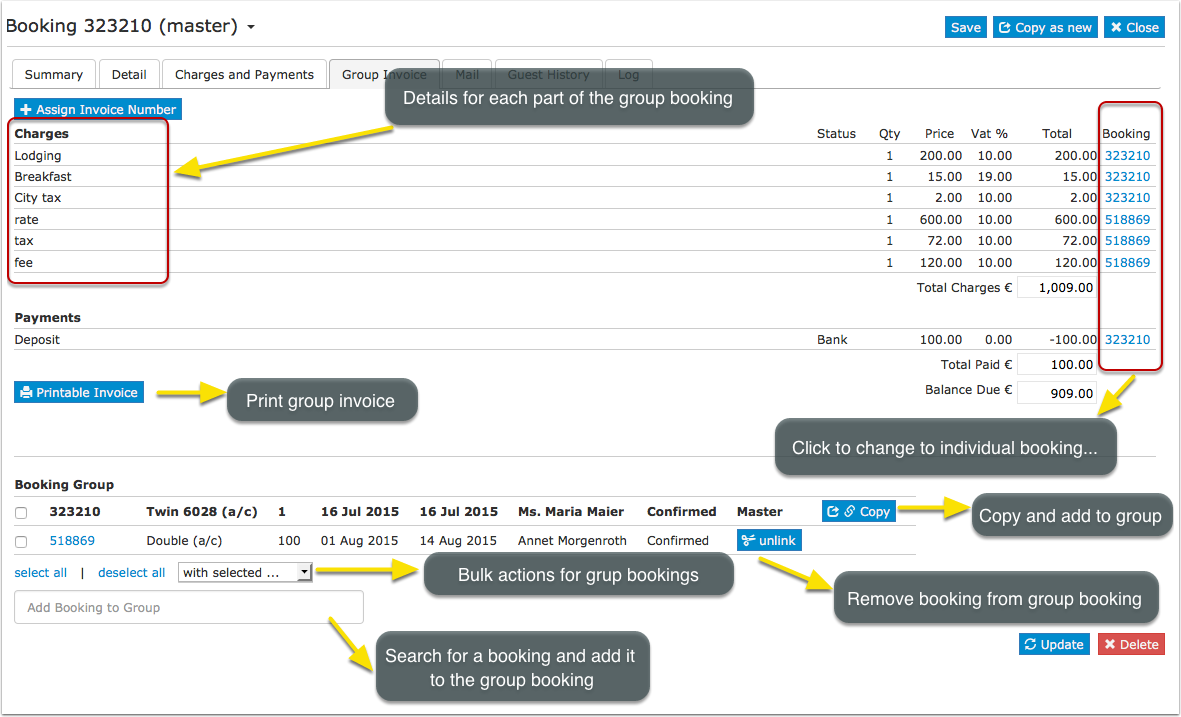
__Manage Group Bookings__ You can manage and also create a group booking in the "Invoice" tab of a booking.
A group booking consists of two or more linked individual bookings. To create a group booking click on "Add Booking". Fill in the guest details and click "Continue". Then go to the "Details" tab of the booking and set the "Quantity", click SPLIT (blue button) and confirm if you want to copy the charges (top bar). If required you can then make individual changes to each booking.
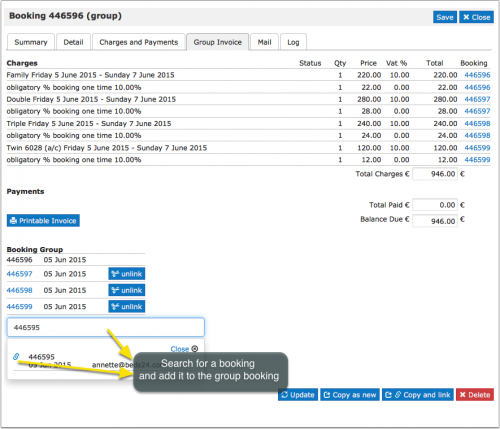
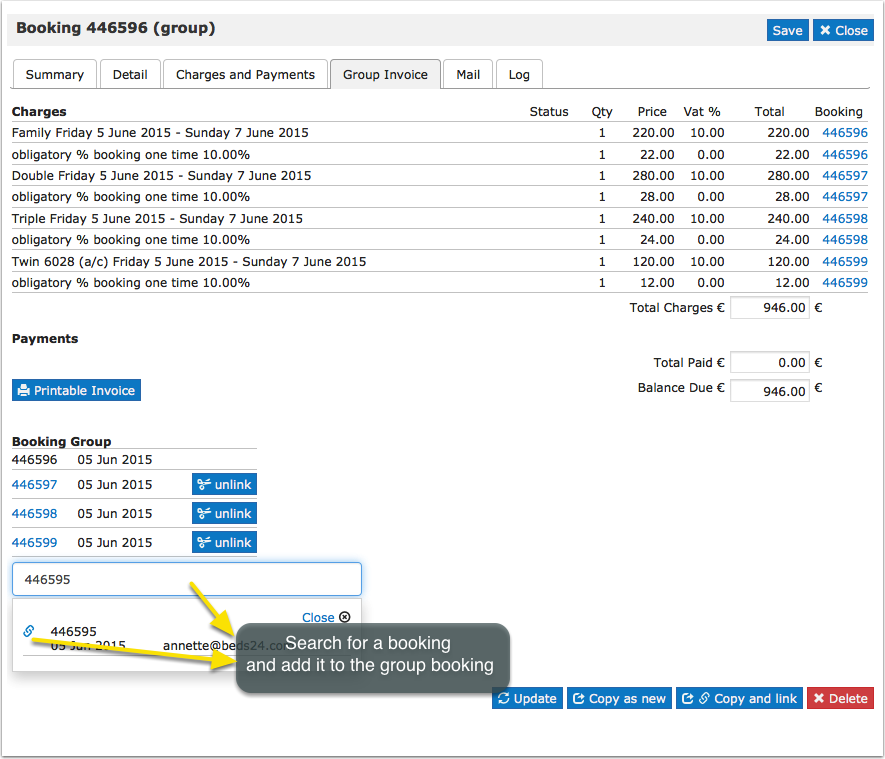
When you open one of the booking ids go to the Group Tab and you can see the individual booking ids for this Group Booking.
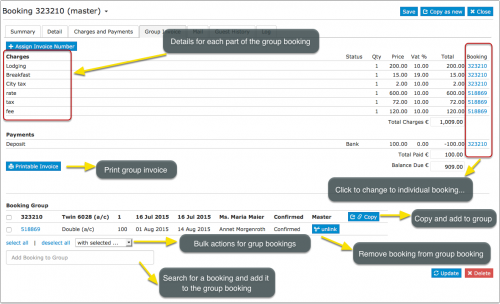
Individual bookings can be added to or removed from group bookings.
Bulk actions can be performed to apply changes to several or all bookings of a group.