AirBnB.com: Difference between revisions
No edit summary |
No edit summary |
||
| Line 27: | Line 27: | ||
== Before you connect == | == Before you connect == | ||
'''Prices''' | |||
*We can only send availability if you have set up prices which are activated for this channel. This tutorial gives general information how to [[Setting_Prices_for_Booking_Channels|set prices for channels]]. | |||
'''Bookings''' | |||
New Bookings are imported. Cancellations to bookings are also imported. | |||
Existing bookings are not automatically imported when the connection is established and should be entered into Beds24 manually. | |||
'''Rooms and Room Types''' | |||
*If you sell rooms individually on Airbnb and want to sell them on other channels like Booking.com as a "roomtype" with a quantity of more than one you can [[Combine_individual_rooms_into_a_roomtype|set up virtual roooms]]. | *If you sell rooms individually on Airbnb and want to sell them on other channels like Booking.com as a "roomtype" with a quantity of more than one you can [[Combine_individual_rooms_into_a_roomtype|set up virtual roooms]]. | ||
'''Auto Emails''' | |||
*If you want to send Auto Action Emails to Airbnb guests you will need to use the Email address you use for your Airbnb account as outgoing EMail (SETTINGS-ACCOUNT-OUTGOING EMAIL) | *If you want to send Auto Action Emails to Airbnb guests you will need to use the Email address you use for your Airbnb account as outgoing EMail (SETTINGS-ACCOUNT-OUTGOING EMAIL) | ||
==Setup== | ==Setup== | ||
Revision as of 11:49, 21 January 2018
Synchronising Beds24.com with your Airbnb calendar
Capabilities
- Beds24.com can export inventory.
- Beds24.com can import bookings.
- Beds24.com can import booking modifications.
- Beds24.com can import booking cancellations.
For details please click here
Limitations
- Prices cannot be exported and must be set in the Airbnb system.
- AirBnB initiate the inventory update of their calendar, we cannot control how often they update their calendar.
- Past bookings are not imported.
- Bookings are only auto cancelled if they are still in the original room. If you are using virtual rooms make sure you set bookings to remain in the original virtual room and for the dependent room to "include them" in itself for availability calculations.
- Airbnb does not send the price for bookings. If you have set up a minimum price in the room settings this value will display in the "Price" field of the booking.
What you will need
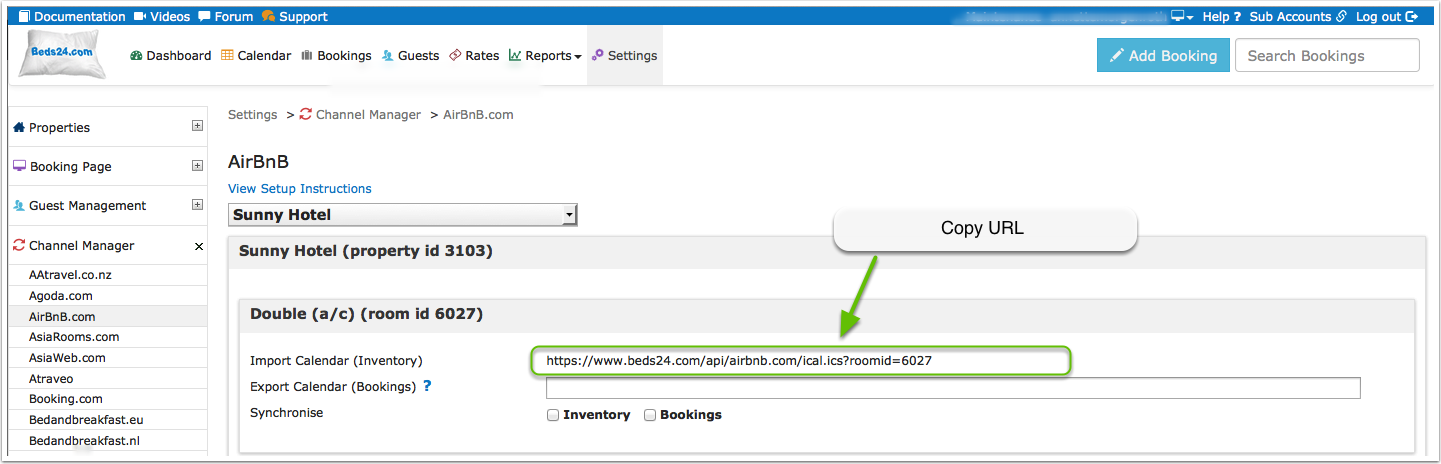
You need to save the Beds24 "Airbnb Import Calendar (Inventory)" URL into the Airbnb Calendar Import Tool so Airbnb update their calendar from Beds24.
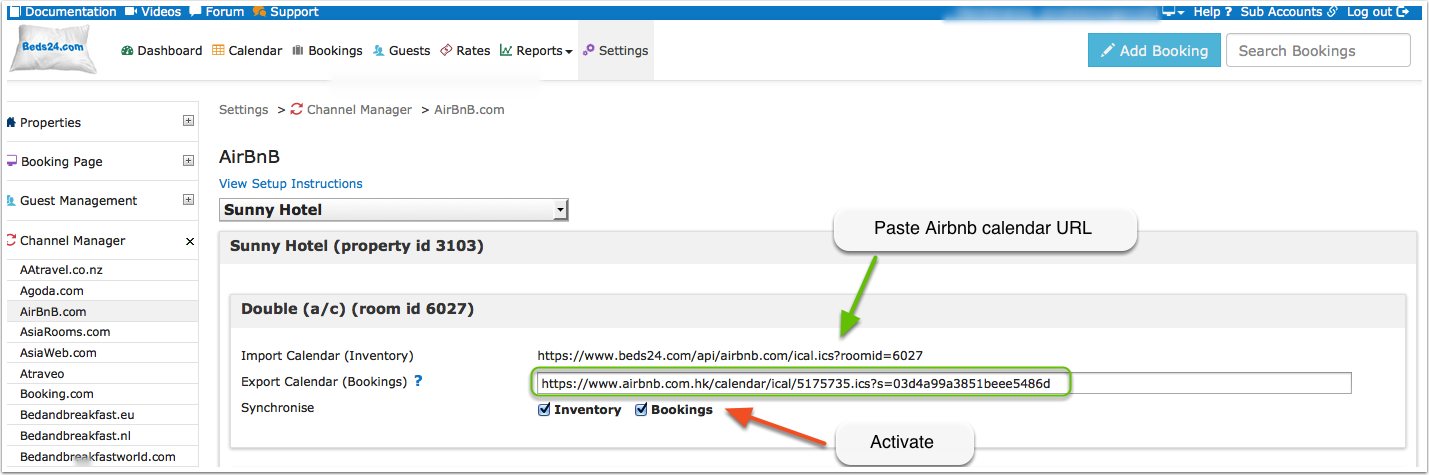
You need to save Airbnb's Export Calendar URL into the Beds24 "Airbnb Export Calendar (Bookings)" setting so Beds24 can import Airbnb bookings.
Before you connect
Prices
- We can only send availability if you have set up prices which are activated for this channel. This tutorial gives general information how to set prices for channels.
Bookings
New Bookings are imported. Cancellations to bookings are also imported.
Existing bookings are not automatically imported when the connection is established and should be entered into Beds24 manually.
Rooms and Room Types
- If you sell rooms individually on Airbnb and want to sell them on other channels like Booking.com as a "roomtype" with a quantity of more than one you can set up virtual roooms.
Auto Emails
- If you want to send Auto Action Emails to Airbnb guests you will need to use the Email address you use for your Airbnb account as outgoing EMail (SETTINGS-ACCOUNT-OUTGOING EMAIL)
Setup
Export Inventory to Airbnb
We have no control over how often Airbnb update calendars. It can be as slow as once per day.
Please open an issue with Airbnb and request a more frequent update.
Consider setting Airbnb to requests rather than confirmed bookings if they cannot increase the rate they update your calendar.
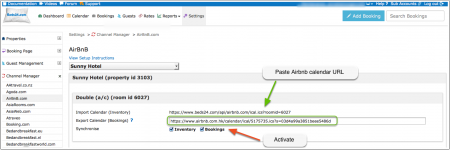
Tick the Inventory checkbox to make your Beds24 availability calendar available to Airbnb and save.
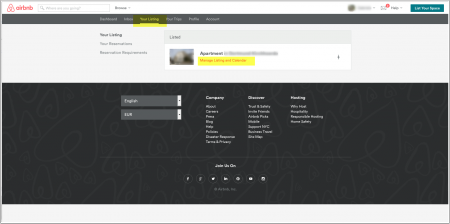
- Log into Airbnb and go to Manage Listing and Calendar.
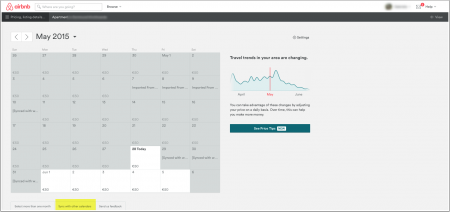
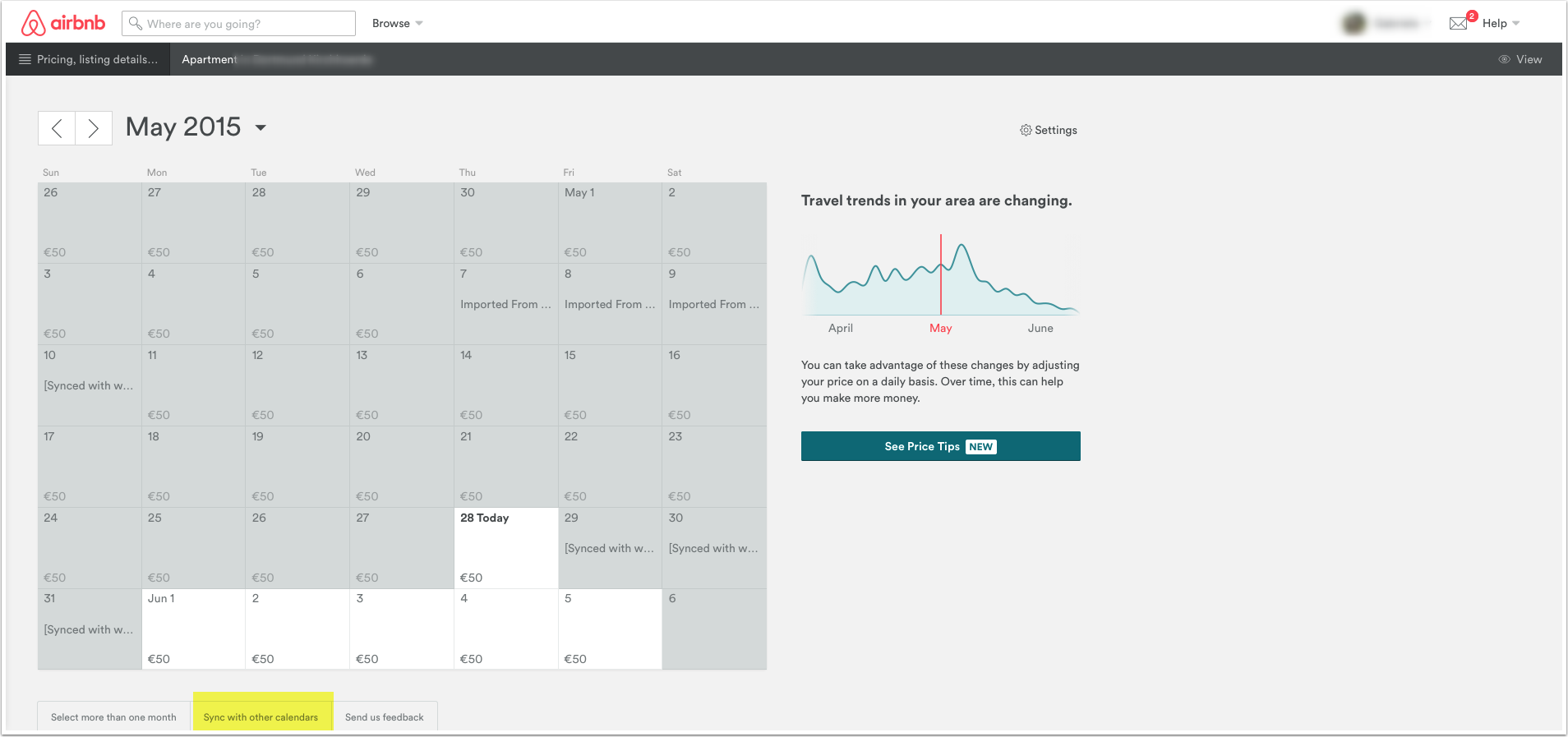
- Go to "Sync with other Calendars" (usually a link under the calendar)
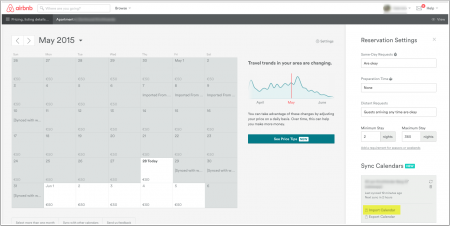
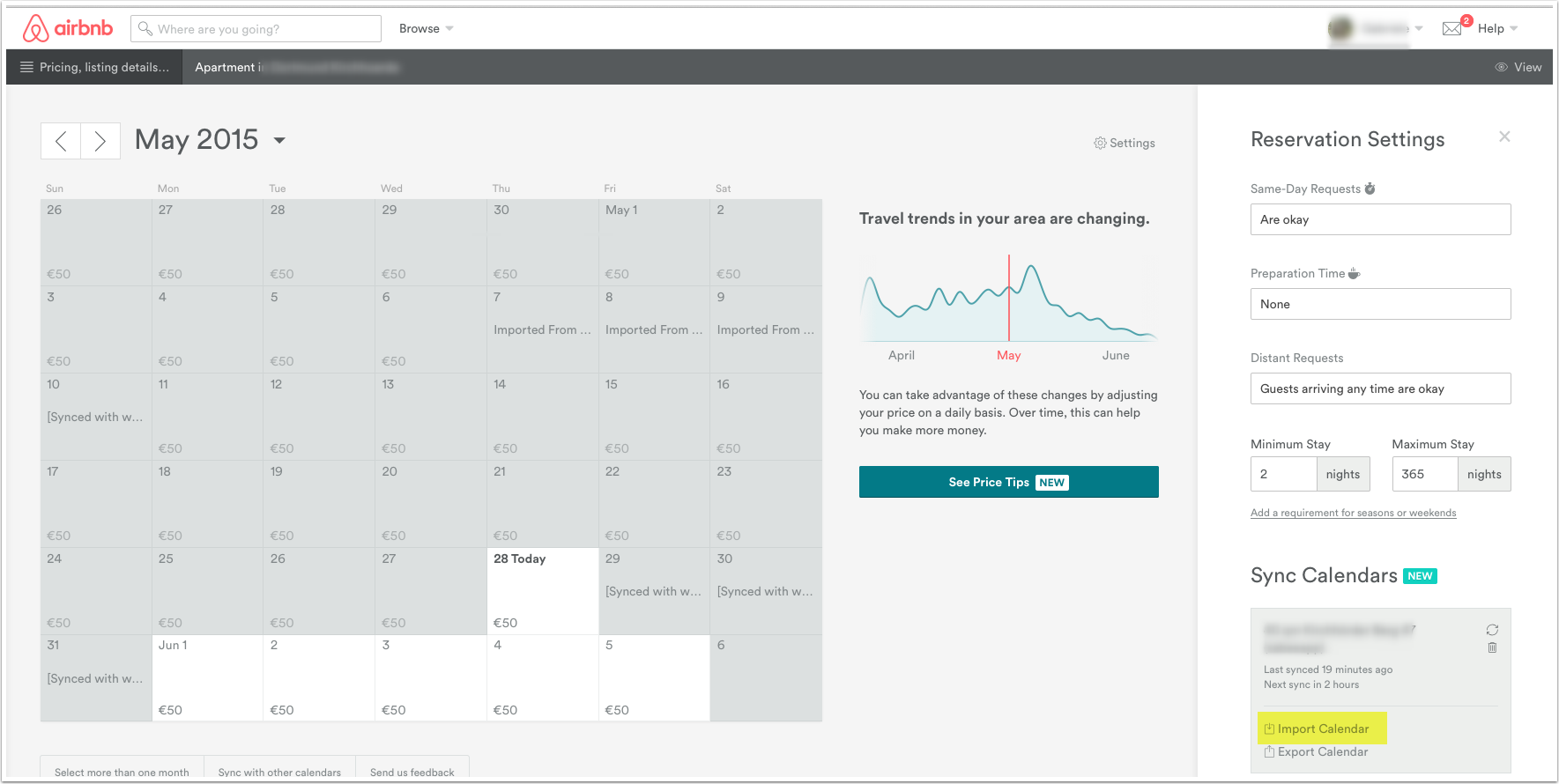
- Click on "Calendar Import".
- Copy the "Airbnb Import Calendar (Inventory)" URL from the Airbnb Channel Manager page in Beds24.
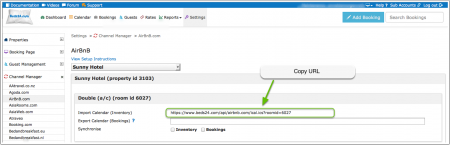
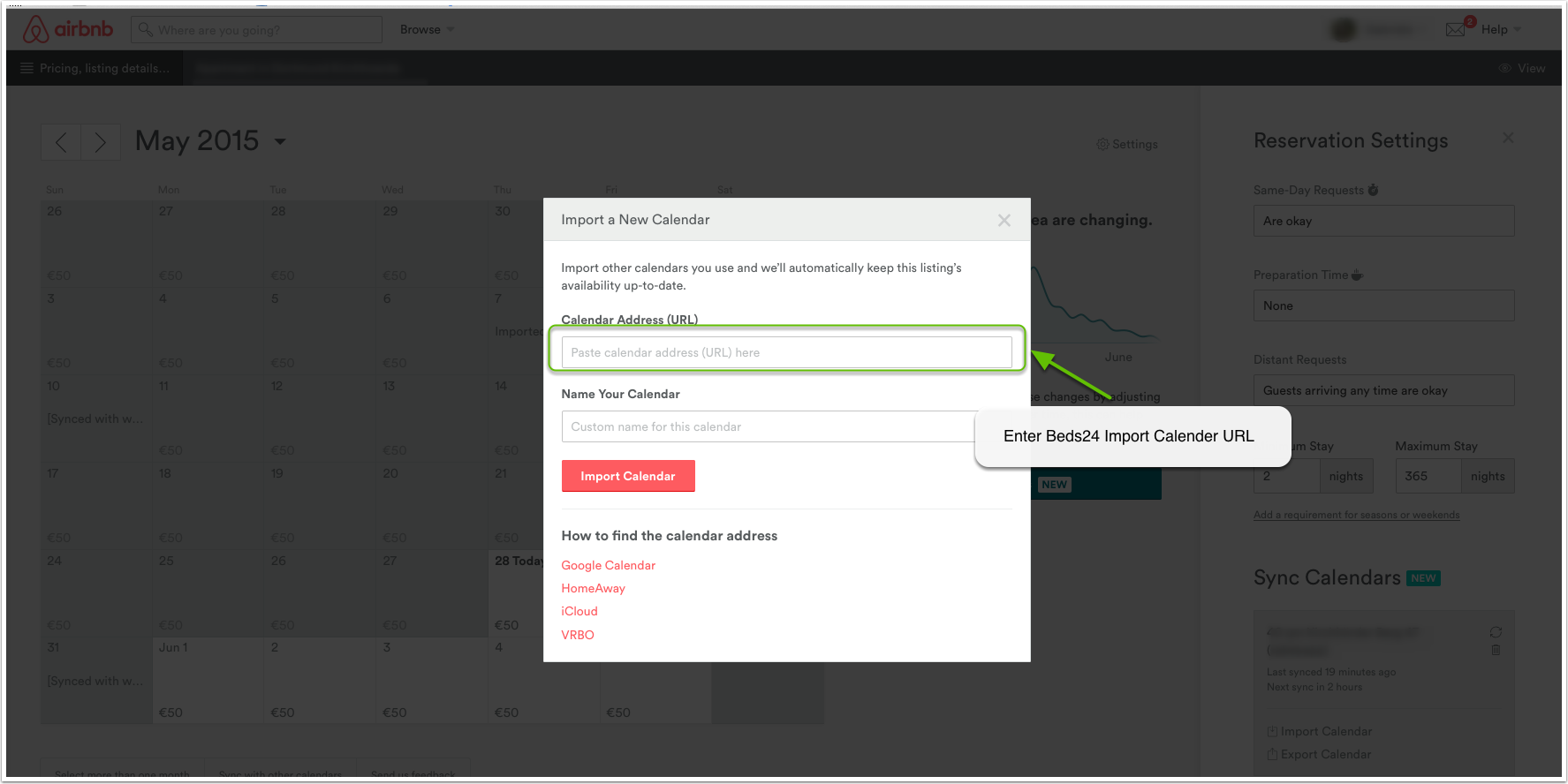
- Paste the Beds24 Calendar URL where requested in Airbnb.
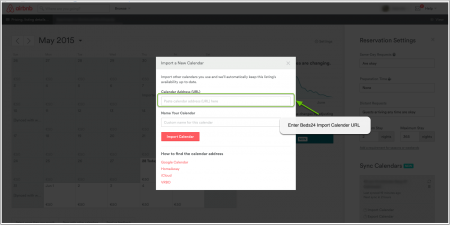
Note: If you did not tick the "Inventory" checkbox in Beds24 Airbnb will return an error. In this case go back to Beds24 and tick "Inventory".
- Make sure the connection is activated
Import Bookings to Beds24
To import bookings tick the Bookings check box and save.
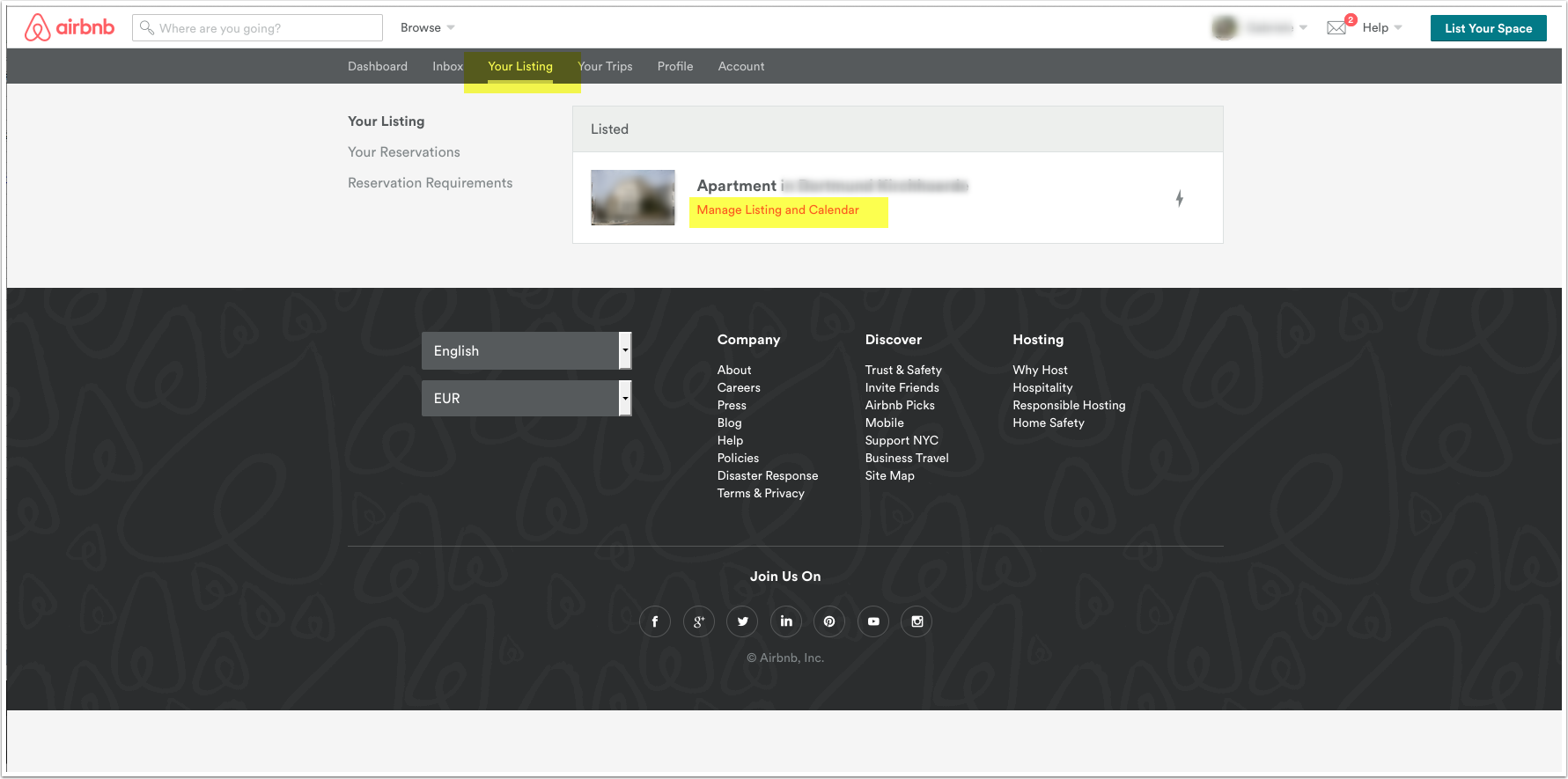
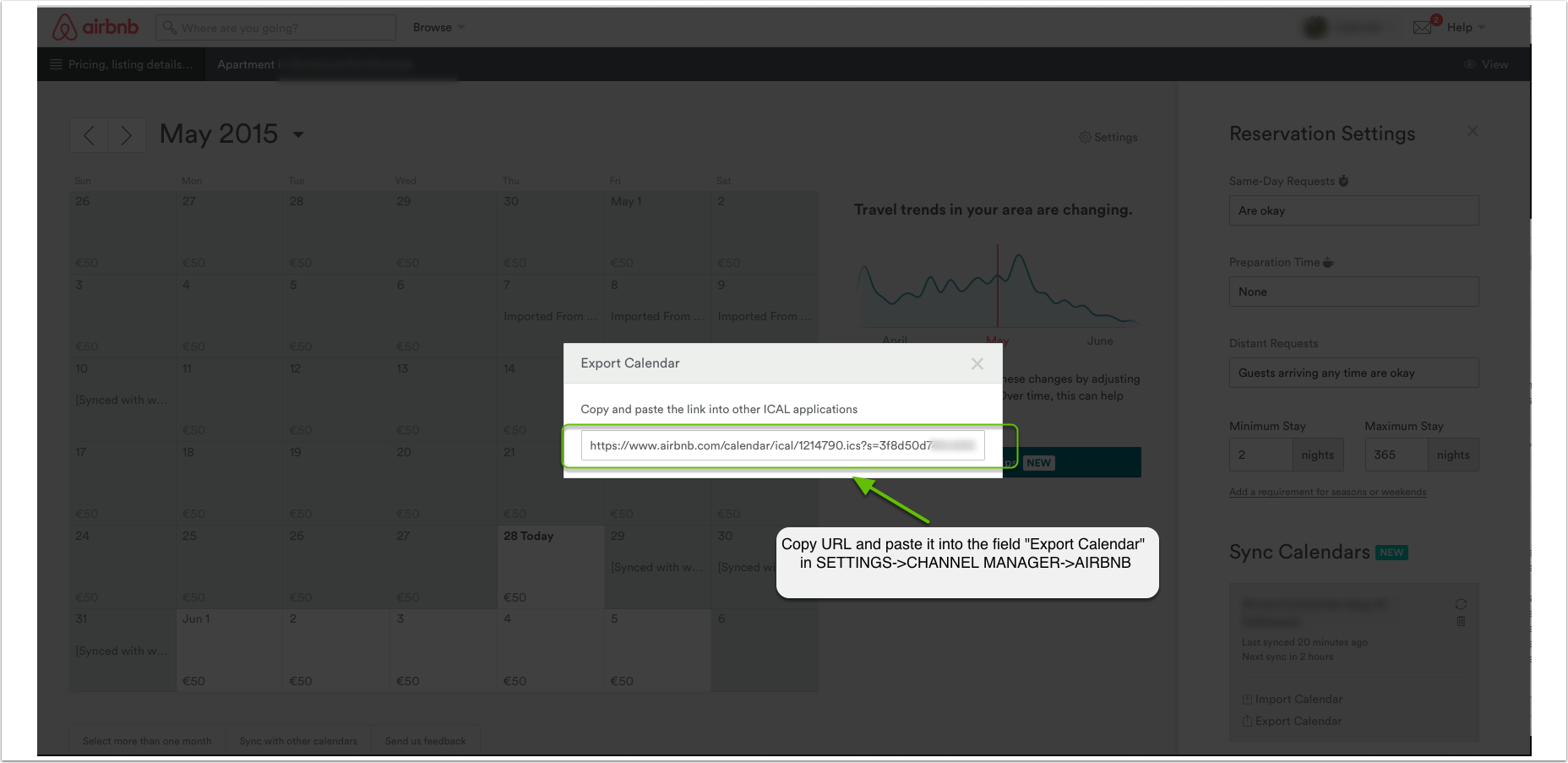
- Log into Airbnb and go to Manage Listing and Calendar.
- Go to "Sync with other Calendars" (usually a link under the calendar)
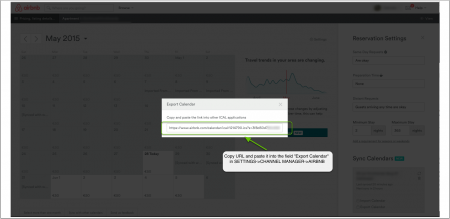
- Copy the URL listed for "Export Calendar"
- Make sure the connection is activated
- Paste the Airbnb Export Calendar URL into the "Airbnb Export Calendar (Bookings)" setting on the Airbnb Channel Manager settings page in Beds24 and save.
Common Errors
The calendar address isn’t in ICAL format
*check that  "Inventory"  is ticked.
*double check the link is correct.
No Availability in Airbnb
You need prices in Beds24 and in the Airbnb extranet.  If you added prices in the Airbnb extranet but still do not see the same availability as in your Beds24 calendar you could try the following: Untick "Inventory" and "Bookings" in the channel manager settings. Once your Airbnb calendar is blank set prices. Reconnect Beds24 and use the calendar update function in Airbnb to push an update through.
Notes
If you just want to import the blocked dates once to get setup you can put the Airbnb calendar url into the Ical import channel, let them import and then disable the Ical Import channel. This should import all the blocked dates as bookings.
Airbnb only sends bookings with dates up to one year in advance. If you have bookings for future dates these can not be imported.
Airbnb does not send the price. Bookings will be assigned the minimum room price when no price is supplied by the channel.
If you do not want this, set the min room price setting in SETTINGS->PROPERTIES->ROOMS->SETUP back to zero.
Disconnect
- Unticking "Inventory" and "Bookings" will stop the synchronisation for a room.
- Log into your Airbnb extranet and delete the Beds24 URL.