This page explains how to use and customise the responsive version (beta) of the booking page.
The design of the responsive booking page is fully modular. This allows you to fully control the layout. We provide a set of default layouts which can be used as they are.
1. Use Responsive Booking Page
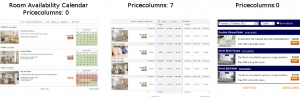
Go to SETTINGS->BOOKING PAGE and select "Booking Page Version" = Responsive. This setting will activate Layout 1.
2. Choose a different Layout
Go to SETTINGS->BOOKING PAGE->PAGE DESIGN->LAYOUT and set the selector to the layout you want to use as your standard layout.
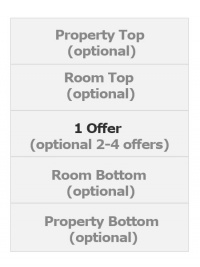
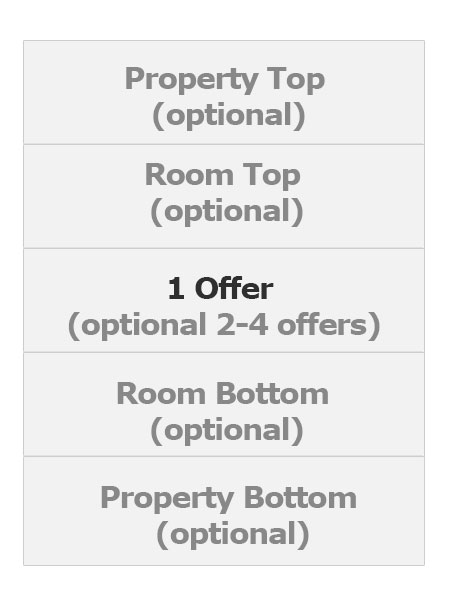
Position: Modules are placed in rows. Each section can have one or more rows.
Width on desktop and mobile: Each row which consists of 12 columns. The number of columns defines the width of the module.
view large
All "Description" Modules allow to enter text or html content.
Click on "Manage" to customise the settings of a module. All modules can be set to always display or to be available via a link.
If you have activated one or more of these modules:
Room Description 1 ("Room more Details" on the adaptive booking page)
Offer Description 1 ("Offer Summary" on the adaptive booking page)
Offer Description 2 ("Offer more Details" on the adaptive booking page)
Marketing Column
Go to SETTINGS->BOOKING PAGE->ROOM CONTENT to enter the content for the modules.
If you have activated one or more of these modules:
Property Description 1 ("Header" on the adaptive booking page)
Property Description 3 ("Footer" on the adaptive booking page)
Go to SETTINGS->BOOKING PAGE->PAGE DESIGN->CONTENT and enter a "Header" and/or "Footer"
If you have activated one or more of these modules:
Property Description 1
Go to SETTINGS->AGENCY->PROPERTIES and add a "Property Summary Description"
NOTE: Some of these settings might be moved. This help page will always have the current location for each setting.
Pictures
To upload pictures and assign them to modules go to SETTINGS->BOOKING PAGE->PICTURES
Colors and Fonts
To customise colors and fonts go to SETTINGS->BOOKING PAGE->PAGE DESIGN->STYLE
Behaviour
Changes on how the booking page opens and closes can be made in SETTINGS->BOOKING PAGE->PAGE DESIGN->BEHAVIOUR
Content
Additional messages can be added to the booking page in SETTINGS->BOOKING PAGE->PAGE DESIGN->CONTENT. This is also where you can change the default warning messages which show when a room is not available.
Developers
Advanced functions are available in SETTINGS->BOOKING PAGE->DEVELOPER
If you are comfortable working with CSS you can apply your own styles


 Item 1

 view large
