Expedia.com: Difference between revisions
No edit summary |
No edit summary |
||
| Line 52: | Line 52: | ||
Map Rooms: | Map Rooms: | ||
*Click on the "Get Code" link | *Click on the "Get Code" link next to the room code setting. | ||
*Choose the Expedia room you want to map to | *Choose the Expedia room you want to map to each Beds24 room and click on it. | ||
*Save | *When the correct room id has copied to the room code setting, click Save. | ||
[[Image:Expedia4.png|350px|link=]] | [[Image:Expedia4.png|350px|link=]] | ||
[[Media:Expedia4.png|view large]] | [[Media:Expedia4.png|view large]] | ||
Map Rates: | Map Rates: | ||
*Click on the "Get Code" link | *Click on the "Get Code" link next to the rate code setting. | ||
*Choose the Expedia standard rate for this room and click on it | *Choose the Expedia standard rate for this room and click on it | ||
*Save | *When the correct rate plan id has copied to the rate code setting, click Save. | ||
[[Image:Expedia5.png|350px|link=]] | [[Image:Expedia5.png|350px|link=]] | ||
[[Media:Expedia5.png|view large]] | [[Media:Expedia5.png|view large]] | ||
Revision as of 21:23, 18 November 2015
This page is about the menu SETTINGS->CHANNEL MANAGER->EXPEDIA
Capabilities
- Beds24.com can export Inventory
- Beds24.com can export Minimum Stay
- Beds24.com can export Maximum Stay
- Beds24.com can export Closed to Arrival and Closed to Departure
- Beds24.com can export Multiple Rates
- Beds24.com can import Bookings
- Beds24.com can import Booking Modifications and Cancellations
- Beds24.com can add a multiplier to prices to convert to a different currency.
- Importing modifications or cancellations can be disabled for individual bookings.
For details please click here
Limitations
"Extra Person" prices cannot be exported but can still be set manually in Expedia.
What you will need
- Your Expedia Quick connect username and password
- Your Expedia hotel id
Set Up
Expedia
To activate the connection of your hotel to Beds24 you will need to download this form and return it to Expedia.
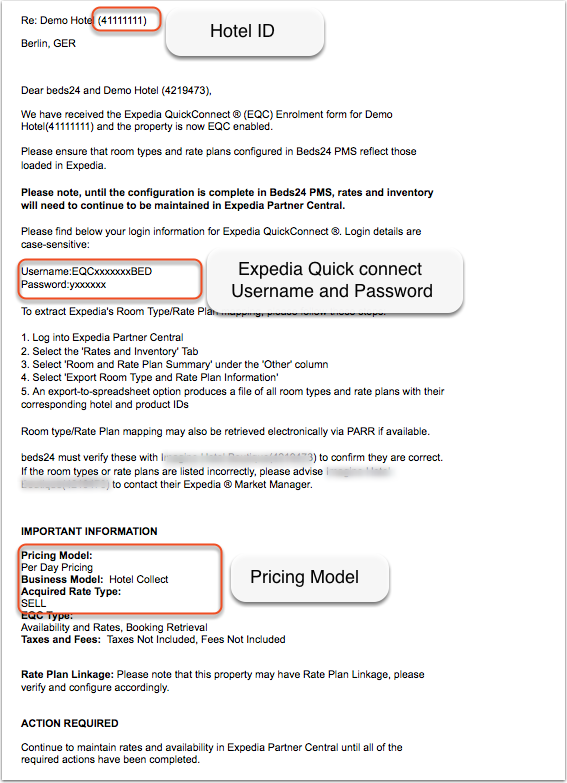
Expedia will send you an email with your credentials.
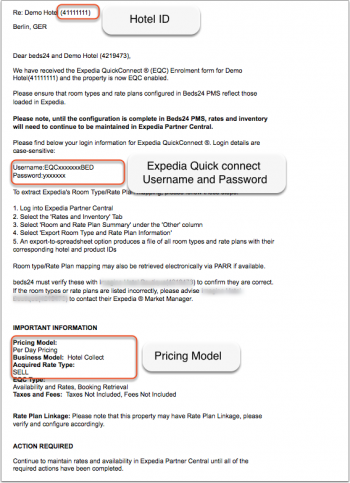
- Copy your EQC username and password
- Copy your Expedia hotel id
Beds24.com
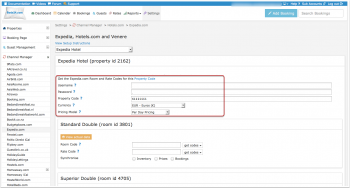
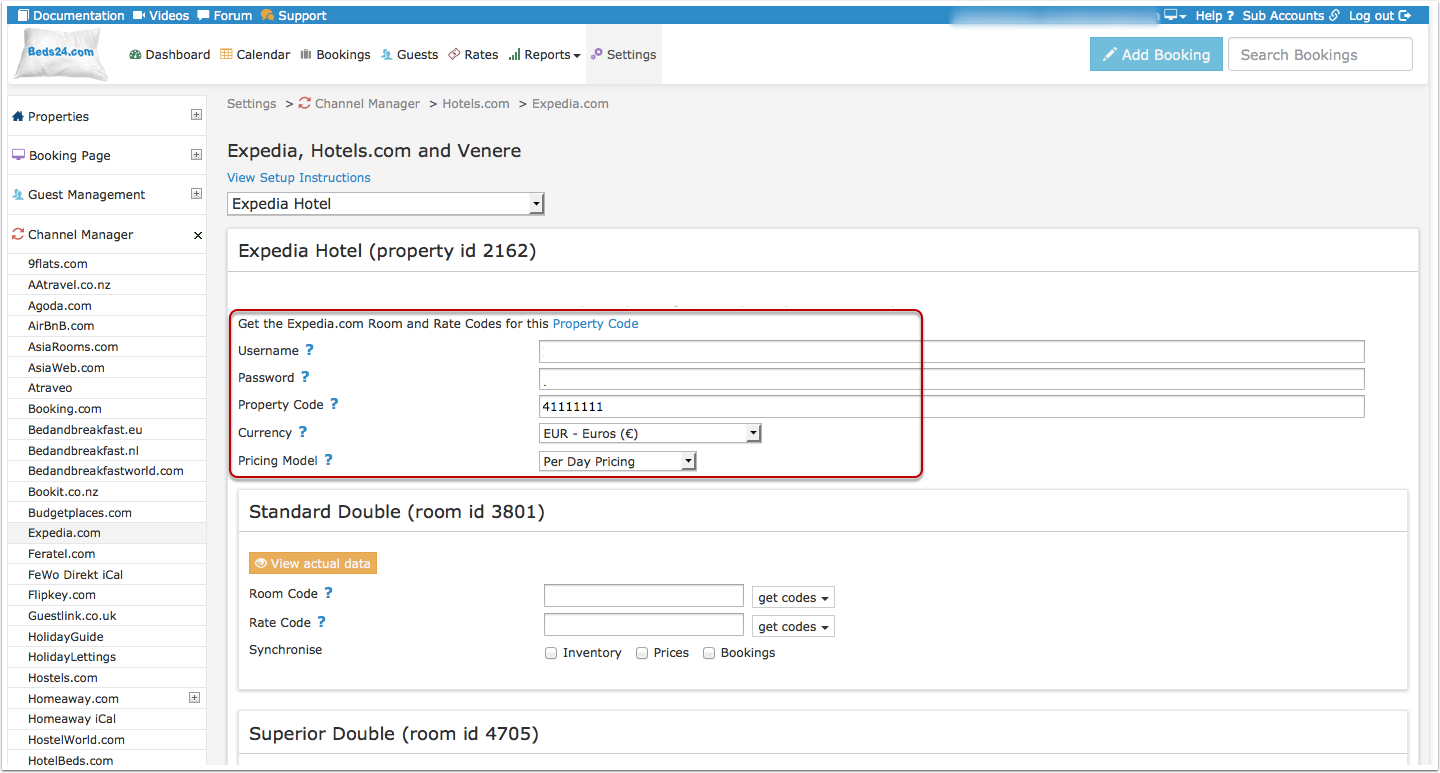
- Enter your EQC username and password, note these will be sent by email from Expedia and are different to the username and password used to log into Expedia from a web browser.
- Enter your hotel id
- Save
- Select if your Expedia price model is "Per Day Pricing" or "Per Occupancy Pricing". You will find this information in the same Email as your username and password.
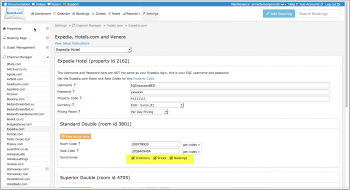
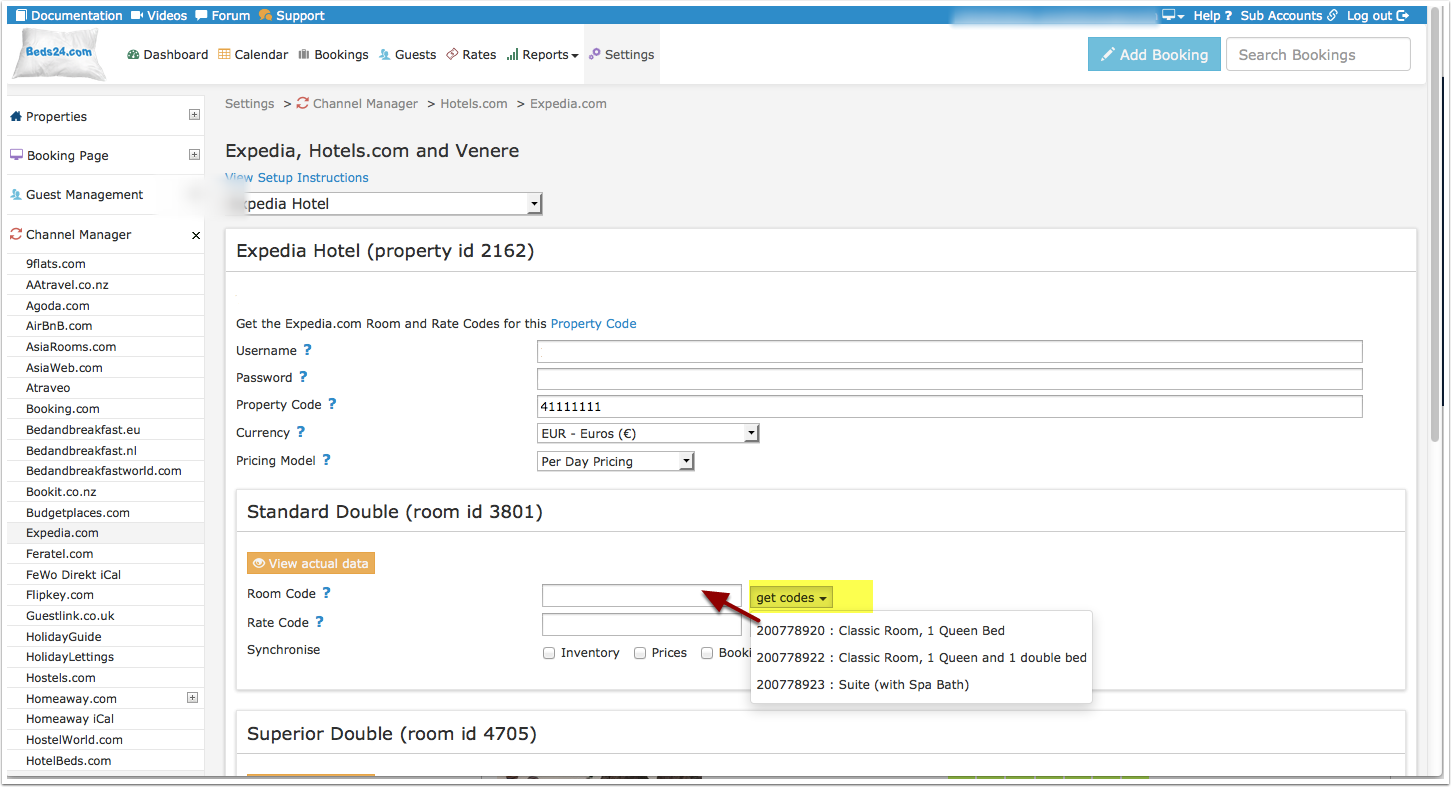
Map Rooms:
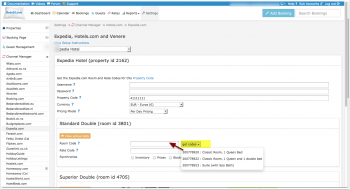
- Click on the "Get Code" link next to the room code setting.
- Choose the Expedia room you want to map to each Beds24 room and click on it.
- When the correct room id has copied to the room code setting, click Save.
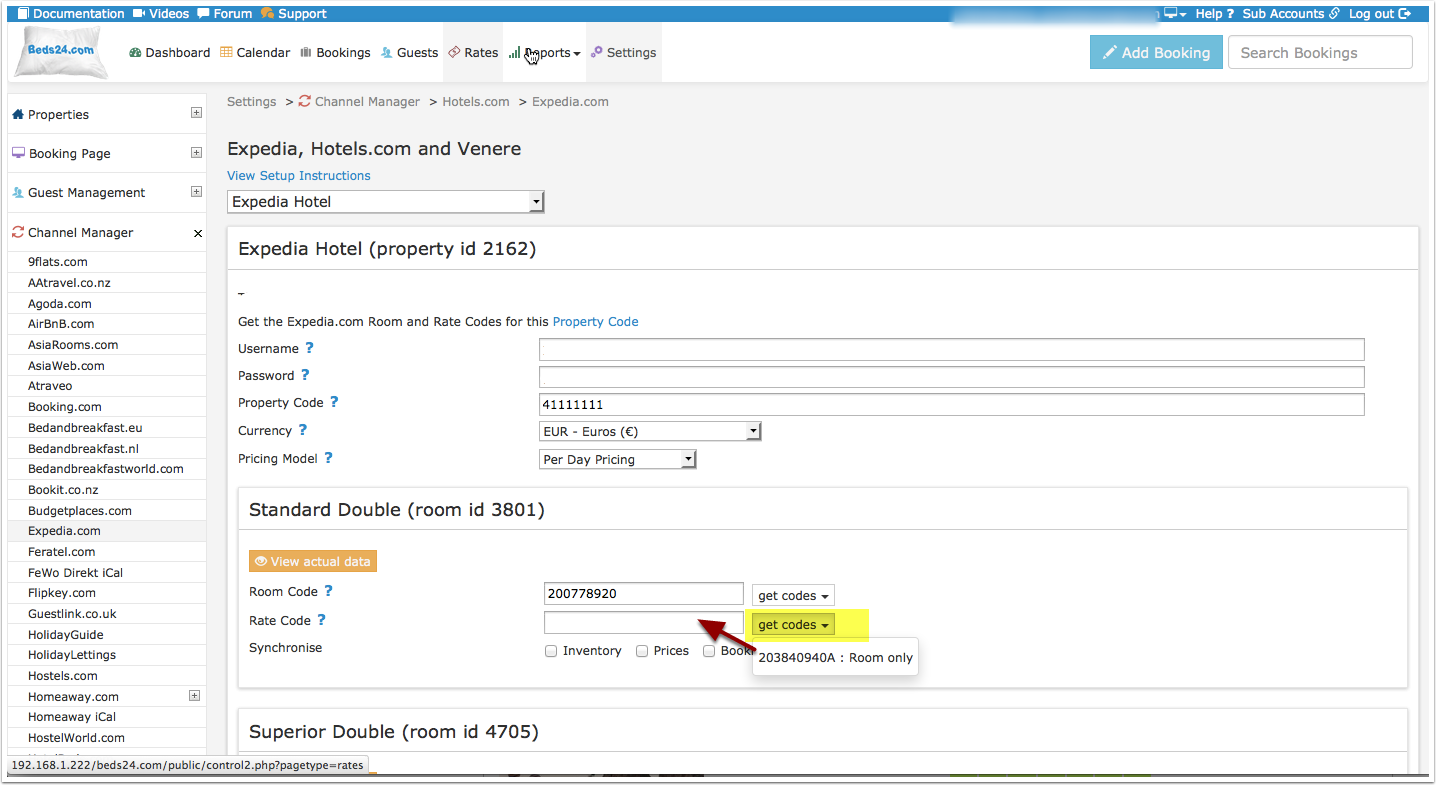
Map Rates:
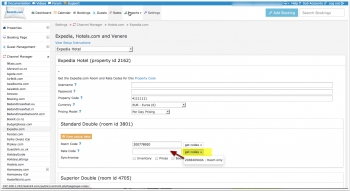
- Click on the "Get Code" link next to the rate code setting.
- Choose the Expedia standard rate for this room and click on it
- When the correct rate plan id has copied to the rate code setting, click Save.
We can export up to 3 occupancy prices. They are the single price, the double price and one room price. The room price will sent with an occupancy level of the maximum capacity allowed for that price.
The end selling price on Expedia may be different to the price sent, please check if your Expedia account is set for "Sell Rate" or "Net Rate" type and adjust the prices accordingly.
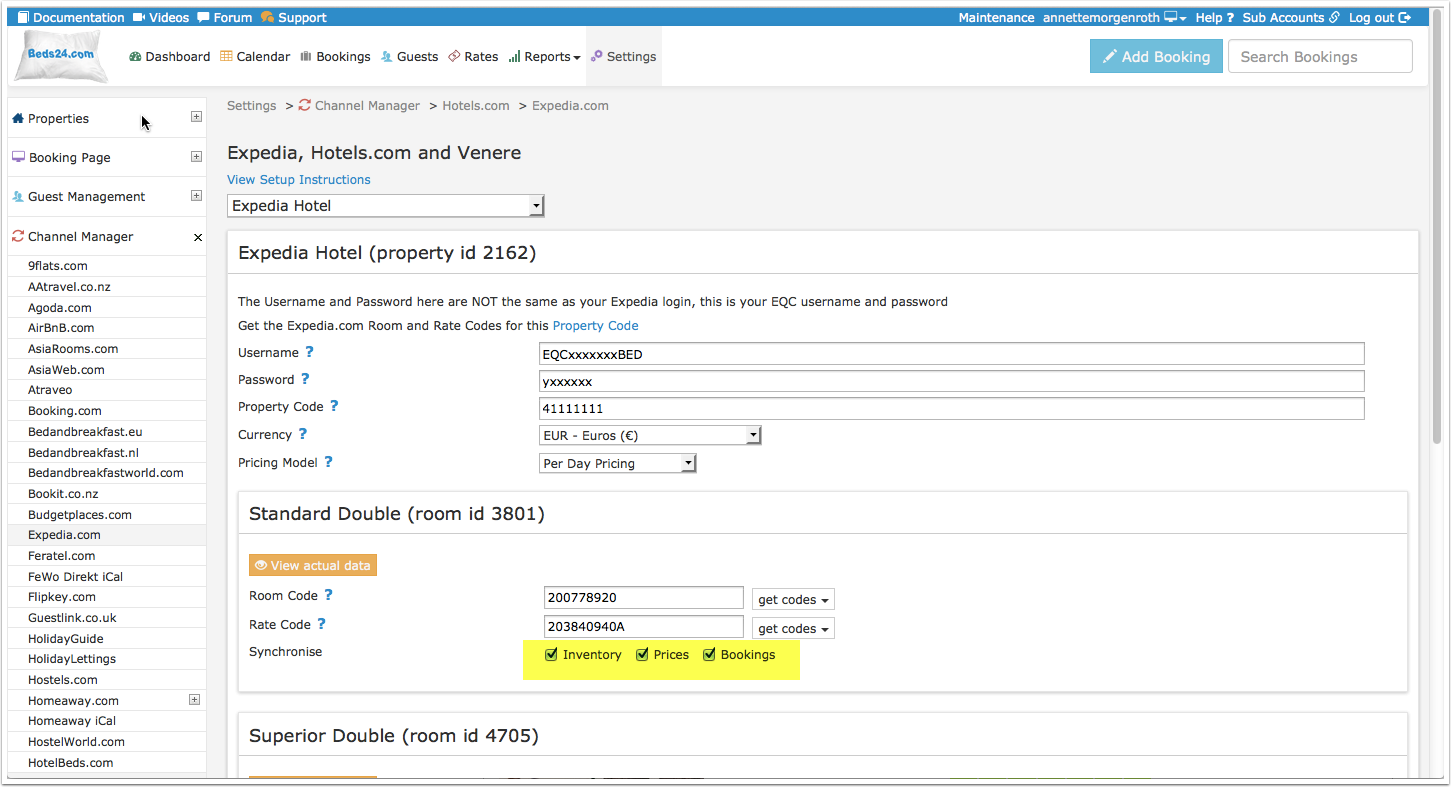
Activate:
- Tick "Inventory", "Prices" and "Bookings"
- Save
Bookings
New Bookings are imported. Modifications and cancellations to bookings are also imported.
Existing bookings are not automatically imported when the connection is established and should be entered into Beds24 manually.
Multiple Rate Plan Ids
The rate plan id entered in SETTINGS->CHANNEL MANAGER->EXPEDIA will be used for all rates and daily prices to which no other rate rlan id has been mapped.
Method 1 Using Rates
Create a rate for each Expedia rate plan id you have. Map the corresponding Expedia rate plan id in the "Channels" tab of the rate.
- Click on the "Get Code" link and choose the Expedia rate for this Beds24 rate.
- Hit enter
- Save
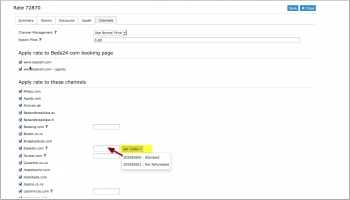
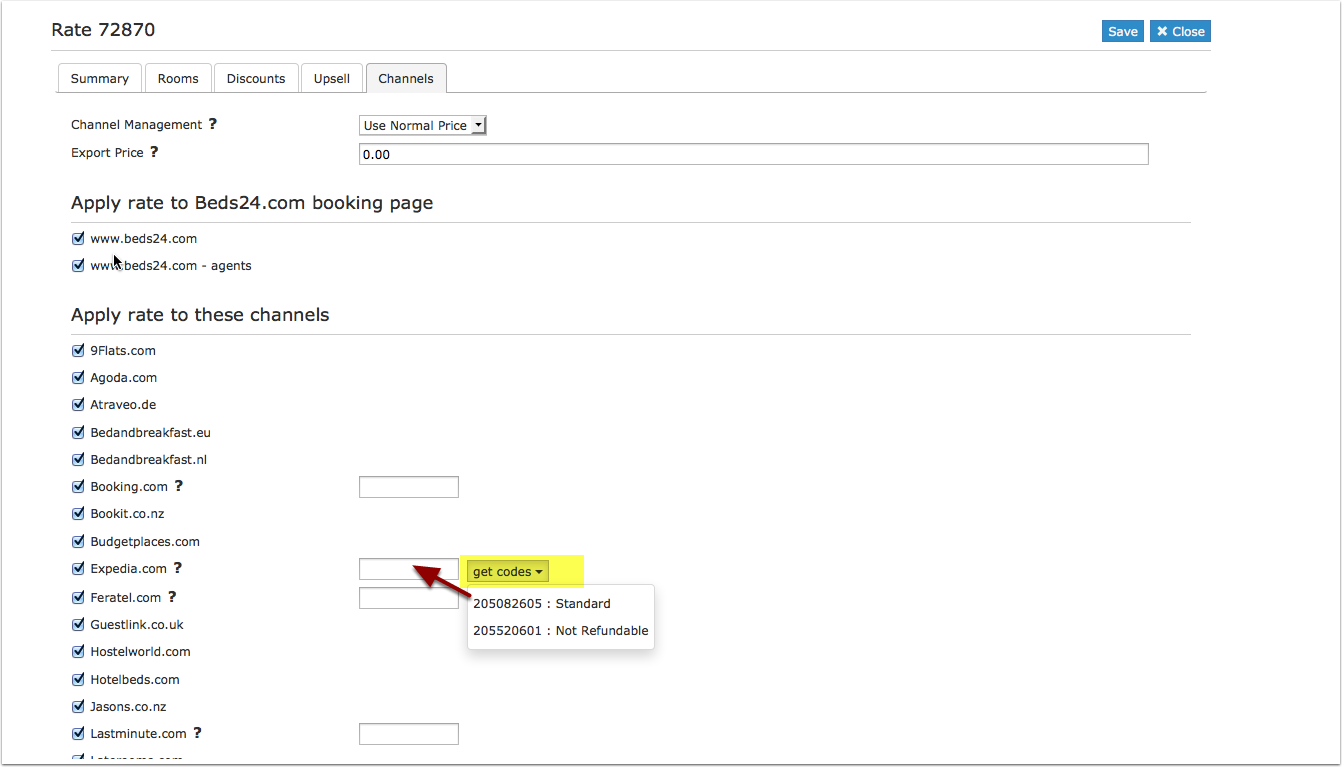
Each Beds24 rate can have a specific Expedia rate plan id which will be used in place of the one set in the channel manager settings.
Method 2 using Offers or Daily Prices
This can be entered in the channel manager settings and will be used for daily prices and all rates which are not set to a specific rate plan id .
Daily prices are also exported if allowed by your daily price settings.
- Click on the "Get the Expedia Room and Rate Codes for this Property Code" link to open your mapping codes.
- Identify your rate plan ids. "Linked" and "Derived" rate plan ids can not be updated by the channel manager. They are automatically derived from the "Parent Rate"
Daily prices for offers can be sent to specific rates by including the additional rate plan id after a colon. For example the rate plan id 1111111A:1111112A will send daily prices from offer 1 to rate plan id 1111111A and daily prices from offer 2 to rate plan id 1111112A. Normal rates with no overriding rate code will be set to the first rate plan id 1111111A.
Rate plan ids can be entered as a comma separated list. This will send the same Beds24 rate to multiple Expedia rates.
Price Multiplier
If you want to add a multiplier to your prices, for example because of a different currency to your Beds24 currency, add a * followed by the multiplier number to your property code.
For example a property code setting 123456*12.34 will multiply all prices by 12.34 sent for hotel id 123456.
Common Errors
If there is an error on an update, the error message returned by Expedia will be emailed to you. Common errors and their solutions are:
Pricing models mismatch: you tried to update a price for OCCUPANCY_PRICING, but your property is not configured for this pricing.
* Your pricing model is most likely daily pricing so change the selector for "Price model" to  "Per Day Pricing"
Rate plan does not match the property acquisition type
* The rate codes are the wrong Sell or Net rate type. Check whether your rate codes should have an A at the end of the number or not.
Unable to set total inventory below the current base allocation value.
* The number of rooms available is lower than your minimum allocation value in Expedia.
This usually means that you have guaranteed and allotment to Expedia and you are trying to set lower values for the channel manager.
A common cause of this error is not having a valid price for the room in Beds24 on the affected dates.
Any date without a price will be closed in Beds24 and we will send an inventory of zero to Expedia.
Stop sell outside of Y with remaining base availability
 * The number of rooms available is lower than your minimum allocation value in Expedia.
This usually means that you have guaranteed and allotment to Expedia and you are trying to set lower values for the channel manager.
A common cause of this error is not having a valid price for the room in Beds24 on the affected dates.
Any date without a price will be closed in Beds24 and we will send an inventory of zero to Expedia.
*Make sure you have valid rates for the mentioned dates and no bookings from other sources
*Beds24: change your inventory to send the allotment you have guaranteed Expedia
*Expedia: Ask Expedia to remove the guaranteed allotment
The value  of attribute 'password' on element 'Authentication' is not valid with respect to its type,
* The password is empty or contains invalid characters.
Check the username and password entered in the channel manager settings is correct.
MinLOS value (x) exceeds Extranet auto-approval threshold (y) for length of stay.
The minimum booking length you are sending is higher than Expedia allows. Contact Expedia and ask them to increase your minimum stay.
The value  of attribute 'username' on element 'Authentication' is not valid with respect to its type
 The username/and or password you entered are wrongEnter your Expedia Quick connect username and password which Expedia sent you by Email (NOT your normal Expedia username and password)
Internal system error, please try again in a few minutes
Expedia sends you this message to inform you that they are haveing problems with their system. If the error messages stopped Expedia fixed the problem.
Disconnect
- Unticking "Inventory" and "Prices" and "Bookings" will stop the synchronisation for a room.
- To completely disconnect the channel manager you might need to contact Expedia and ask them to disconnect you.
Notes
Expedia supports two different methods to apply minimum and maximum length of stay restrictions. Arrival based restrictions or Stay Through based restrictions. This is a hotel-level setting in Expedia system, and any Expedia market managers can modify this setting. Please contact Expedia to perform this change.