Remotelock.com: Difference between revisions
No edit summary |
No edit summary |
||
| Line 18: | Line 18: | ||
When successfully connected you will see the Lockstate account you are connected to. | When successfully connected you will see the Lockstate account you are connected to. | ||
*The "Pin Strategy" defines how the access code is constructed. | |||
*The "Start Time" and "End Time" define the earliest Check-in time and latest Check-out time | |||
*Click on "Get Codes" | *Click on "Get Codes" | ||
You will see one serial number for each lock. Click on the serial number of the lock that is using the lock. | You will see one serial number for each lock. Click on the serial number of the lock that is using the lock. | ||
| Line 27: | Line 29: | ||
Bookings get sent to the locks one week prior to check-in. A booking info item LOCKSTATE_PIN which will show the pin number is created for the booking. | Bookings get sent to the locks one week prior to check-in. A booking info item LOCKSTATE_PIN which will show the pin number is created for the booking. | ||
Updates are sent once per day seven days in advance. To instantly push updates through click "Send Data to Lockstate". | |||
If the dates of the booking is changed or the booking is moved to a different room those details will be sent to the locks. | If the dates of the booking is changed or the booking is moved to a different room those details will be sent to the locks. | ||
Revision as of 16:54, 26 January 2017
This page is about the menu SETTINGS->APPS & INTEGRATIONS->LOCKSTATE
In beta testing! Contact us if you want to use this service
To use this service you will need an account with Lockstate
For Beds24 the normal channel manger fees apply.
Capabilities
Limitations
Set Up
- Click on "Connect to Lockstate".
- Authorize Beds24 to access your account
When successfully connected you will see the Lockstate account you are connected to.
- The "Pin Strategy" defines how the access code is constructed.
- The "Start Time" and "End Time" define the earliest Check-in time and latest Check-out time
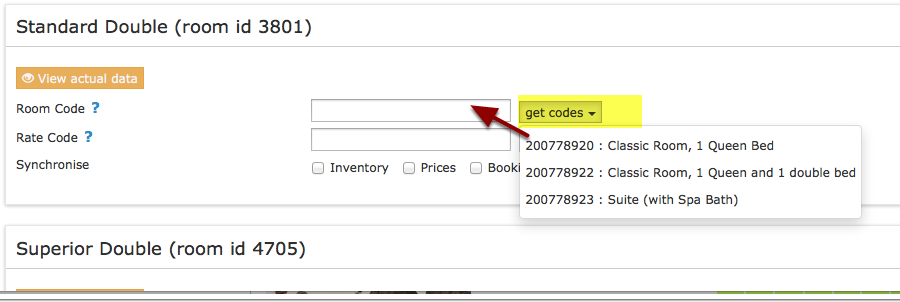
- Click on "Get Codes"
You will see one serial number for each lock. Click on the serial number of the lock that is using the lock.
How it works
Bookings get sent to the locks one week prior to check-in. A booking info item LOCKSTATE_PIN which will show the pin number is created for the booking.
Updates are sent once per day seven days in advance. To instantly push updates through click "Send Data to Lockstate".
If the dates of the booking is changed or the booking is moved to a different room those details will be sent to the locks.
The Email address of the guest is sent to Lockstate. You can set Lockstate up to automatically send Emails to the guest. Alternatively you can set up an Auto Action in SETTINGS->GUEST MANAGEMENT->AUTO ACTIONS
Common Problems
Lockstate have two types of access: users and guests. Bookings from Beds24 create guests.
Disconnect
Click on "Disconnect" to terminate the connection.