Channel Inventory: Difference between revisions
Jump to navigation
Jump to search
No edit summary |
No edit summary |
||
| Line 3: | Line 3: | ||
''This page is about the menu SETTINGS->CHANNEL MANAGER->CHANNEL INVENTORY'' | ''This page is about the menu SETTINGS->CHANNEL MANAGER->CHANNEL INVENTORY'' | ||
By default all all available rooms are sent to activated channels. This menu allows you to limit the number of accepted bookings by setting a value for "maximum bookings" accepted for a channel. | By default all all available rooms are sent to activated channels. This menu allows you to limit the number of accepted bookings by setting a value for "maximum bookings" accepted for a channel. This function is available for most OTAs. If an OTA you are using is missing send us a support ticket. | ||
Revision as of 08:15, 6 April 2018
This page is about the menu SETTINGS->CHANNEL MANAGER->CHANNEL INVENTORY
By default all all available rooms are sent to activated channels. This menu allows you to limit the number of accepted bookings by setting a value for "maximum bookings" accepted for a channel. This function is available for most OTAs. If an OTA you are using is missing send us a support ticket.
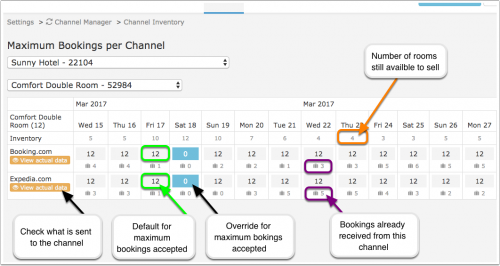
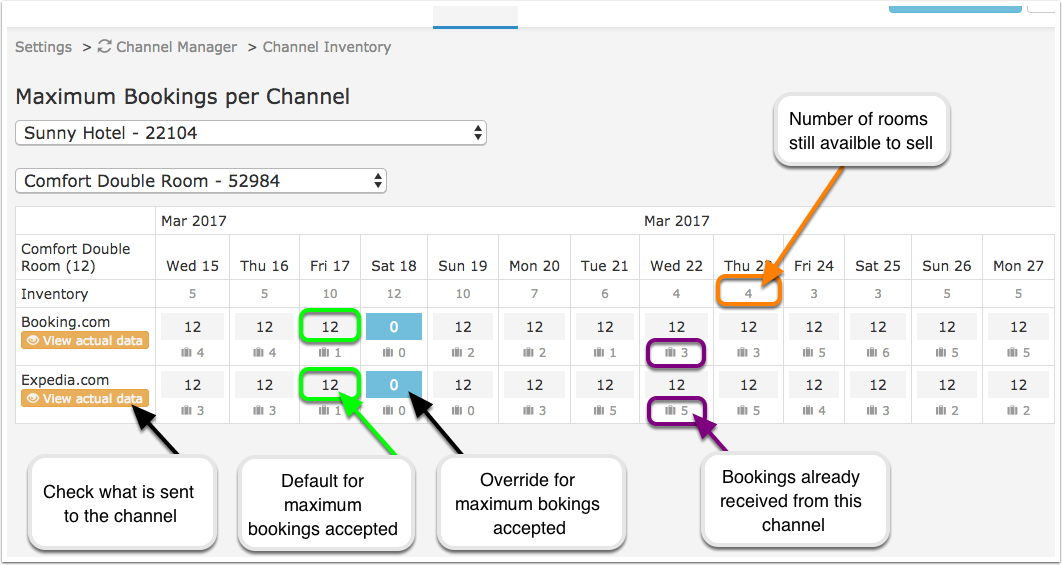
Click to open a popup where you can set a date range select the maximum number of bookings accepted from a channel, set one or all days of the week and the channels to apply the change to.
- Click here for general information on how the channel manager works.
- See the channel help pages for more information on specific channels.