Category:Reviews: Difference between revisions
No edit summary |
No edit summary |
||
| Line 11: | Line 11: | ||
==Submit, view and respond to reviews== | ==Submit, view and respond to reviews== | ||
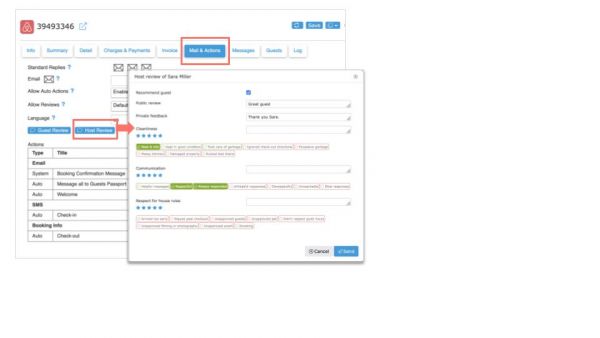
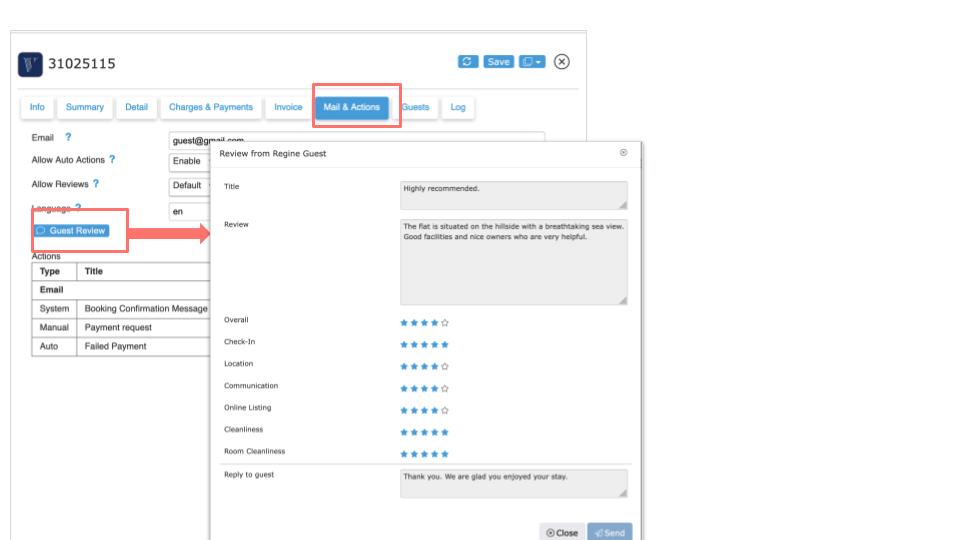
After the guest has checked-out, you can send the review to Airbnb via the "Mail & Actions" tab in the booking in Beds24. | After the guest has checked-out, you can send the review to Airbnb via the "Mail & Actions" tab in the booking in Beds24. | ||
[[Image:airbnb-review2.jpg|600px|link=]] | [[Image:airbnb-review2.jpg|600px|link=]] | ||
[[Media:airbnb-review2.jpg|view large]] | [[Media:airbnb-review2.jpg|view large]] | ||
If a guest sends you a review, you will receive a message which you can access via MESSAGES at the top and you will also see it in the "Messages" tab of the booking. | If a guest sends you a review, you will receive a message which you can access via MESSAGES at the top and you will also see it in the "Messages" tab of the booking. Provided you have already reviewed the guest you can then also view the review in the "Messages" tab and send the guest a reply from there. | ||
[[Image:airbnb-review.jpg|600px|link=]] | [[Image:airbnb-review.jpg|600px|link=]] | ||
Revision as of 10:13, 27 May 2023
On this page you will find information about reviews.
Beds24 offers the possibility to view and respond to reviews from leading portals directly in Beds24.
Airbnb
Submit, view and respond to reviews
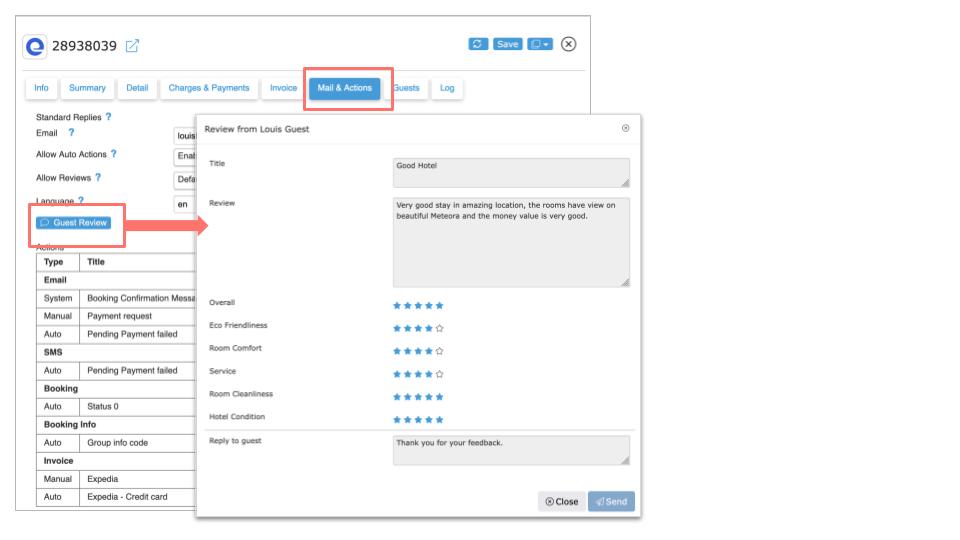
After the guest has checked-out, you can send the review to Airbnb via the "Mail & Actions" tab in the booking in Beds24.
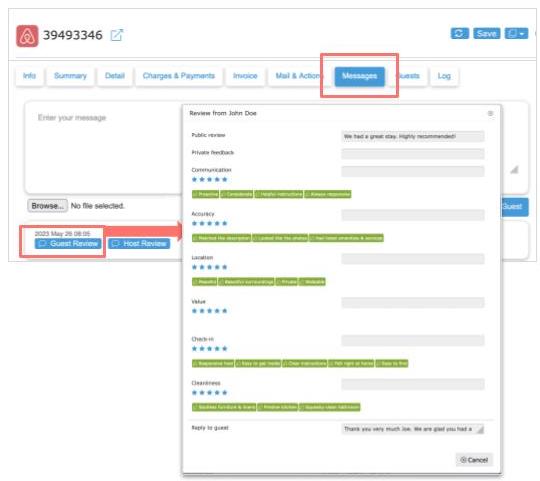
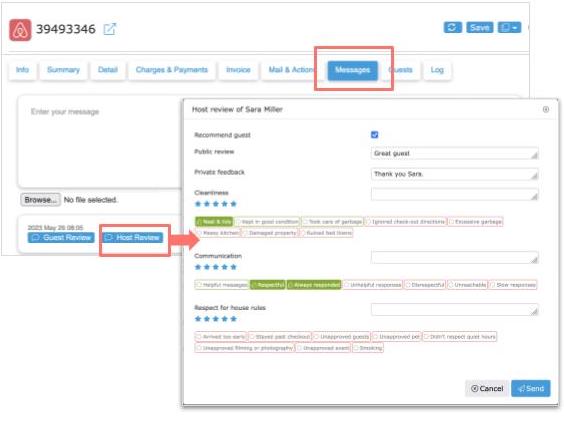
If a guest sends you a review, you will receive a message which you can access via MESSAGES at the top and you will also see it in the "Messages" tab of the booking. Provided you have already reviewed the guest you can then also view the review in the "Messages" tab and send the guest a reply from there.
View rating
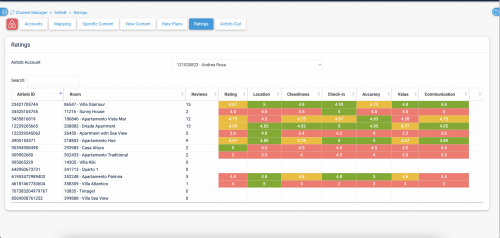
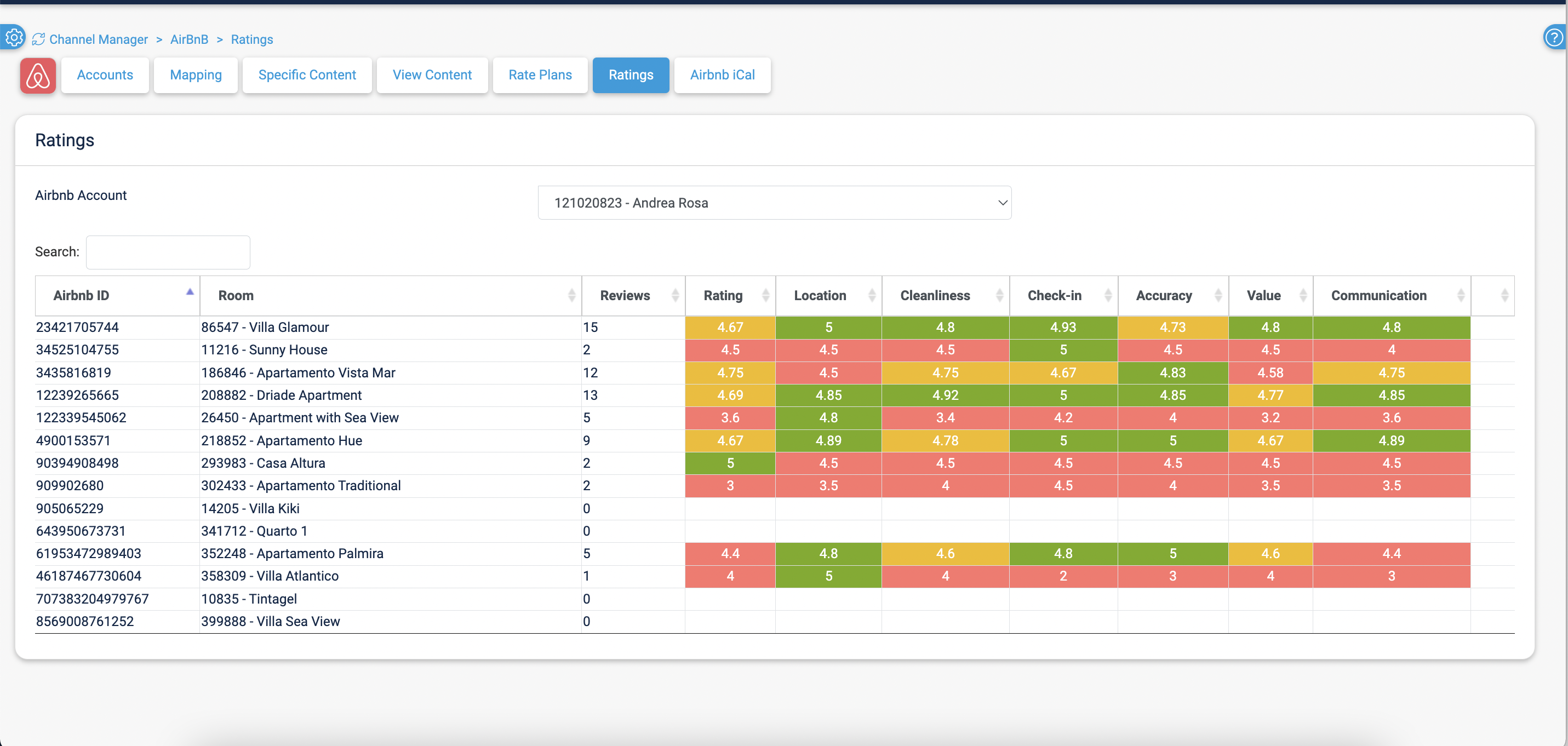
You can check your overall review score with Airbnb under (SETTINGS) CHANNEL MANAGER > AIRBNB > RATINGS
Booking.com
You can access your Booking.com reviews in (SETTINGS) CHANNEL MANAGER > BOOKING.COM > REVIEWS. Click to view details and reply.
To access Booking.com reviews from your DASHBOARD unlock the DASHBOARD click on the hamburger menu then on "Extensions" and add the Booking.com Review Module.
Expedia
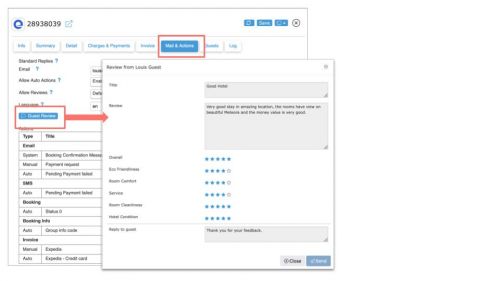
If a guest sends you a review, you can view it via the "Mail & Actions" tab in the booking in Beds24 and also reply to the guest directly from there.
VRBO
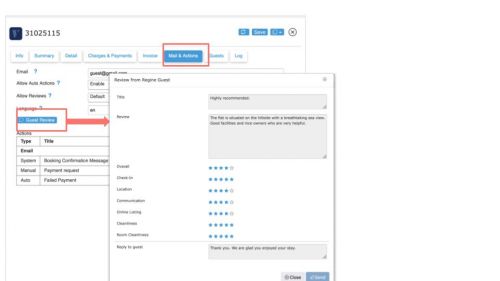
If a guest sends you a review, you can view it via the "Mail & Actions" tab in the booking in Beds24 and also reply to the guest directly from there.
You can also review the guest. After you have sent the review you will not be able to access it any more though.

Pages in category "Reviews"
The following 5 pages are in this category, out of 5 total. download this selection of articles as a PDF book