HostelWorld.com: Difference between revisions
No edit summary |
|||
| Line 29: | Line 29: | ||
==Beds24.com== | ==Beds24.com== | ||
1 | |||
'''1. Connection request''' | |||
Enter your Hostelworld password into SETTINGS -> CHANNEL MANAGER -> HOSTELWORLD "Password" and your Hostelworld Id in "Property Code" then SAVE. | |||
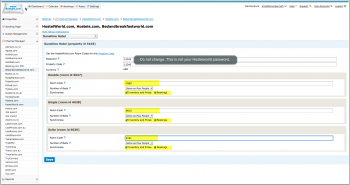
[[Image:hostelworld_1.png|350px|link=]] | [[Image:hostelworld_1.png|350px|link=]] | ||
[[Media:hostelworld_1.png|view large]] | [[Media:hostelworld_1.png|view large]] | ||
2) Open the " Open the link to view the room and rate mapping for your property" link to view the room mapping for your property. | |||
Then open a support ticket to let us know you want to connect to Hostelworld. If the property is connected to another channel manager send a confirmation Email confirming the change of channel manager to [email protected] and let us know in the ticket you sent the Email. | |||
'''2. Activation''' | |||
Hostelworld will notify us when the connection is enabled. We will notify you through the ticked system when you can proceed. Please not this can take a couple of days. | |||
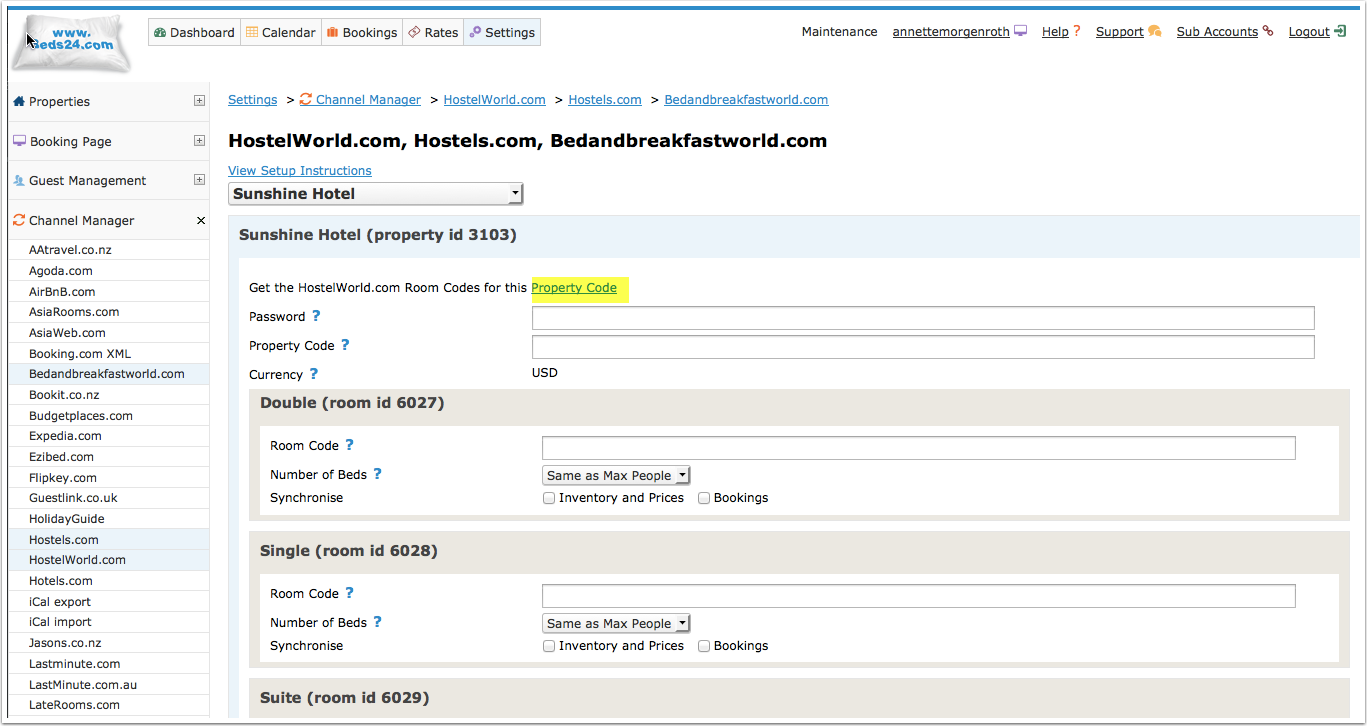
1) Open the " Open the link to view the room and rate mapping for your property" link to view the room mapping for your property. | |||
[[Image:hostelworld_2.png|350px|link=]] | [[Image:hostelworld_2.png|350px|link=]] | ||
[[Media:hostelworld_2.png|view large]] | [[Media:hostelworld_2.png|view large]] | ||
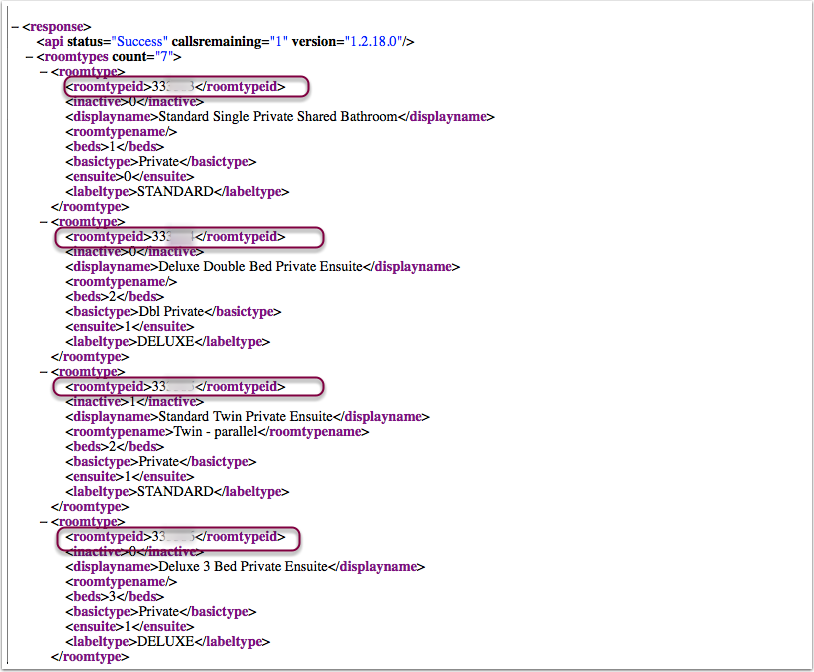
2)Identify the Hostelworld Room Id numbers for each room. | |||
[[Image:hostelworld_3.png|350px|link=]] | [[Image:hostelworld_3.png|350px|link=]] | ||
[[Media:hostelworld_3.png|view large]] | [[Media:hostelworld_3.png|view large]] | ||
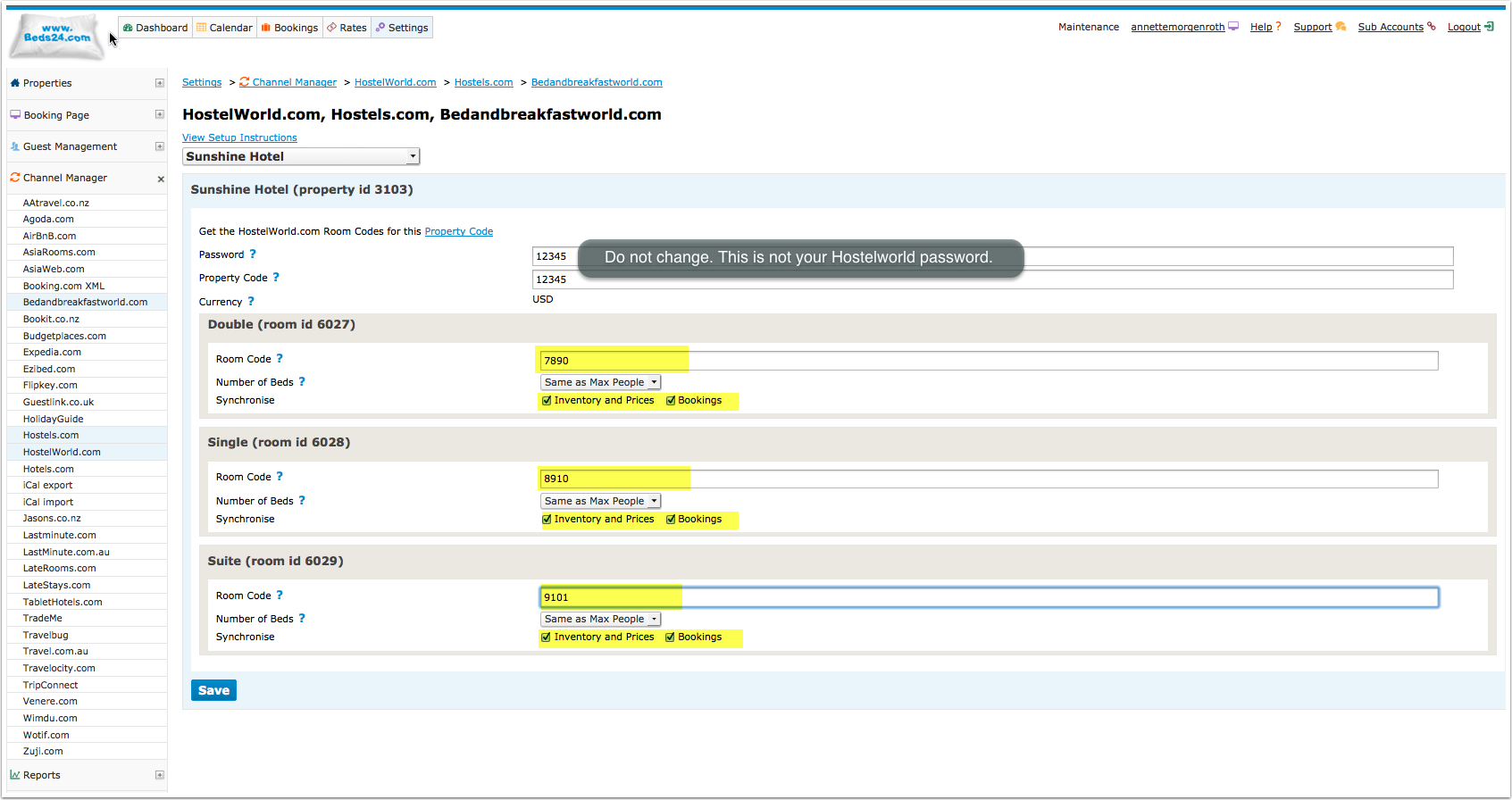
3) For each room, enter the Hostelword room id in the Beds24 field called room code. Tick both synchronising options and then SAVE. | |||
[[Image:hostelworld_4.png|350px|link=]] | [[Image:hostelworld_4.png|350px|link=]] | ||
[[Media:hostelworld_4.png|view large]] | [[Media:hostelworld_4.png|view large]] | ||
Revision as of 12:47, 19 February 2014
HostelWorld.com is in development testing and will be ready shortly. If you would like to use it please create a support ticket letting us know and we will be in contact as soon as it is ready for use.
Hostelworld.com
Hostel world use per bed pricing and inventory. A double would be two beds in their system and a triple three beds. Pricing is per bed. We send the single price for each room to Hostelworld as the bed price. Template:TOCrightSynchronising Beds24.com with Hostelworld.com
Capabilities
- Beds24.com can export Inventory
- Beds24.com can export Multiple Rates
- Beds24.com can import Bookings
Limitations
Hostelworld.com
Beds24.com
1. Connection request
Enter your Hostelworld password into SETTINGS -> CHANNEL MANAGER -> HOSTELWORLD "Password" and your Hostelworld Id in "Property Code" then SAVE.
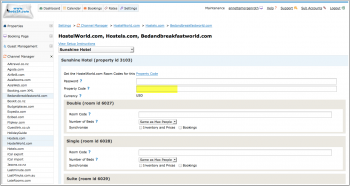
Then open a support ticket to let us know you want to connect to Hostelworld. If the property is connected to another channel manager send a confirmation Email confirming the change of channel manager to [email protected] and let us know in the ticket you sent the Email.
2. Activation
Hostelworld will notify us when the connection is enabled. We will notify you through the ticked system when you can proceed. Please not this can take a couple of days.
1) Open the " Open the link to view the room and rate mapping for your property" link to view the room mapping for your property.
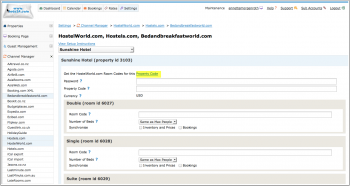
2)Identify the Hostelworld Room Id numbers for each room.
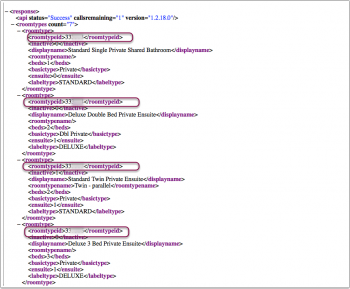
3) For each room, enter the Hostelword room id in the Beds24 field called room code. Tick both synchronising options and then SAVE.