Hostel and Retreat Setup: Difference between revisions
Jump to navigation
Jump to search
No edit summary |
No edit summary |
||
| Line 10: | Line 10: | ||
*set ''Quantity of This Type'' to the number of beds in this dorm. If you do not offer a special children price set ''Maximum Adults'' to "Use Guests" and ''Maximum Children'' to ''Dont Ask'' | *set ''Quantity of This Type'' to the number of beds in this dorm. If you do not offer a special children price set ''Maximum Adults'' to "Use Guests" and ''Maximum Children'' to ''Dont Ask'' | ||
*set ''Maximum Guests'' to | *set ''Maximum Guests'' to the number of beds you have. | ||
*set ''Unit Allocation'' to ''One per Guest'' | *set ''Unit Allocation'' to ''One per Guest'' | ||
Revision as of 17:27, 30 January 2016
This page explains how to set up dorms or other shared rooms
Step 1 - Setup your Rooms
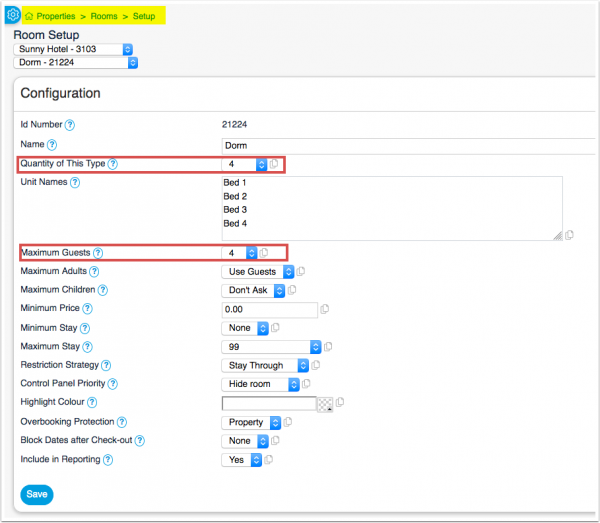
Go to SETTINGS -> PROPERTIES -> ROOMS and add a room for each dorm you have.
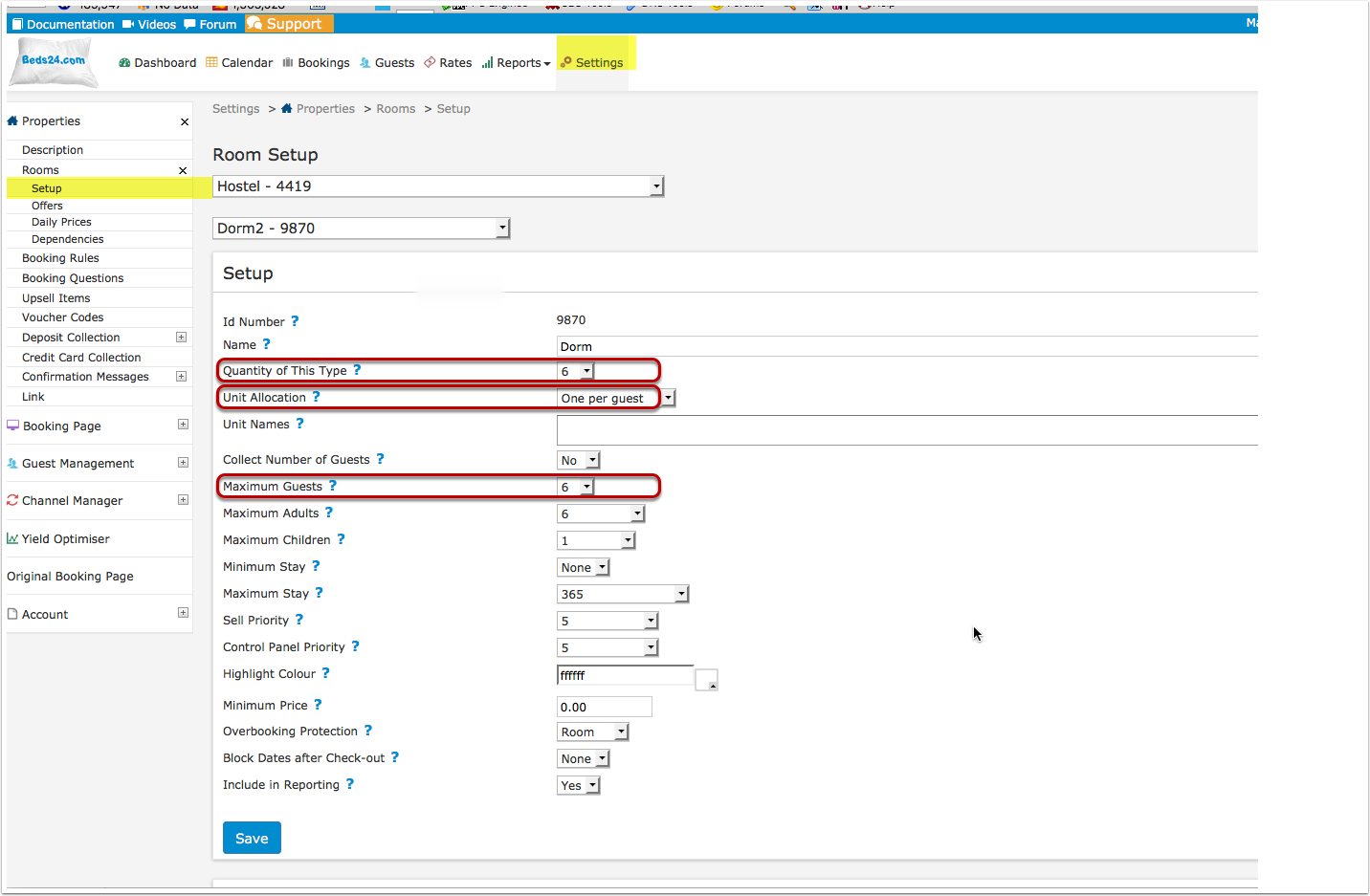
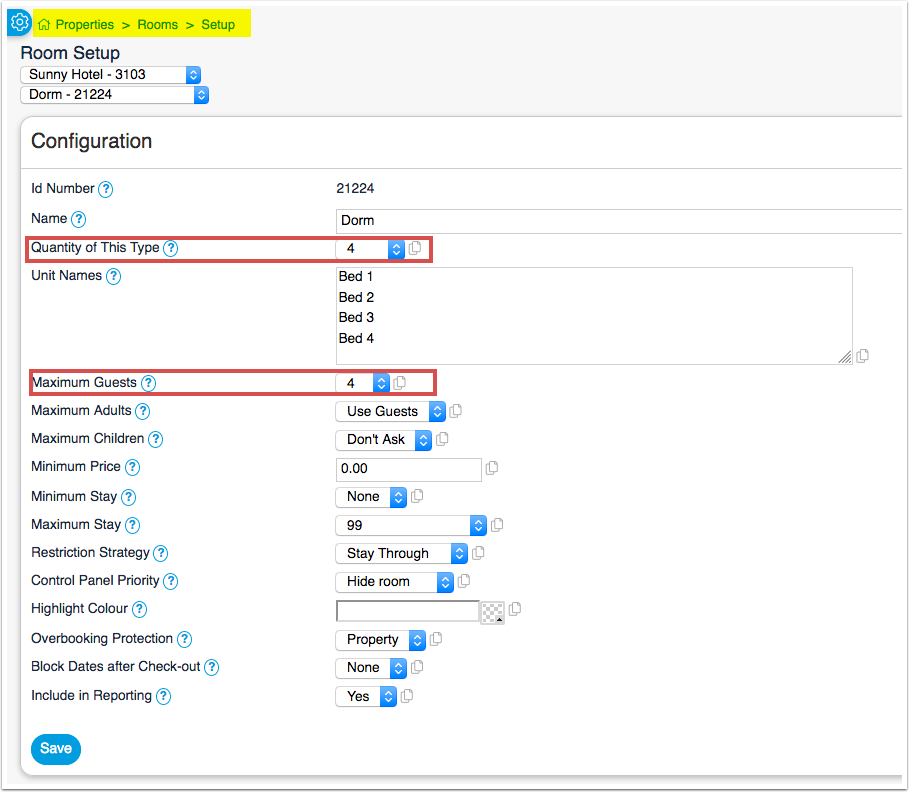
To set them up go to SETTINGS -> PROPERTIES -> ROOMS -> SETUP
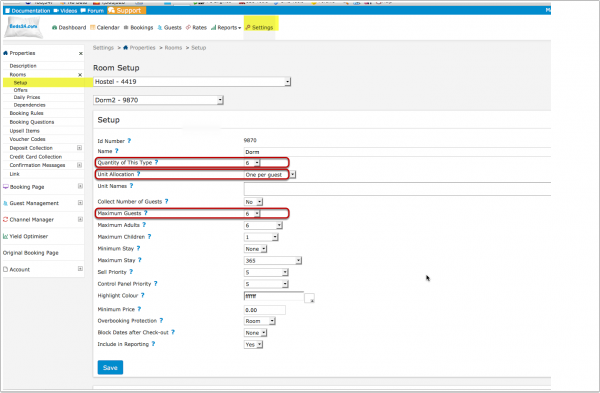
- set Quantity of This Type to the number of beds in this dorm. If you do not offer a special children price set Maximum Adults to "Use Guests" and Maximum Children to Dont Ask
- set Maximum Guests to the number of beds you have.
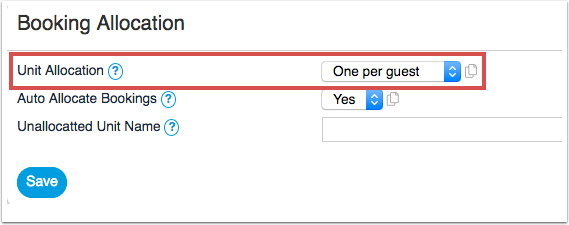
- set Unit Allocation to One per Guest
Step 2 - Set your Rates
Go to RATES click on ADD RATE to open the rate popup.
- enter your bed price per night under both Single Price and Extra Person
Bookings for one person will be offered the Single price. Bookings for two people will be offered the Single plus Extra person price. Bookings for three people the Single plus two Extra person etc.
Optionally you can also:
- Offer the whole dorm at a discounted price. Enter the price for the whole dorm in Room Price and set Room Price For to Max Room Capacity or the minimum number of people this rate applies to.
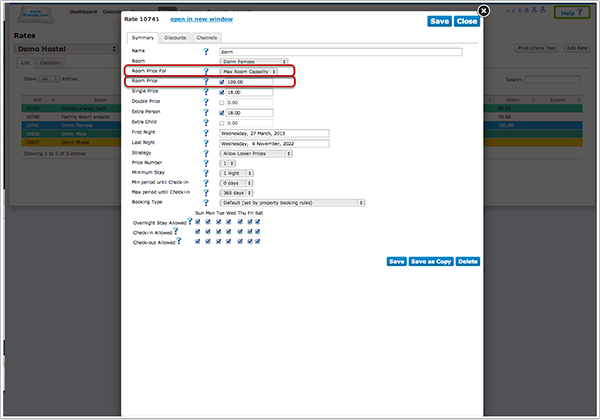
- if you offer a discounted price for children enter this into Extra Child. If you use this go go SETTINGS -> PROPERTIES -> ROOMS and set Maximum Adults and Maximum Children to the max number you allow in this dorm.
Step 3 - Adjust your Booking Page
Go to SETTINGS -> BOOKING PAGE -> ROOMS "Descriptions" and change Unit Type to bed.