HostelWorld.com: Difference between revisions
No edit summary |
No edit summary |
||
| Line 55: | Line 55: | ||
[[Media:hostelworld_2.png|view large]] | [[Media:hostelworld_2.png|view large]] | ||
2) | 2) Map Rooms: | ||
*Click on the "Get Code" link next to the room id setting, a list of room ids will be retrieved from Booking.com and displayed. | |||
*Choose the Booking.com room you want to map to the Beds24 room and click on it. | |||
*When the correct room id has copied to the room id setting, click Save. | |||
[[Image: | [[Image:bookingcomrooms.png|350px|link=]] | ||
[[Media: | [[Media:bookingcomroomspng|view large]] | ||
Revision as of 15:26, 3 February 2016
Synchronising Beds24.com with Hostelworld.com
Capabilities
- Beds24.com can export Inventory
- Beds24.com can export Prices
- Beds24.com can apply a price multiplier to prices
- Beds24.com can import Bookings
Hostelworld use per bed pricing and inventory. A double would be two beds in the Hostelworld system and a triple three beds.
Beds24 checks the prices in this order:
1. room price: it a room price is set the system will divide the room price by the number of beds and send this to Hostelworld
2. double price: if no room price is found the system will look for a double price, divide it by 2 and send this to Hostelworld
3. single price: if no room price and no double price are found the system will send the single price as bed price to Hostelworld. For dorm beds just set a single price.
For details please click here
Limitations
Hostelworld do not accept minimum stay information. All availability will be sent with a one night minimum.
"Extra Person" prices cannot be exported.
You need
- Hostelworld property ID
- Hostelworld API password
Beds24.com
1. Connection request
Contact your Hostelworld Hostelworld account manager and ask to set up a connection with Beds24 channel manager and an API password.
2. Setup
Hostelworld will notify you when the connection is enabled and send you a special API password. NOTE: You can not use your normal Hostelworld password.
1) Enter your Hostelworld Id, your Hostelworld API password and if necessary adjust the currency to the currency you are using on Hostelword then SAVE.
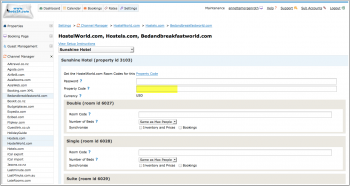
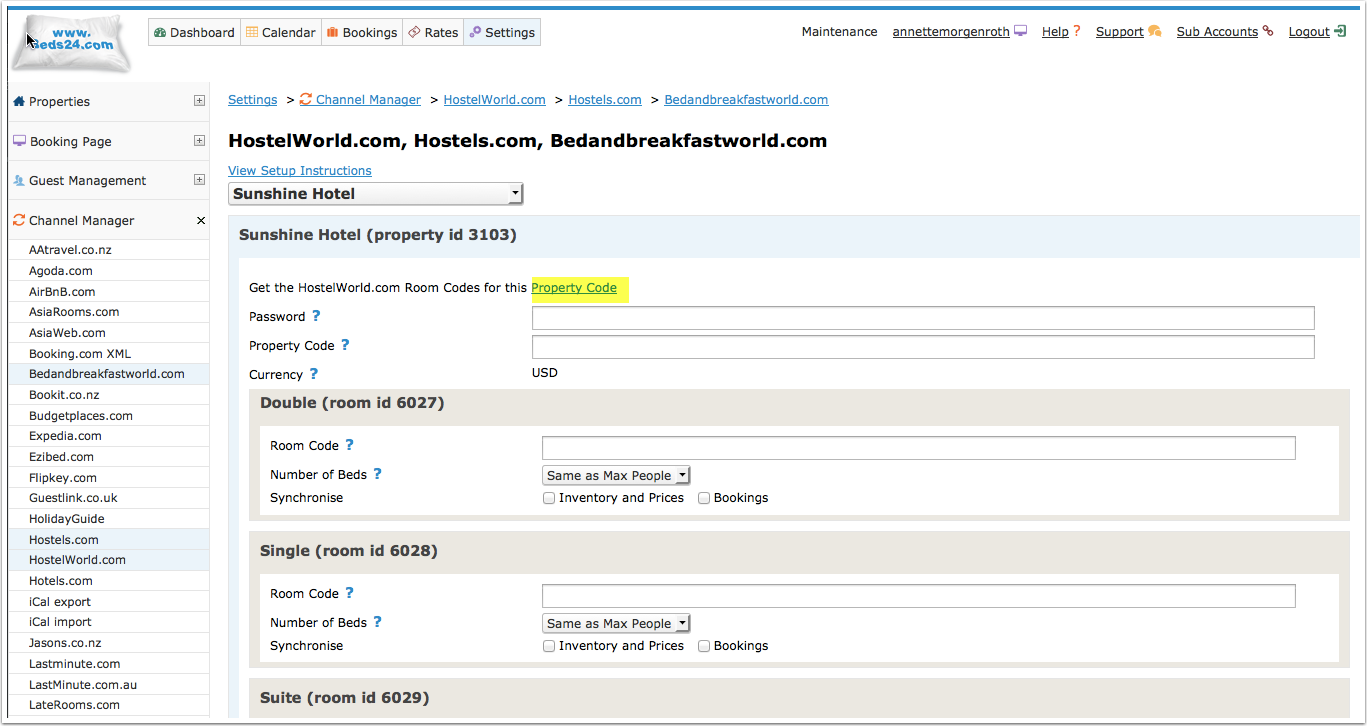
Open the " Open the link to view the room and rate mapping for your property" link to view the room mapping for your property.
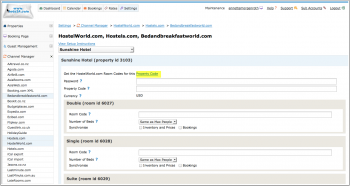
2) Map Rooms:
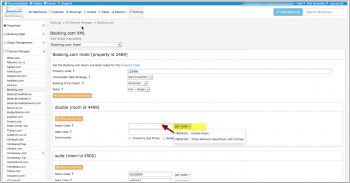
- Click on the "Get Code" link next to the room id setting, a list of room ids will be retrieved from Booking.com and displayed.
- Choose the Booking.com room you want to map to the Beds24 room and click on it.
- When the correct room id has copied to the room id setting, click Save.

To apply a price multiplier (for example currency conversion) add it with a star symbol (*) to the end of your property code (Hostelworld Id), for example if the code is 123456 and you need to raise prices by 15% enter 123456*1.15
Common Errors
Any errors occurring during updates will be emailed to you with the error message . Below are common error messages and how to fix them.
Incorrect beds for Private room type
The number of beds available for a private room must be the same as the number of beds in the room. Hostelworld will not accept partial availability.
Make sure the number of beds set up in Hostelworld is the same as in Beds24.
If this i s not possible Use the setting "Number of Beds" for this room (SETTINGS-> CHANNEL MANAGER->HOSTELWORLD)
Rooms marked as <inactive>1</inactive> are inactive.
Inactive rooms can not be synronised.
This is the advice Hostelword gives for these cases:
There is no need to do anything with that room unless they want to add and use that room again.
If that is the case they will need to add this room again with the same settings to reactivate it, otherwise they can leave it inactive. There is no availability for this room type so they will not get any bookings for that room.
Property's currency doesn't match with the currency which allocation is being uploaded with
Please check the currency selected is the currency you are using on Hostelworld and adjust the setting. If it is not you might want to double check the currency you set in SETTINGS->PROPERTIES->DESCRIPTION is correct.
Signature Invalid
Check it the username is correct and and the password entered is your Hostelworld API password provided by your Hostelworld account manager.
If username and Hostelworld API password are correctly entered please check with your Hostelworld account manager whether the connection is activated.
Notes
The password is a special API password not your regular Hostelword password. Changing the password will break the connection.
To sell a complete room at Hostelworld set it to a "Private" room type in their system.
We will still send the bed price as per a dorm but Private rooms will only be sold if all the beds in the room are booked together.
Disconnect
- Unticking "Inventory and "Prices" and "Bookings" will stop the synchronisation for a room.
- To completely disconnect the channel manager you might need to contact Hostelworld and ask them to disconnect you.