Pictures: Difference between revisions
No edit summary |
No edit summary |
||
| Line 2: | Line 2: | ||
[[Category:Rooms Content]] | [[Category:Rooms Content]] | ||
''This page is about the menu SETTINGS->BOOKING PAGE->PICTURES'' | ''This page is about the menu SETTINGS->BOOKING PAGE->PICTURES'' | ||
__TOC__ | |||
== Upload Pictures == | |||
The picture must be a .png, .jpg or .gif file type and uploaded in the control panel. | The picture must be a .png, .jpg or .gif file type and uploaded in the control panel. | ||
The maximum file size that can be uploaded is 20 MB and your internet speed must be fast enough to complete the upload within 60 seconds, if you have problems uploading please try a smaller file. | The maximum file size that can be uploaded is 20 MB and your internet speed must be fast enough to complete the upload within 60 seconds, if you have problems uploading please try a smaller file. | ||
Upload the pictures you want to use. | |||
[[Image:pic_uplaod.png|300px|link=]] | |||
[[Media:pic_upload.png|view large]] | |||
The number of pictures is limited to 6 per room type plus 10 per property with an absolute limit of 99 per property. | The number of pictures is limited to 6 per room type plus 10 per property with an absolute limit of 99 per property. | ||
=== Manage and resize uploaded pictures=== | |||
Click on "Manage picture" to delete, resize or access the picture URL | |||
[[Image:pic_manage.png|300px|link=]] | |||
[[Media:pic_manage.png|view large]] | |||
[[Image:pic_manage1.png|300px|link=]] | |||
[[Media:pic_manage1.png|view large]] | |||
To change slider settings go to SETTINGS->BOOKING PAGE->LAYOUT (responsive version only), | |||
'''Adaptive Version only''' | |||
Once it is uploaded you can resize it to suit the position it will be displayed. To change the picture settings go to SETTINGS->BOOKING PAGE->PAGE DESIGN->CONTENT. | |||
== External Pictures == | |||
Alternatively or additionally you can use externally hosted pictures. All you need to do is enter the picture URL in SETTINGS->BOOKING PAGE->EXTERNAL PICTURES | |||
*External pictures have to be hosted securely (https NOT http). | |||
*External pictures are uses as they are. They can not be resized. | |||
== Assign Pictures == | |||
<embedvideo service="youtube">https://www.youtube.com/watch?v=3bvFYQK3Zv8</embedvideo> | |||
| Line 34: | Line 59: | ||
Keywords: picture, pictures, picture size | Keywords: picture, pictures, picture size | ||
Revision as of 09:50, 4 August 2016
This page is about the menu SETTINGS->BOOKING PAGE->PICTURES
Upload Pictures
The picture must be a .png, .jpg or .gif file type and uploaded in the control panel.
The maximum file size that can be uploaded is 20 MB and your internet speed must be fast enough to complete the upload within 60 seconds, if you have problems uploading please try a smaller file.
Upload the pictures you want to use.
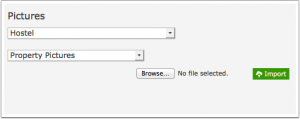
The number of pictures is limited to 6 per room type plus 10 per property with an absolute limit of 99 per property.
Manage and resize uploaded pictures
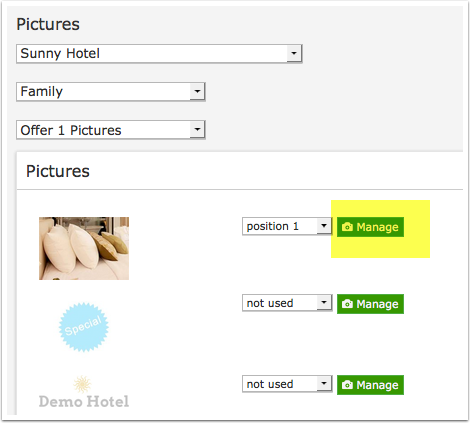
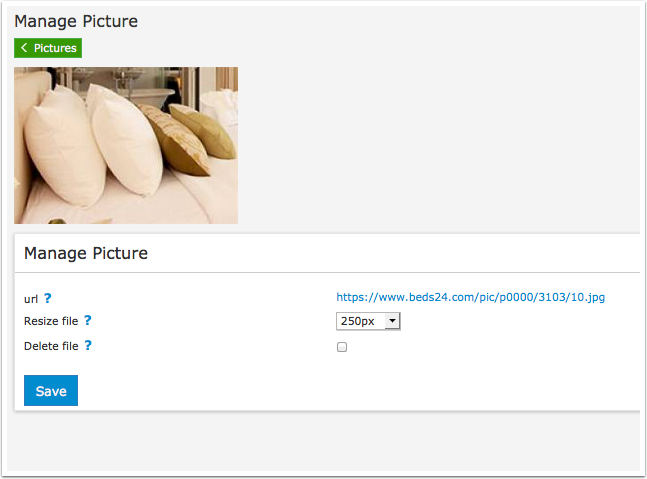
Click on "Manage picture" to delete, resize or access the picture URL
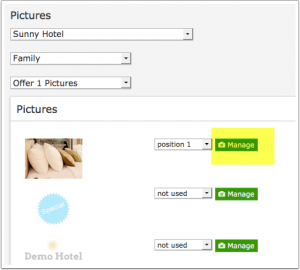
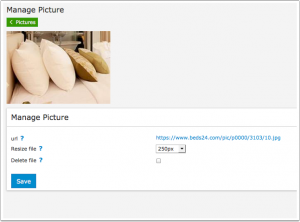
To change slider settings go to SETTINGS->BOOKING PAGE->LAYOUT (responsive version only),
Adaptive Version only
Once it is uploaded you can resize it to suit the position it will be displayed. To change the picture settings go to SETTINGS->BOOKING PAGE->PAGE DESIGN->CONTENT.
External Pictures
Alternatively or additionally you can use externally hosted pictures. All you need to do is enter the picture URL in SETTINGS->BOOKING PAGE->EXTERNAL PICTURES
- External pictures have to be hosted securely (https NOT http).
- External pictures are uses as they are. They can not be resized.
Assign Pictures
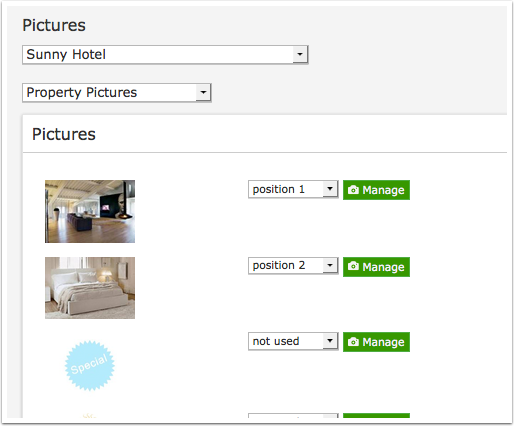
Property pictures: Set the selector to the property you want to assign pictures to. Then select "Property Pictures". If you us a slider you can also set the order of the pictures. On the adaptive booking page this image is only used for the multiple property booking page.
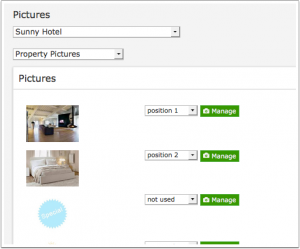
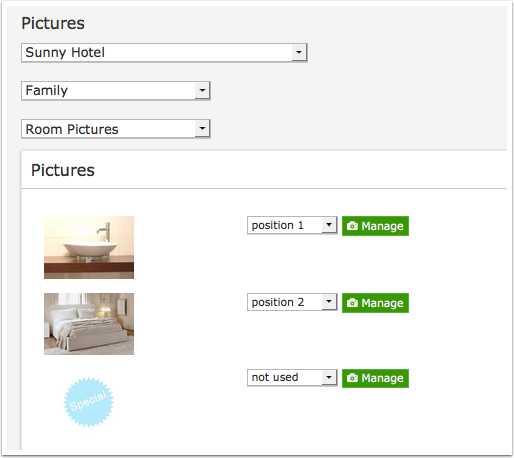
Room pictures: Set the selector to the property you want to assign pictures to. Then select the room. I If you us a slider you can also set the order of the pictures.
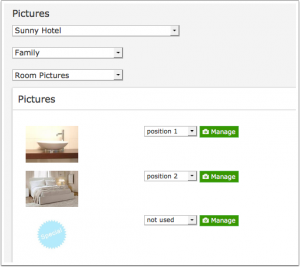
Note: These will only display if your layout has a "room pictures" activated. Many layouts only use "offers" and "offer pictures". Room pictures are not used on the adaptive version.
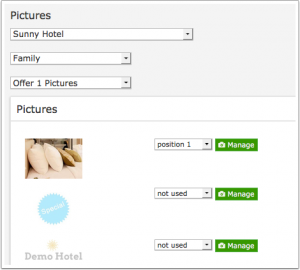
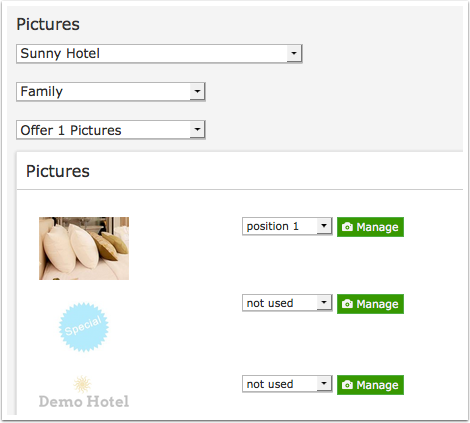
Offer pictures: Set the selector to the property you want to assign pictures to. Then select the room and then the offer number. Offer 1 is the default which will always display. If you us a slider you can also set the order of the pictures. Sliders are only available in the responsive version.

Keywords: picture, pictures, picture size