Outgoing Email: Difference between revisions
No edit summary |
|||
| Line 46: | Line 46: | ||
to allow email sending via gmail. | to allow email sending via gmail. | ||
If you try to use your normal Gmail password Google might block the emails from sending and treat them as spam. | |||
==Gmail (googlemail) G-Suite Account (pro version)== | |||
Mail Server: smtp.gmail.com | |||
Encryption: SSL | |||
Port: 465 | |||
You need to create and use an Application Password for the '''Gmail''' account. [https://support.google.com/mail/answer/1173270?hl=en Here google explains] | |||
=== Allow less secure apps === | |||
Google pro accounts may need the following settings to allow email sending via gmail: | |||
*Open your Google Admin console (admin.google.com). | |||
*Click Security > Basic settings . | |||
*Under Less secure apps, select Go to settings for less secure apps . | |||
*In the subwindow, select the Enforce access to less secure apps for all users radio button. ... | |||
*Click the Save button. | |||
If you try to use your normal Gmail password Google might block the emails from sending and treat them as spam. | If you try to use your normal Gmail password Google might block the emails from sending and treat them as spam. | ||
| Line 78: | Line 98: | ||
[[:category:Sub_Account|Sub accounts]] can be used to use different outgoing Email addresses for multiple properties in one account. | [[:category:Sub_Account|Sub accounts]] can be used to use different outgoing Email addresses for multiple properties in one account. | ||
= Mailgun= | |||
Mailgun is a mail sending service. | Mailgun is a mail sending service. | ||
| Line 90: | Line 110: | ||
= Trouble Shooting = | |||
Hotmail and other providers might ask for '''authentication'''. Log into your Email account, check your notifications | Hotmail and other providers might ask for '''authentication'''. Log into your Email account, check your notifications | ||
or settings and follow the instructions given by your Email provider. If you cannot find them ask your provider | or settings and follow the instructions given by your Email provider. If you cannot find them ask your provider | ||
Revision as of 17:14, 20 March 2020
This page is about the menu SETTINGS -> ACCOUNT -> OUTGOING EMAIL
General
Sending Account: Choose whether to use the system email server or your own email address to send email.
If you choose your own email address the guest will receive an email confirmation from your email address and you will see sent mails in your outgoing mail folder. You can use your own email service via SMTP or Mailgun, It is also possible to use both, first we will try your SMTP server and if this fails we will try Mailgun. If both fail, the mail will be sent by the system email server.
If you do not use your own email, the guest will receive a booking notification from the system Email address.
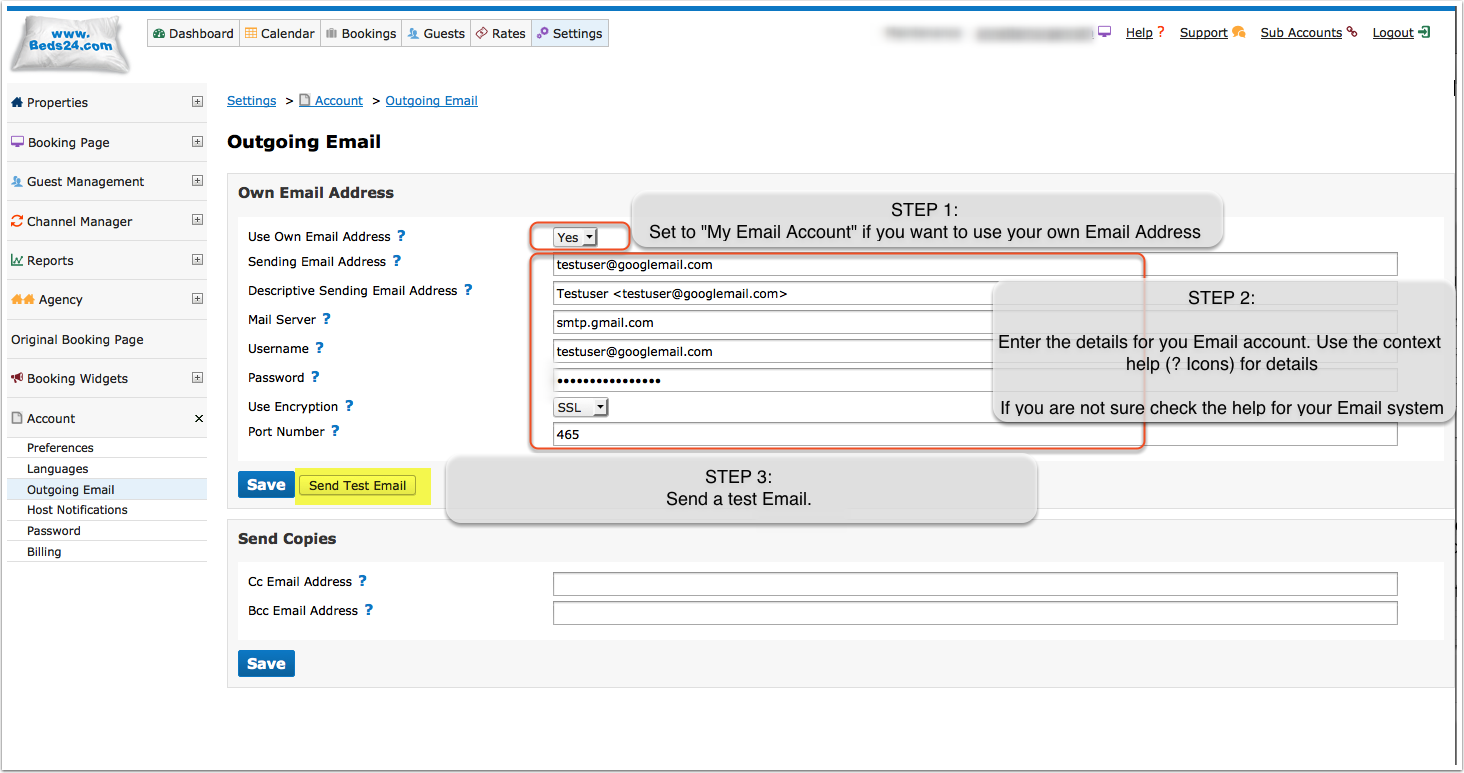
The following settings are required if you use your own email address:
Email Address: This is the email address which will send email notifications.
Mail Server: This is the email server which will send your email. For example the gmail server is smtp.gmail.com.
User Name: This is the user name for your email server. This is often your email address.
Password: This is the password for your email server.
Use Encryption: This is the email server encryption setting. For example the gmail server requires SSL.
Port Number: This is the email server SMTP port. This is normally 25 but can be different. For example the gmail server uses 465.
Standard Setups
Gmail (googlemail) Standard Account
Mail Server: smtp.gmail.com
Encryption: SSL
Port: 465
You need to create and use an Application Password for the Gmail account. Here google explains
Allow less secure apps
Google accounts which have a menu "My Account" > "Connected apps & sites" may need to set
"Allow less secure apps" = ON
to allow email sending via gmail.
If you try to use your normal Gmail password Google might block the emails from sending and treat them as spam.
Gmail (googlemail) G-Suite Account (pro version)
Mail Server: smtp.gmail.com
Encryption: SSL
Port: 465
You need to create and use an Application Password for the Gmail account. Here google explains
Allow less secure apps
Google pro accounts may need the following settings to allow email sending via gmail:
- Open your Google Admin console (admin.google.com).
- Click Security > Basic settings .
- Under Less secure apps, select Go to settings for less secure apps .
- In the subwindow, select the Enforce access to less secure apps for all users radio button. ...
- Click the Save button.
If you try to use your normal Gmail password Google might block the emails from sending and treat them as spam.
Microsoft Live (Hotmail)
Microsoft live has issues with external systems like Beds24 sending email and can block mails, we cannot recommend this system, use at your own risk
Mail Server: smtp.live.com OR smtp-mail.outlook.com (Check the details from your email service)
Encryption: No
Port: 587
Set up
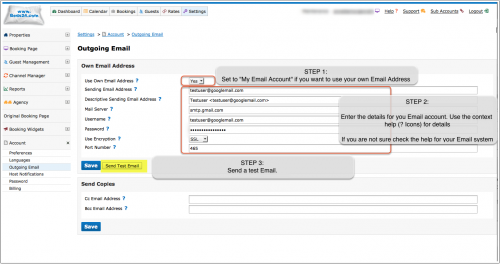
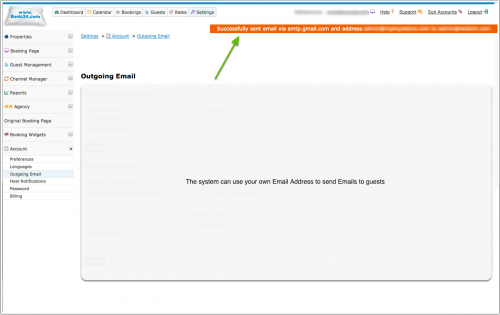
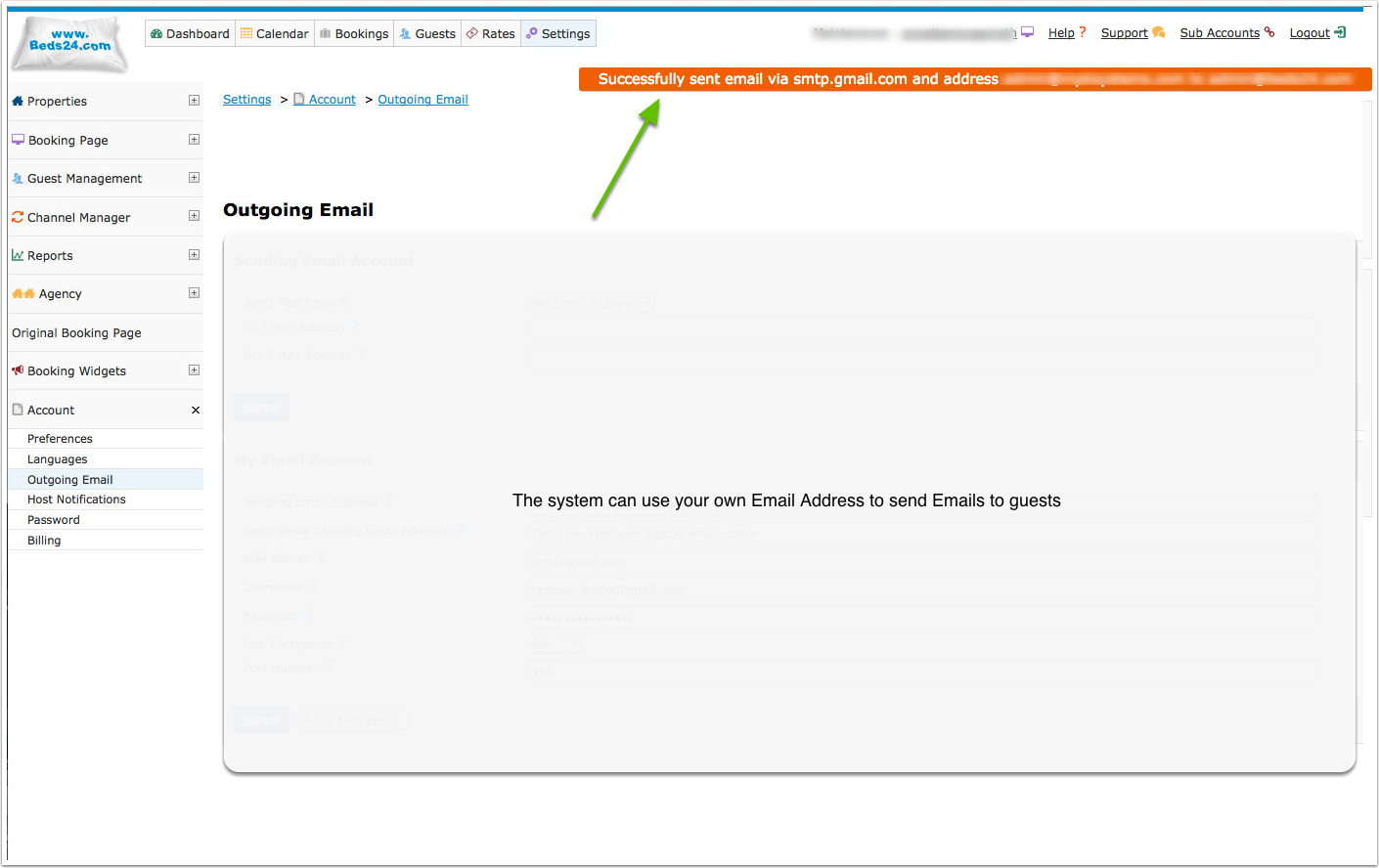
The system can use your own Email address
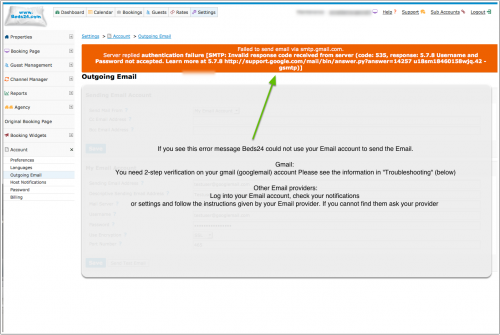
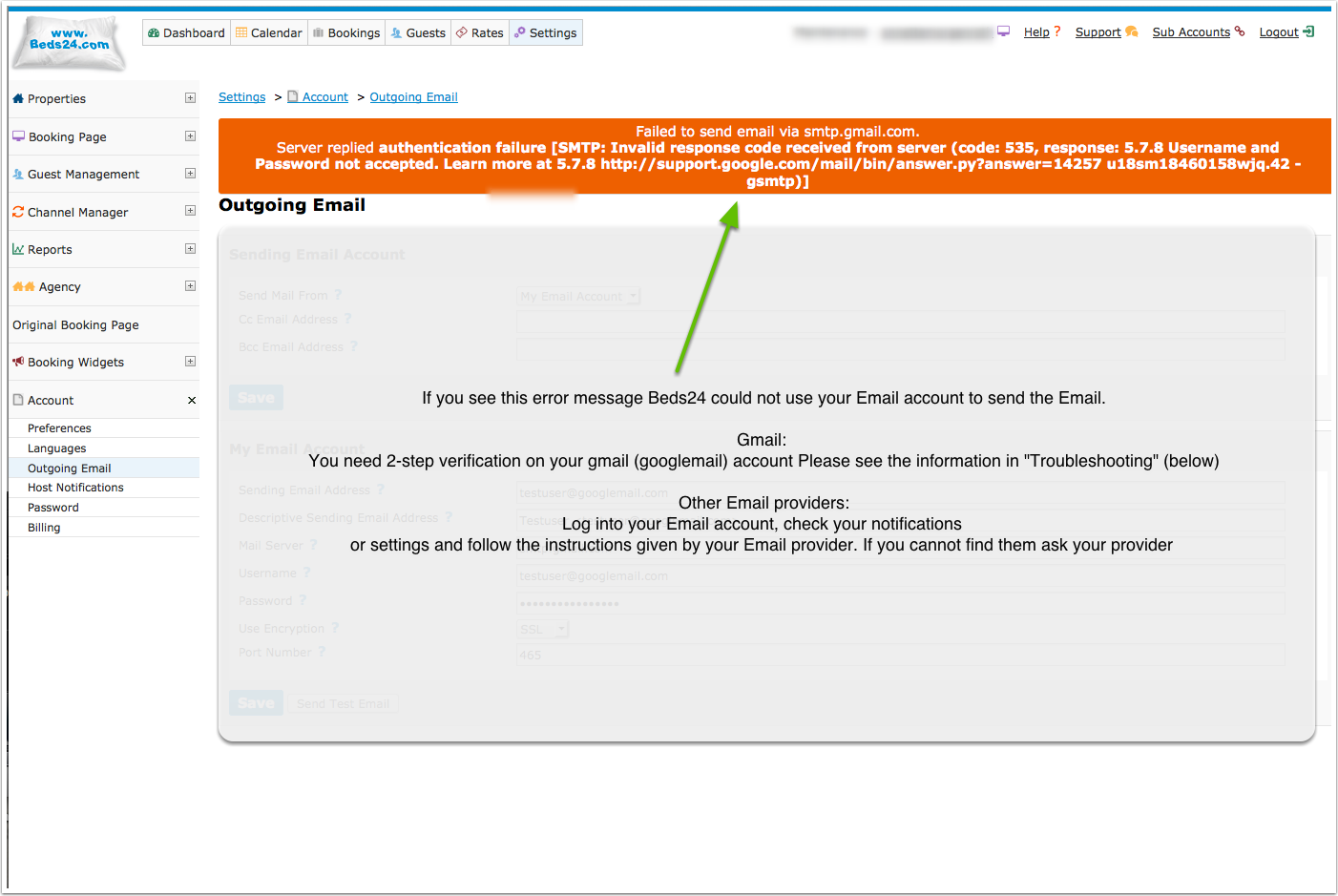
If you see an error message please check
- are all entries correct
- some systems require authentication. Please see "Trouble Shooting" (below)
Sub accounts can be used to use different outgoing Email addresses for multiple properties in one account.
Mailgun
Mailgun is a mail sending service.
You will need an account at mailgun and can get the Key and Domain values from your mailgun account.
SPF Record
Adding the following SPF record to your sending domain may help delivery of your emails and prevent them being treated as spam. Please refer to your domain register for help adding an SPF record to your domain.
v=spf1 include:mail.beds24.com ~all
Trouble Shooting
Hotmail and other providers might  ask for authentication. Log into your Email account, check your notifications
or settings and follow the instructions given by your Email provider. If you cannot find them ask your provider
what you need to do to let third parties like Beds24 send Emails through your SMTP server.
Emails are not sending
1. Check if you outgoing E-mail is working by clicking on "Send Test Email".
2. Check your "Descriptive Sending Email Address", it cannot be a word only. The pop up help for the setting has examples of valid formats.
If E-mail are sending but guests do not receive your E-mails you can use a tool like https://www.mail-tester.com/ to check what the problem might be.