Category:Sub Account: Difference between revisions
No edit summary |
No edit summary |
||
| Line 28: | Line 28: | ||
== Create a Sub Account == | == Create a Sub Account == | ||
Click on SUB ACCOUNTS then on "CREATE NEW SUB ACCOUNT". Enter username password and Email. | Click on SUB ACCOUNTS then on "CREATE NEW SUB ACCOUNT". Enter username password and Email. | ||
The "Role determines the access rights": | |||
*Admin: all rights | |||
*Read Only: All parts of the control panel can be seen but not changes. | |||
*Front Desk: Has read and write rights for "bookings" and "guests". No access to SETTINGS and reports with revenue information. Read only access to all other areas. | |||
*Cleaner: Read only acces to bookings in the CALENDAR. Access to standard reports "Cleaning", "Daily Activity" and "Daily Unit Activity". | |||
== Give Sub Account Access to all Properties in the Master Account== | == Give Sub Account Access to all Properties in the Master Account== | ||
Revision as of 15:45, 17 October 2015
This page is about the menu SUB ACCOUNTS
Each account can have sub accounts with a unique username and password. Sub accounts can be given restricted or full access to other accounts or individual properties. A sub account can also contain it's own properties.
Only one person at a time can log in to any account or sub account.
Before you create a Sub account
A property is always owned by one account or sub account but it can be set up to be accessed from other accounts. It inherits it's account level settings from this owner account. Therefore a property should be owned by the account which manages the property and whose Email address is used to send out confirmation messages and other system Emails.
- If a property is managed mainly in the master account and the sub account just needs access to see certain information or to perform certain tasks it should be owned by the master account. In this case sub accounts are given access to the property.
- If a property is managed mainly by the sub account and the master accounts just needs access it should be owned by the sub account. In this case the master account is given access to the property.
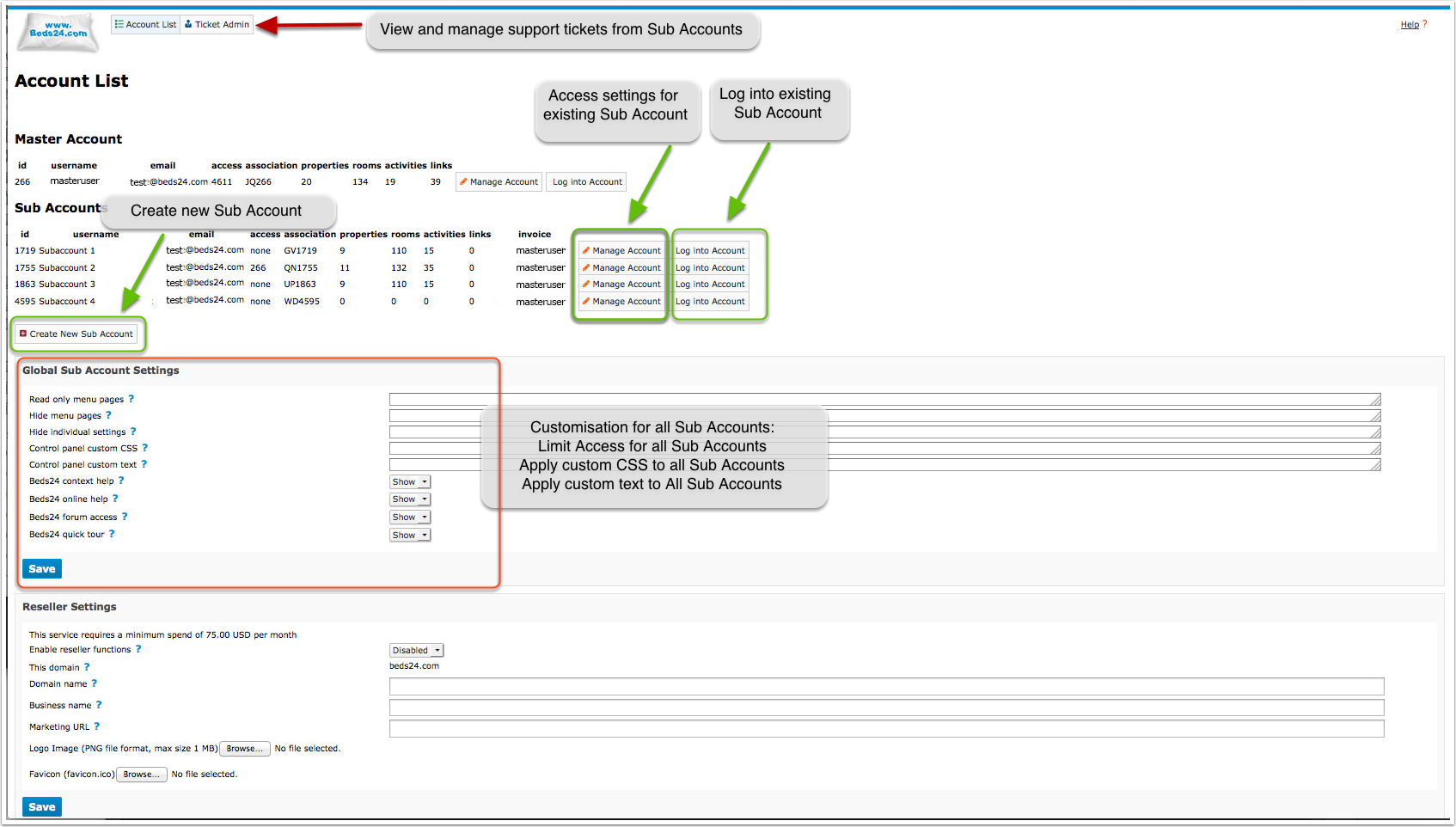
Go to SUB ACCOUNTS to create new sub accounts or manage existing sub accounts
Global sub account settings apply to all sub accounts in one master account
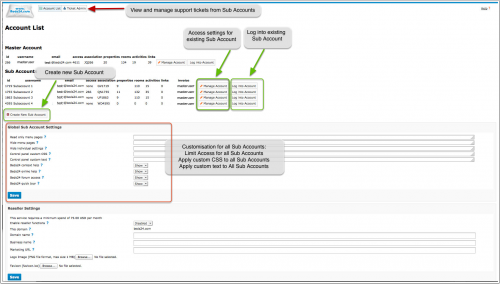
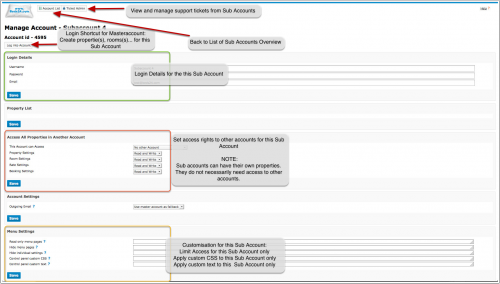
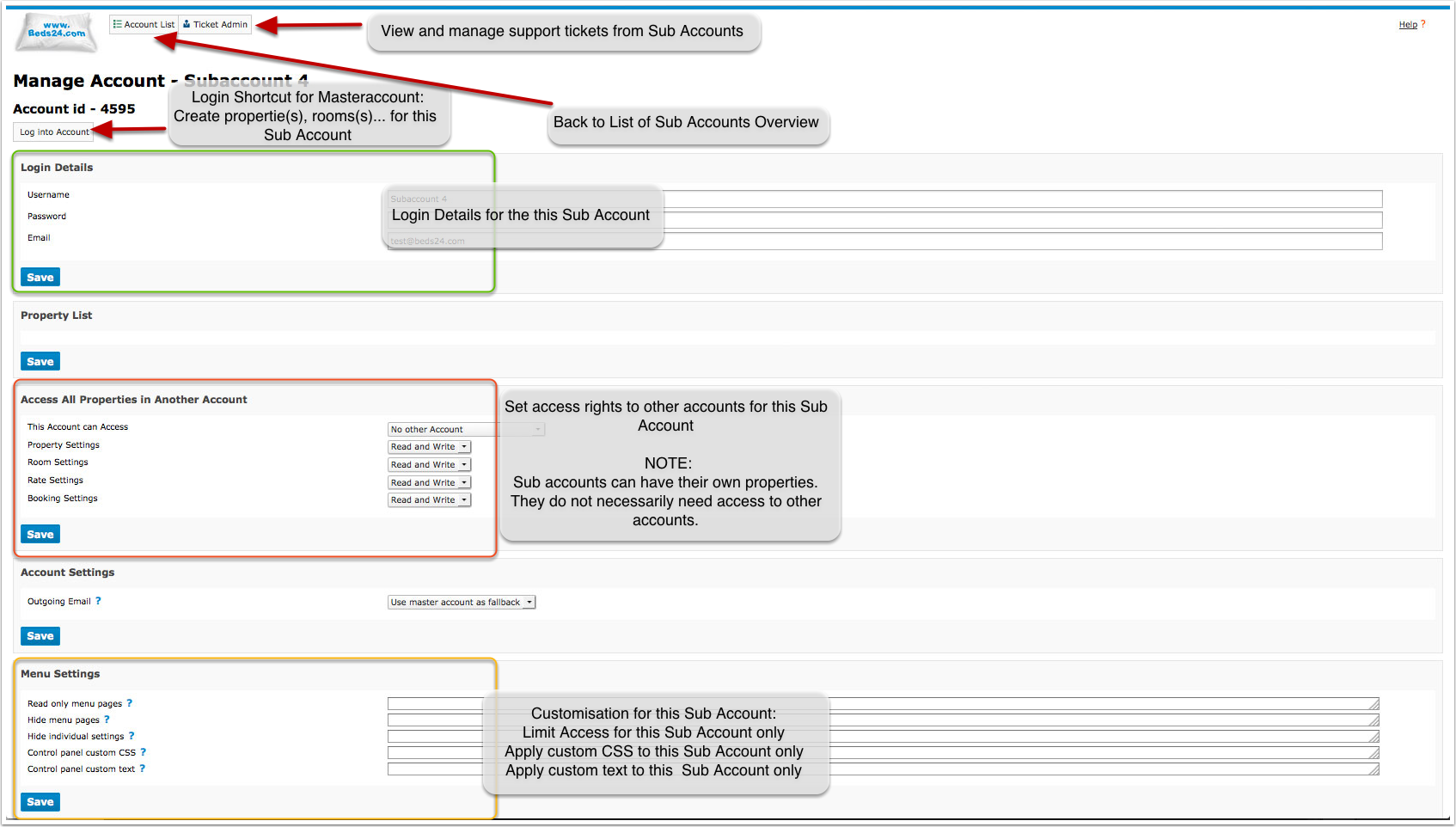
Click on "Manage" to apply settings to an individual sub account
Create a Sub Account
Click on SUB ACCOUNTS then on "CREATE NEW SUB ACCOUNT". Enter username password and Email.
The "Role determines the access rights":
- Admin: all rights
- Read Only: All parts of the control panel can be seen but not changes.
- Front Desk: Has read and write rights for "bookings" and "guests". No access to SETTINGS and reports with revenue information. Read only access to all other areas.
- Cleaner: Read only acces to bookings in the CALENDAR. Access to standard reports "Cleaning", "Daily Activity" and "Daily Unit Activity".
Give Sub Account Access to all Properties in the Master Account
- Click on ACCOUNT LIST
- Click on MANAGE ACCOUNT for the Sub Account
- in "Access All Properties in Another Account" select the account that can be accessed. Set which areas the sub account can access "read only" and which "read and write"
- if required block sub accounts from selected pages in "Menu Settings"
Give Sub Accounts Access to Selected Properties in the Master Account
- Click on ACCOUNT LIST
- Cick on MANAGE ACCOUNT for the Master Account
- in the "Property List" click on "MANAGE ACCOUNT" for the propety you allow the sub account to access
- in "Make Property Available in Another Account" set "Available in Account" to the master account "Status" to enable and set "Access Rights"
- if required block sub accounts from selected pages in "Menu Settings"
Make Sub Account Properties available in the Master Account
- Click on ACCOUNT LIST
- Click on MANAGE ACCOUNT for the Sub Account
- Click on MANAGE PROPERTY for the Property
- Set "Make Property Available in Master Account" to enable.
Make a Property available in another Account or Sub Account
- Click on ACCOUNT LIST
- Click on MANAGE ACCOUNT for the Sub Account
- Click on MANAGE PROPERTY for the Property
- Set "Make Property Available in Another Account" to the Account and set whether the Account can have read/write or read only access.
Hide Menus and/or Settings from Sub Account
- To hide menu pages click on SUB ACCOUNTS and enter the names of the pages you want to hide in "Hide menu pages". The context help gives a detailed explanation. EXAMPLE: To hide all channel manager pages you need to enter: synchroniser, to hide all settings enter: settings.
- If you only want to hide individual settings send us a support ticket for the code required here to hide the particular setting.
Set Sub Account to send Email from their own Email Address
- Log into the sub account and go SETTINGS->ACCOUNT->OUTGOING EMAIL. Set the system up to use the sub accounts Email address following the instructions (click on HELP in the top right menu).
- Go to SUB ACCOUNTS click on "Manage Account" and set "Outgoing Email"=Never us Master Account or Use Master Account as Fallback.
Move Properties to a different Account
- Click on ACCOUNT LIST
- Click on MANAGE ACCOUNT for the Sub Account
- Click on MANAGE PROPERTY for the Property
- Change the owner account of the property.
Move Rooms to a different Property
- Click on ACCOUNT LIST
- Click on MANAGE ACCOUNT for the Sub Account
- Click on MANAGE PROPERTY for the Property
- Click on MANAGE ROOM for the Room
- Select the property to move to
Subcategories
This category has the following 2 subcategories, out of 2 total.
Pages in category "Sub Account"
This category contains only the following page. download this selection of articles as a PDF book