Jomres: Difference between revisions
Jump to navigation
Jump to search
| Line 20: | Line 20: | ||
==Jomres== | ==Jomres== | ||
You will need to get two sets of credentials from Jomres: | |||
*Jomres API Client ID/Secret | |||
*Jomres API Client System ID/Secret | |||
To get your Jomres API Client ID and Secret: | |||
# Navigate to the Manage Properties section of your Jomres installation and click Account Details then App Key Management. | # Navigate to the Manage Properties section of your Jomres installation and click Account Details then App Key Management. | ||
# Click the View button next to the API client you wish to use or click the New button to create a new client. | # Click the View button next to the API client you wish to use or click the New button to create a new client. | ||
| Line 29: | Line 32: | ||
[[Media:jomres_api_key.png|view large]] | [[Media:jomres_api_key.png|view large]] | ||
To get your Jomres API System Client ID and Secret: | |||
# Log into Wordpress and navigate to the Jomres tab. | # Log into Wordpress and navigate to the Jomres tab. | ||
# Click Tools then REST API test. | # Click Tools then REST API test. | ||
Revision as of 05:53, 4 June 2020
Jomres
This page is about the menu This page is about the menu (SETTINGS) APPS & INTEGRATIONS > JOMRES and explains how to set up an integration with Jomres.
Coming soon! For the Jomres plugin use these instructions.
Capabilities
- Beds24.com can export inventory.
- Beds24.com can export prices (tariffs).
- Beds24.com can import bookings.
Limitations
- Inventory exports are currently limited to single room properties.
Set Up
Jomres
You will need to get two sets of credentials from Jomres:
- Jomres API Client ID/Secret
- Jomres API Client System ID/Secret
To get your Jomres API Client ID and Secret:
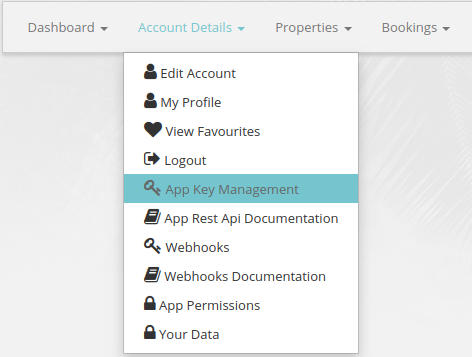
- Navigate to the Manage Properties section of your Jomres installation and click Account Details then App Key Management.
- Click the View button next to the API client you wish to use or click the New button to create a new client.
- You will need the Client ID and Secret from this page to manage your Jomres properties with Beds24.
To get your Jomres API System Client ID and Secret:
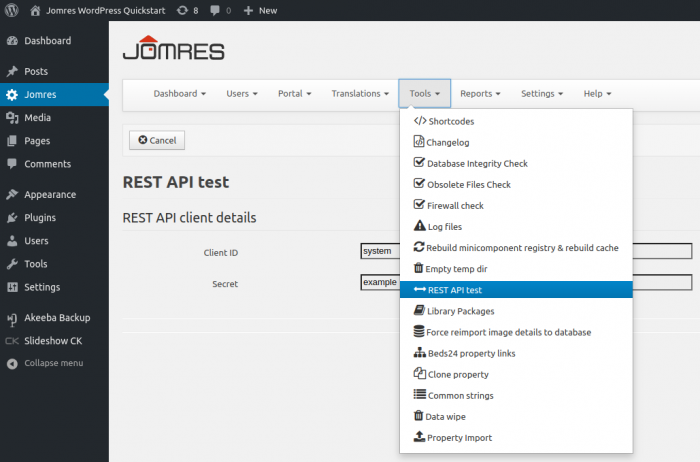
- Log into Wordpress and navigate to the Jomres tab.
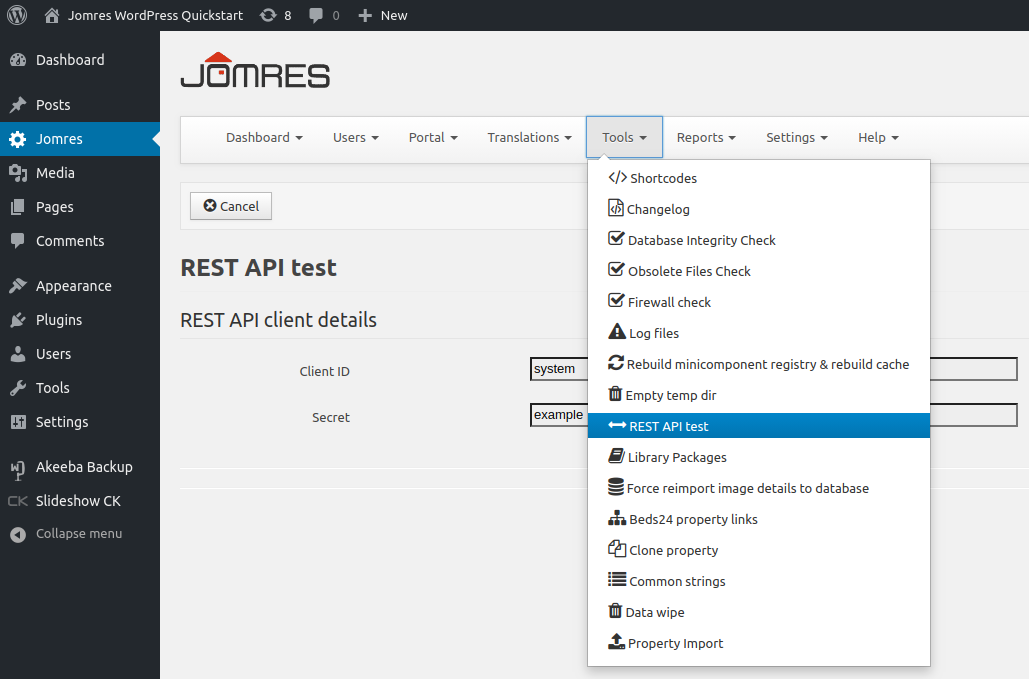
- Click Tools then REST API test.
- You will need the System Client ID and Secret from this page to connect your Jomres properties to Beds24.
Beds24
Step 1: Enter your Jomres credentials
- Enter your Jomres URL
- Enter your API Key
- Enter your Secret Key
- SAVE
Step 2: Create channel
Step 3: Connect your Jomres properties
Step 4: