Connect Airbnb Account: Difference between revisions
| Line 88: | Line 88: | ||
*Select if you want to create a new property with a room or add a room to a property you already have in Beds24. After you have done this you will see the new property/room in {{#fas:cog}} (SETTINGS) PROPERTIES > ROOMS. | *Select if you want to create a new property with a room or add a room to a property you already have in Beds24. After you have done this you will see the new property/room in {{#fas:cog}} (SETTINGS) PROPERTIES > ROOMS. | ||
< | <div class="warning">{{#fas:exclamation-triangle}} If "Connected Room" shows "Unknown" Airbnb thinks the listing is connected but we can not identify the room i.e. because it was deleted. In this case please click “Unlink” and then proceed. </div> | ||
*Beds24 supports both "'Daily Prices'" and "'Occupancy Prices'" for Airbnb. Please see [[Airbnb_Mapping#Pricing_models|Pricing Models]] for more information and adjust your pricing model if required in {{#fas:cog}} (SETTINGS) CHANNEL MANAGER > AIRBNB > MAPPING | *Beds24 supports both "'Daily Prices'" and "'Occupancy Prices'" for Airbnb. Please see [[Airbnb_Mapping#Pricing_models|Pricing Models]] for more information and adjust your pricing model if required in {{#fas:cog}} (SETTINGS) CHANNEL MANAGER > AIRBNB > MAPPING | ||
Revision as of 15:01, 7 May 2024
This page is about the menu (SETTINGS) CHANNEL MANAGER > AIRBNB > ACCOUNTS and explains how to connect an Airbnb account and how to import listings from Airbnb to Beds24
Capabilities
You can connect one or multiple Airbnb account to
- Import listings from Airbnb which will create properties and/or rooms in Beds24
- Create new listings in Airbnb from rooms in Beds24
- Connect to existing listings in Airbnb to send updates from Beds24. You can choose to
- Synchronize prices and availability only. Beds24 will then send price and availability to Airbnb and import bookings
- Synchronize everything to update prices, availability and your complete content information including pictrures from Beds24
After you have mapped your listings Beds24 will automatically
- Send prices and availability to Airbnb
- Import bookings and booking modifications or cancellations
You can also choose to
- Import booking requests
- Communicate with Airbnb guest directly from Beds24
Click here for general information on how the channel manager works.
Limitations
- Beds24 can connect all Airbnb hosts who are eligible for API use.
- Airbnb does not allow Co-host accounts to use their Api. All connections have to be via the host account. There are two solutions:
- Airbnb does not allow Co-hosts to use their API. This means if you are a Co-Host Airbnb will not allow you to connect your co-hosted listings via Beds24 (or any other channel manager). Solutions to this limitation are:
- Ask the host to transfer their account to you.
- Your hosts make the connection between their Airbnb accounts and Beds24 themselves
- You can create a (temporary) subaccount in Beds24 for each of your hosts. Your hosts will have a login where they then can connect their Airbnb accounts.
- If you manage a large number of properties we can give you the "Connect with Airbnb Account" button. Your hosts will then be able to use this button outside of Beds24 so they will not need to log into Beds24 to allow the connection.
- Airbnb restrict API access in some cities. If you are not sure if you can use the API connection ask Airbnb support to check with your market manger if you are eligible.
- If you can not use the API connection you can use our Airbnb iCal connection to synchronize calendars only.
- Hosts in the DACH region (Germany, Austria and Switzerland) which are in bigger cities can use the API connection if they enter an imprint in their adprofile (under ACCOUNT - only available in German).
Connect an Airbnb Account
Click on "Connect with Airbnb"
If you are not logged into an Airbnb account you will see this screen:
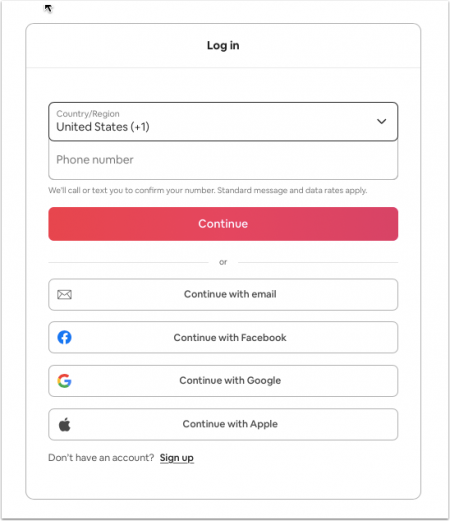
Log into the Airbnb account you want to connect and then continue.
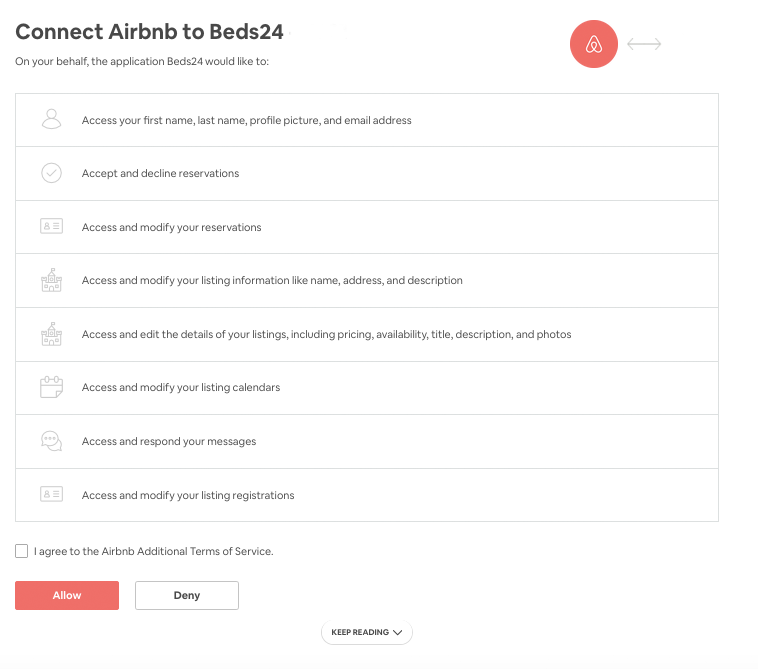
Once you are logged in you will be taken to the authorization page which looks like this:
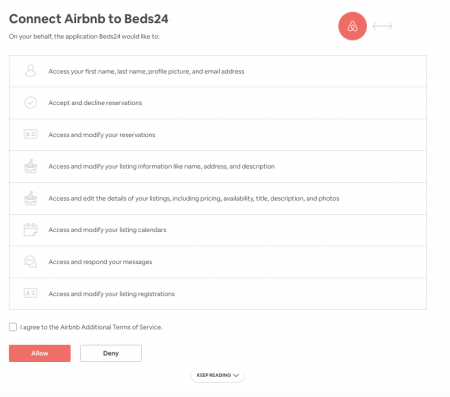
If you were already logged into an Airbnb account make sure it is the one you want to connect.
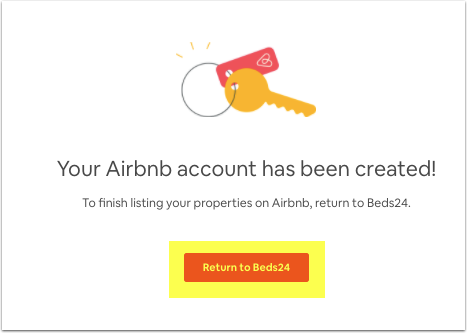
Agree to Airbnbs additional terms and click "Allow". You can then click on the "Return" button to go back to Beds24.
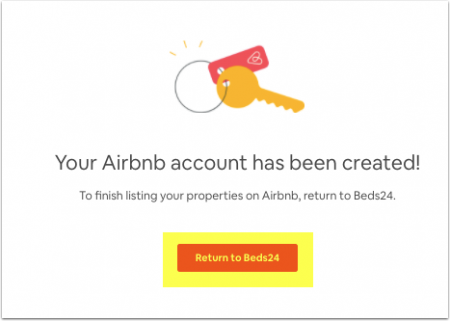
When you are connected the "Connect with Airbnb" button is replaced with a "View Listings" button. When you click on this button you will see all listings Airbnb makes available for import and connection for this account.
Connect Multiple Airbnb Accounts
If you have more than one Airbnb account click on "Connect with Airbnb" to connect another account.
To connect another Airbnb account you need to completely log out of the Airbnb account you have already connected.
Airbnb caches your login data. To prevent being redirected to a wrong Airbnb account log out of Airbnb. Close all browser windows and clear your cache. You should then have the option to switch or another Airbnb account or see this screen from where you can log in fresh:
Import listings from Airbnb
If you already have listings in Airbnb you can import listings from Airbnb instead of setting them up manually. Listings can be imported as new property or as a room in a property which already exists in Beds24.
Step 1: Access your listings
Click on "View listings" to see all listings which Airbnb make available for this Airbnb account.
Step 2: Import listing
- Click on the "Import" button
- Select if you want to create a new property with a room or add a room to a property you already have in Beds24. After you have done this you will see the new property/room in (SETTINGS) PROPERTIES > ROOMS.
- Beds24 supports both "'Daily Prices'" and "'Occupancy Prices'" for Airbnb. Please see Pricing Models for more information and adjust your pricing model if required in (SETTINGS) CHANNEL MANAGER > AIRBNB > MAPPING
- Your prices are imported as daily prices. If you have an "'Extra Person Price'" in Airbnb you will need to adjust the "Max Guests" and the "Extra Person" price in PRICES > DAILY PRICE RULES.
Step 3: Complete property and room information and prices in Beds24
Depending on the Sync type you plan to use Prices & Availability or Everything, there is additional information you need to check/update before you complete the connection (Step 4).
With sync type Prices and Availability Beds24 will only update your price data (including number of guests, extra person price, base price, taxes and fees, max stay, minimum stay, max days in advance, advance notice/same day booking cut off, last-minute discount, early-bird discount, weekly discount, monthly discount) and availability and import bookings. If you want to change your descriptions pictures or other settings you do this in Airbnb.
With sync type Everything also your existing listing's descriptive content will be overridden by the descriptive content in Beds24 and can no longer be edited in Airbnb.
If you want to sync everything your listing needs to meet Airbnbs requirements. If you see a red button "Fix Content Errors" your listing does not meet Airbnb requirements. Click on the button. Any settings which do not meet Airbnb requirements are highlighted in red. Click on the links to go to the settings where you can fix the problems.
Always go to "View Content" to check what will send to Airbnb before selecting Everything.
Go to (SETTINGS) CHANNEL MANAGER > AIRBNB >VIEW CONTENT and click on the links next to the settings to enter these. For instructions use the context help .
- Check ALL Fees are imported.
Other fees supported by Airbnb can be sent as CUSTOM value in (SETTINGS) CHANNEL MANAGER > AIRBNB > SPECIFIC CONTENT > CUSTOM. If you apply a linen fee Airbnb will add this to the cleaning fee.
- PETFEE 45 (for example)
If you want to use the booking engine you will also need to add the cleaning fee in (SETTINGS) PROPERTIES > UPSELL ITEMS.
- Check ALL amenities are imported.
Check the amenities and requirements here Airbnb Content
To add Property amenities go to (SETTINGS) PROPERTIES > DESCRIPTION > FEATURES and click on 'edit amenities.
To add Room amenities/features go to (SETTINGS) PROPERTIES > ROOMS > SETUP > FEATURES and click on 'edit bedroom' and 'edit bathroom'
- Pictures are imported without Captions/descriptions, update them before completing the connection
Check the details for Pictures Airbnb Picture requirements
Step 4: Connect the room or property to automatically update your Airbnb listing and import your existing upcoming bookings
Go to (SETTINGS) CHANNEL MANAGER > AIRBNB > MAPPING to connect them. Click on help in the top right of this page for further instructions.
Connect listings you already have on Airbnb
If you have listings on Airbnb which you do not want to import go to (SETTINGS) CHANNEL MANAGER > AIRBNB > MAPPING to connect them. Please see Connect Listings for more information. Click on help in the top right of this page for further instructions.
Create a new Airbnb account
If you do not yet have an Airbnb account you can create one from Beds24.
Step 1: Click on "Connect with Airbnb"
You will see this screen:
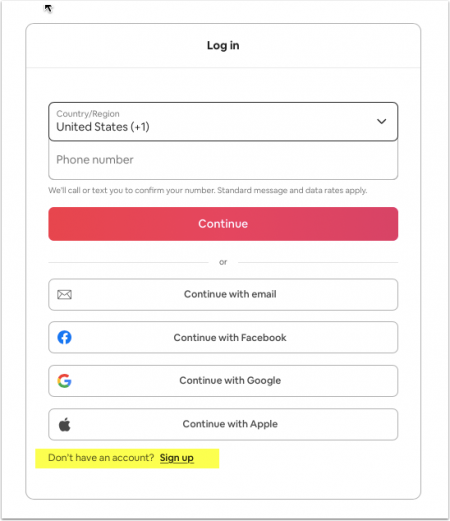

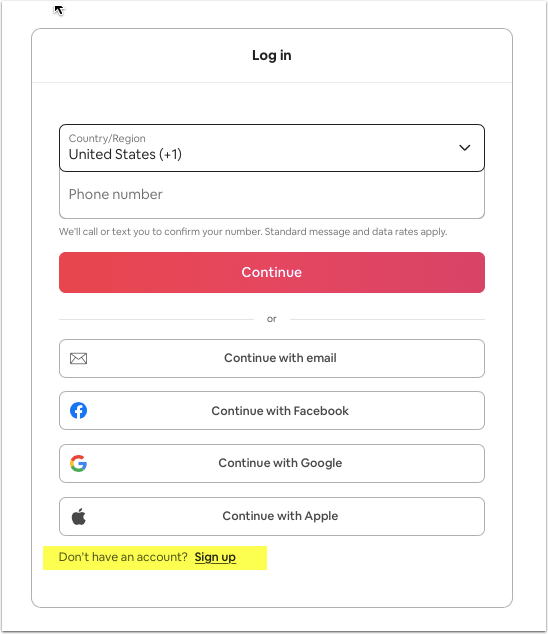
Click on "Sign up" and follow the steps
Step 2: Authorize Beds24 to connect to your Airbnb account
Once you have created your account you will be taken to the authorization page which looks like this:
Agree to Airbnbs additional terms and click "Allow". You can then click on the "Return" button to go back to Beds24.
'Step 3: Create listings on Airbnb
Go to (SETTINGS) CHANNEL MANAGER > AIRBNB > MAPPING to export your rooms in Beds24 to Airbnb. Click on help in the top right of this page for further instructions.
Disconnect or terminate the connection
Click on "Disconnect". This will set all your listings in this Airbnb account to "manual" so you can manage it manually. If you want to update the listing from Beds24 you will need to reconnect it.
FAQ
Who can use the Airbnb API connection?
All customers can use the API connection. Airbnb support can give you more information on Airbnb`s policies and restrictions if required.
Can I import a listing from Airbnb to Beds24?
Yes. The process is explained here.
Can I connect listings that I am a Co-Host?
Airbnb does not allow Co-hosts to use their API. This means if you are a Co-Host Airbnb will not allow you to connect your co-hosted listings via Beds24 (or any other channel manager). Solutions to this limitation are:
- Ask the host to transfer their account to you.
- Your hosts make the connection between their Airbnb accounts and Beds24 themselves
- You can create a (temporary) subaccount in Beds24 for each of your hosts. Your hosts will have a login where they then can connect their Airbnb accounts.
- If you manage a large number of properties we can give you the "Connect with Airbnb Account" button. Your hosts will then be able to use this button outside of Beds24 so they will not need to log into
What is the difference between the API connection and the iCal connection?
Main differences are the update speed and the transferred data. iCal updates can take up to 24 hours which makes it unreliable. Changes via the API are applied within a minute.
The API interface can:
- Update instantly
- Import bookings (including personal data, number of guests, price), modifications and cancellations from Airbnb
- Facilitate communication with the guest directly from the booking
- Create listings
- Send content and update content
- Send pictures
- Automatically send availability to Airbnb
- Send prices from Beds24 to Airbnb
The iCal interface can only export inventory and import bookings for which Airbnb provides limited information only (no guest name, no price, no Email address), booking modifications and booking cancellations.
I am already listed with Airbnb. Can I connect it?
Yes. You can connect an existing Airbnb account.
Can I still use Ical?
Of course, you can use iCal or API but not both for the same room (remember that iCal has delays and does not transfer prices or detailed booking information).
Can I accept requests?
By default we only support instant book because it is proven that listings on instant book generate more bookings and have a better ranking.
We strongly recommend to only use instant book but if required we can set individual listings to be bookable on request only. Airbnb only allows listings which are not listed on any other OTA which facilitates instant book to be set to 'Request'. This means if you only want requests from Airbnb you need to disconnect/can not use OTAs/portals like Booking.com, Expedia, Ctrip, Agoda
Can I connect more than one Airbnb account?
Yes. You can connect multiple Airbnb accounts.
Can I send special prices to Airbnb?
Yes. This tutorial explains how to do this.
If I have a room type with 6 units (i.e. 6 double rooms) do I need a listing for each room?
No. Beds24 supports room types with Airbnb.
Will I receive notifications on new bookings or changes?
Airbnb will send you a notification for new bookings.
Do guests receive a confirmation?
The channel confirms the booking with the guest. Beds24 will not sent a confirmation message. If you want to send one as well you can set up an Auto Action Email.
Do I have to confirm bookings?
No. All listings managed via API are activated for instant booking meaning all bookings are confirmed. You have the option to cancel bookings if required in the Airbnb extranet.
How can I communicate with guests?
You can communicate with guests directly from the booking in Beds24 via Airbnbs messaging system
How will I get paid?
The channel charges the guest and pays you via bank transfer or Paypal.
Can guests modify bookings?
If a guest modifies a booking you will receive an Email from Airbnb. If you agree to the modification Beds24 will import the modification.
Can agencies use the API Interface
Yes. You can connect to multiple Airbnb host accounts.
Can I send several languages?
Yes.
Can I connect dorms?
Yes, Airbnb supports dorms. See this page for the settings:- https://wiki.beds24.com/index.php/Airbnb_DORMS