Sample page: Difference between revisions
No edit summary |
|||
| Line 1: | Line 1: | ||
=Headline 1 General formatting of a wiki page = | |||
https://www.mediawiki.org/wiki/Help:Formatting | |||
Mediawiki automaticallly ceates a title from the name in the URL. | |||
1. First element on a wiki page are the categrories the page belongs into and if applicable redirects (see below= | |||
[[Category:xxx]] | |||
2. Second is an explanation what the page is about. If it is a help page for a menu (opening from a ? icon on the top) the path is mentioned. | |||
This page is about the menu {{#fas:cog}} (SETTINGS) PAGENAME > PAGENAME XXX followed by explanation on what to find on this page. | |||
Diese Seite ist über das Menue {{#fas:cog}} (KONFIGURATION) PAGENAME | |||
= | 3. Some pages have a summary box (used for slide out help) or a summary on important things to know. This section has a meaningful heading in a h1 = = | ||
= | Summary / Zusammenfassung heading in a h1 = = | ||
<div class="summarybox"> | <div class="summarybox"> | ||
<div class="warning alert alert-danger">{{#fas:exclamation-triangle}} Format of a warning if required. </div> | <div class="warning alert alert-danger">{{#fas:exclamation-triangle}} Format of a warning if required. </div> | ||
</div> | </div> | ||
What you should know before you start / Was Sie wissen und tun sollten, bevor Sie loslegen heading in a h1 = = | |||
<div class="bluebox"> | <div class="bluebox"> | ||
Introductory text if required | Introductory text if required | ||
</div> | </div> | ||
= | 4. Next element is a table of content which will be automatically generated from the headlines. | ||
= = Heading 1 | |||
== == Heading 2 | |||
== | === === Heading 3 | ||
== | |||
==== ==== Heading 4 | |||
Put the heading text in the middle. All headings can be seen below. | |||
__TOC__ | |||
==Headline 2== | |||
===Headline 3 More formats=== | |||
====Headline 4 General formats==== | |||
''italic'' | ''italic'' | ||
'''bold''' | '''bold''' | ||
'''''bold & italic''''' | '''''bold & italic''''' | ||
<u>Underline (not used)</u> | <u>Underline (not used)</u> | ||
====Code Snippets==== | |||
Code: | Code (if you need to quote code snippets or examples): | ||
<code>Source code</code> -> used for code examples, on many pages pre (blue box) is used for code which should be replaced | <code>Source code</code> -> used for code examples, on many pages pre (blue box) is used for code which should be replaced | ||
<div style="background-color: #f8f9fa !important; border: 1px solid #eaecf0;border-radius: 2px; padding: 1px 4px;"> | <div style="background-color: #f8f9fa !important; border: 1px solid #eaecf0;border-radius: 2px; padding: 1px 4px;"> | ||
| Line 121: | Line 109: | ||
:} | :} | ||
====Lists==== | |||
Bulleted list: | |||
*:- definition | *:- definition | ||
*ul list | *ul list | ||
| Line 129: | Line 117: | ||
Numered list | |||
#:- definition | |||
#ol list | #ol list | ||
#ol list | #ol list | ||
| Line 134: | Line 124: | ||
###ol list | ###ol list | ||
====Links==== | |||
[[Main_Page |internal link (pipe)]] | [[Main_Page |internal link (pipe)]] | ||
| Line 140: | Line 130: | ||
====Highlights, Warnings, Icons==== | |||
<span style="color:#fe746c;“ >{{#fas:exclamation-triangle}} </span> Warning used to point at information which is critical | <span style="color:#fe746c;“ >{{#fas:exclamation-triangle}} </span> Warning used to point at information which is critical | ||
<div class="warning">{{#fas:exclamation-triangle}} Format of an important warning</div> | <div class="warning">{{#fas:exclamation-triangle}} Format of an important warning</div> | ||
<span style="color: #f3e504; font-size: 150%;" >{{#fas:lightbulb}} </span> Tip used for additional functions, references etc. | <span style="color: #f3e504; font-size: 150%;" >{{#fas:lightbulb}} </span> Tip used for additional functions, references etc. | ||
| Line 197: | Line 187: | ||
</div> | </div> | ||
=Collapsible Elements= | ===Tables=== | ||
https://www.mediawiki.org/wiki/Help:Tables | |||
{| class="wikitable" | |||
! scope="col"| Item | |||
! scope="col"| Quantity | |||
|- | |||
| 0.3 kg | |||
| $0.65 | |||
|- | |||
| 0.125 kg | |||
| $1.25 | |||
|- | |||
|} | |||
{| class="wikitable" | |||
!colspan="3"|Table | |||
|- | |||
|- | |||
! scope="col"| Item | |||
! scope="col"| Quantity | |||
! scope="col"| Price | |||
|- | |||
! scope="row"| Bread | |||
| 0.3 kg | |||
| $0.65 | |||
|- | |||
! scope="row"| Butter | |||
| 0.125 kg | |||
| $1.25 | |||
|- | |||
! scope="row" colspan="2"| Total | |||
| $1.90 | |||
|} | |||
===Collapsible Elements=== | |||
Used for FAQ, Examples | Used for FAQ, Examples | ||
| Line 213: | Line 239: | ||
If there are many issues or the page is already long | If there are many issues or the page is already long | ||
<div class="mw-collapsible mw-collapsed"> | <div class="mw-collapsible mw-collapsed"> | ||
| Line 225: | Line 250: | ||
xxx | xxx | ||
=Images = | ==Images and Files== | ||
https://www.mediawiki.org/wiki/Help:Images | https://www.mediawiki.org/wiki/Help:Images | ||
Images with a "view large link" - images can be animated gifs | Images with a "view large link" - images can be animated gifs | ||
| Line 245: | Line 270: | ||
<span style="color:#fe746c;“ >{{#fas:exclamation-triangle}} </span> You might need to do a couple of hard refreshes to see the uploaded image. Or try a different browser. | <span style="color:#fe746c;“ >{{#fas:exclamation-triangle}} </span> You might need to do a couple of hard refreshes to see the uploaded image. Or try a different browser. | ||
=pdf= | ===pdf=== | ||
[[Media:Custom_Invoice.pdf|Download the tutorial]] | [[Media:Custom_Invoice.pdf|Download the tutorial]] | ||
=Videos = | =Videos = | ||
==Youtube== | ===Youtube=== | ||
<embedvideo service="youtube">https://youtu.be/Ohhx1ZfPxNw</embedvideo> | <embedvideo service="youtube">https://youtu.be/Ohhx1ZfPxNw</embedvideo> | ||
| Line 256: | Line 281: | ||
<embedvideo service="youtube" dimensions="200x120">https://youtu.be/6niW6UZoHOc</embedvideo> | <embedvideo service="youtube" dimensions="200x120">https://youtu.be/6niW6UZoHOc</embedvideo> | ||
==MP4 Upload== | ===MP4 Upload=== | ||
[[File:support.mp4|640px]] | [[File:support.mp4|640px]] | ||
| Line 265: | Line 290: | ||
[[File:recovering-Covid19.mp4|center|340px]] | [[File:recovering-Covid19.mp4|center|340px]] | ||
=Formatting of content types = | =Formatting of content types = | ||
Revision as of 09:07, 24 September 2025
Headline 1 General formatting of a wiki page
https://www.mediawiki.org/wiki/Help:Formatting
Mediawiki automaticallly ceates a title from the name in the URL.
1. First element on a wiki page are the categrories the page belongs into and if applicable redirects (see below=
2. Second is an explanation what the page is about. If it is a help page for a menu (opening from a ? icon on the top) the path is mentioned.
This page is about the menu (SETTINGS) PAGENAME > PAGENAME XXX followed by explanation on what to find on this page.
Diese Seite ist über das Menue (KONFIGURATION) PAGENAME
3. Some pages have a summary box (used for slide out help) or a summary on important things to know. This section has a meaningful heading in a h1 = =
Summary / Zusammenfassung heading in a h1 = =
What you should know before you start / Was Sie wissen und tun sollten, bevor Sie loslegen heading in a h1 = =
Introductory text if required
4. Next element is a table of content which will be automatically generated from the headlines.
= = Heading 1
== == Heading 2
=== === Heading 3
==== ==== Heading 4
Put the heading text in the middle. All headings can be seen below.
Headline 2
Headline 3 More formats
Headline 4 General formats
italic
bold
bold & italic
Underline (not used)
Code Snippets
Code (if you need to quote code snippets or examples):
Source code -> used for code examples, on many pages pre (blue box) is used for code which should be replaced
<script> var addUrlParamsToIframeSrcs = function () { const validParameters = ["checkin","checkout","numnight","numadult","numchild","ownerid","propid","roomid","referer","redirect","lang","group","nogroup","category1","category2","category3","category4", "customParameter"]; const iframeAttrIdentifier = "ourIframe"; const currentUrl = new URL(window.location.href); let parametersString = ""; validParameters.forEach(parameter => { const parameterValue = currentUrl.searchParams.get(parameter); if (parameterValue !== null) { parametersString += "&" + parameter + "=" + parameterValue; } }); const iframes = document.getElementsByTagName("iframe"); for (let iframe of iframes) { if (iframe.getAttribute(iframeAttrIdentifier) !== null) { let iframeSrc = iframe.getAttribute("data-src"); if (!iframeSrc.includes("?")) { iframeSrc += "?"; } iframeSrc += parametersString; iframe.setAttribute("src", iframeSrc) } } } addUrlParamsToIframeSrcs(); </script>
- {
- "authentication":
- {
- "apiKey": "my_very_secret_api_key",
- "propKey": "secret_key_for_prop_XXXXXX"
- },
- "bookId": "[BOOKID]",
- "invoice":
- [
- {
- "description": "Booking.com Commission",
- "status": "",
- "qty": "1",
- "price": "-[COMMISSIONNUM]",
- "vatRate": "7.00",
- "type": "0",
- "invoiceeId": ""
- }
- {
- ]
- }
Lists
Bulleted list:
- - definition
- ul list
- ul list
- ul list
- ul list
Numered list
- - definition
- ol list
- ol list
- ol list
- ol list
- ol list
Links
Highlights, Warnings, Icons
Warning used to point at information which is critical
Tip used for additional functions, references etc.
Required Skills:
Info
Use the context help for information on each setting. used for reference to the context help
used for reference to the settings menu left
used for reference to the user menu top
Click on the 'User' icon on the top right and then on 'Account Management (in the old control panel SUB ACCOUNT in the top right)
Klicken Sie auf das 'User Icon' oben rechts und dann auf 'Account Management' (im alten Control Panel gehen Sie zu SUB ACCOUNTS im Menu oben rechts)
Click on the 'Copy con' to apply the value to other properties/rooms
Klicken Sie auf das 'Kopieren Icon' um die Eingabe auf andere Unterkünfte/Einheiten zu übertragen
Used for news about new feature
Used for news about upgrade
Used for news important info
Used for news new partner
Used for news
Used for news webinar
no [[wiki]] ''markup'' used for content which should not show in wiki format i.e. links which should not be clickable.
Horizontal line Text before used on the news to separate the news (first before a line is shown in the news module on the Dashboard)
Text after
Inline style red text used to apply individual css - only for temporary special formatting on the start pages. For other formats classes should be created.
Inline style green text
Hide content which is being worked on
Hide a section NOTE: Hidden content can not have headlines because headlines are not hidden
Tables
https://www.mediawiki.org/wiki/Help:Tables
| Item | Quantity |
|---|---|
| 0.3 kg | $0.65 |
| 0.125 kg | $1.25 |
| Table | ||
|---|---|---|
| Item | Quantity | Price |
| Bread | 0.3 kg | $0.65 |
| Butter | 0.125 kg | $1.25 |
| Total | $1.90 | |
Collapsible Elements
Used for FAQ, Examples
Example: Headline for collapsible text
This is the collapsed text.
https://www.mediawiki.org/wiki/Manual:Collapsible_elements
If there are many issues or the page is already long
Each Booking.com room id is unique and can be mapped to only one room in Beds24. If you enter the same Booking.com room id more than once the room updates will overwrite each other causing inaccurate information being sent to Booking.com which will cause overbookings.
If there are only a few
xxx
Images and Files
https://www.mediawiki.org/wiki/Help:Images Images with a "view large link" - images can be animated gifs
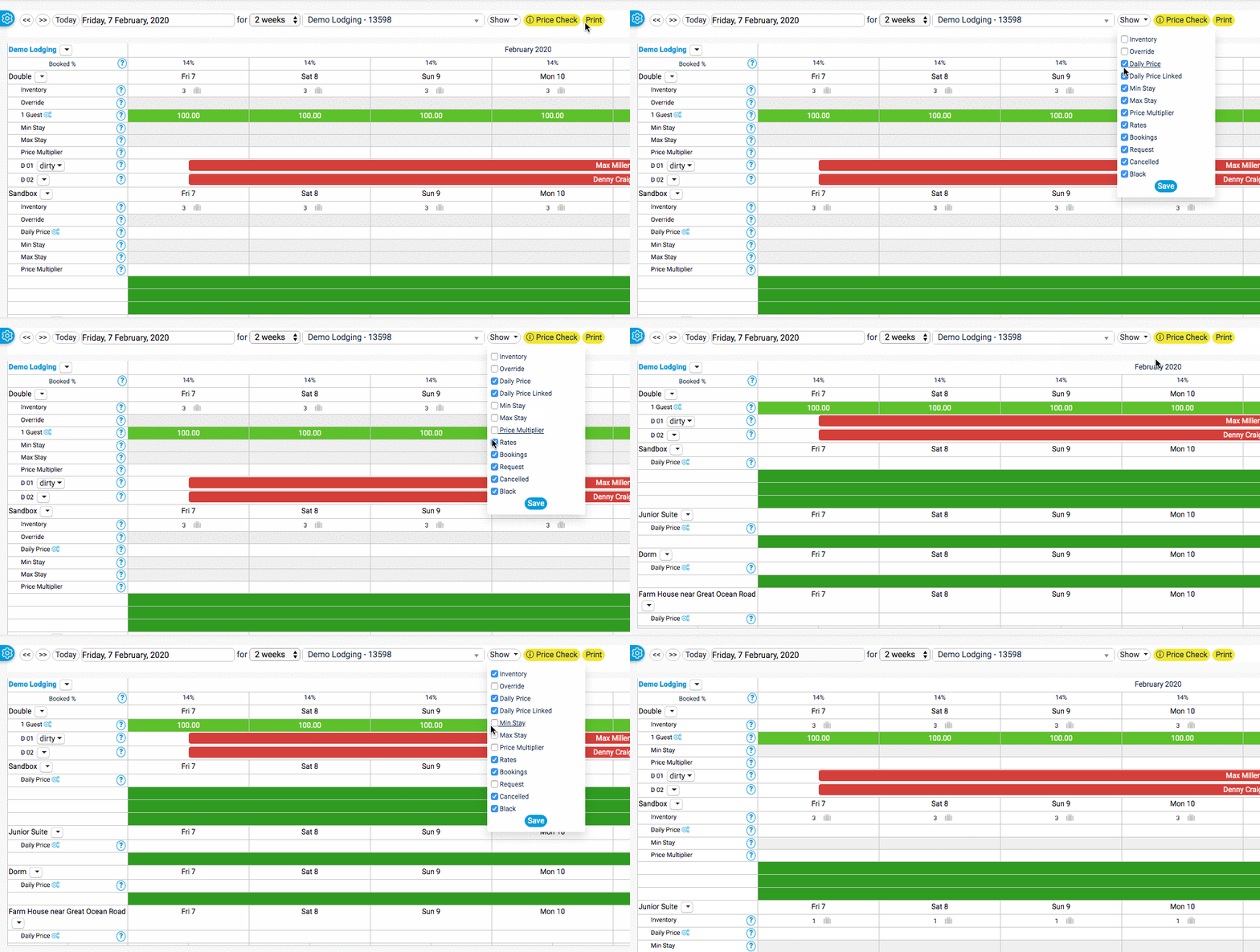
linked image
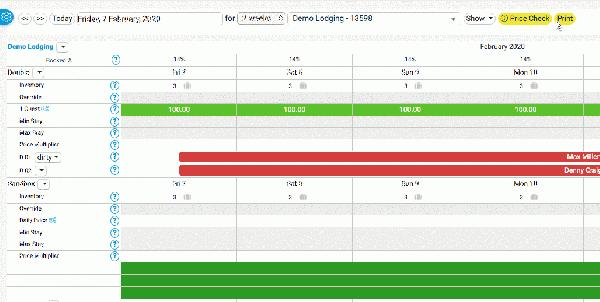
Centered
You might need to do a couple of hard refreshes to see the uploaded image. Or try a different browser.
Videos
Youtube
MP4 Upload
Centered
Formatting of content types
Examples
Example on individual page: https://wiki.beds24.com/index.php/Combine_individual_rooms_into_a_roomtype
Use "Collapsible" if there are many examples on the page or if examples are long.
Headline for collapsible text Make sure you add the correct hierarchy if you want them to show in the agenda
This is the collapsed text.
Step by step instructions
Step 1: Summary of what do do
You need to.....
- Do this
- Do that
Step 2: : Summary of what do do (optional)
add optional if the step is not required
Step 3:
Step 4:
Step 5:
Step 1: Collapible
- do this
- Press SAVE
How to
Add image
Add image: http://recordit.co/Y6MG4bnTiR
You can adjust the size.
Change Image
https://wiki.beds24.com/index.php/file:IMAGENAME.png
https://wiki.beds24.com/wikiDE/index.php/Datei:IMAGENAME.png
Make a redirect
#REDIRECT [[pagename]]
#REDIRECT [[:Category:Glossary]]
https://www.mediawiki.org/wiki/Help:Redirects
Add User
Access wiki https://wiki.beds24.com/index.php/Special:CreateAccount
All Pages and categories
https://wiki.beds24.com/index.php/Special:AllPages
https://wiki.beds24.com/index.php/Special:Categories
CSS
DO NOT CHANGE THE CSS WITHOUT CONSULTING WITH ANNETTE
https://wiki.beds24.com/index.php/MediaWiki:Common.css
https://wiki.beds24.com/wikiDE/index.php/MediaWiki:Common.css
https://wiki.beds24.com/index.php?title=MediaWiki:Sidebar&action=edit
https://wiki.beds24.com/wikiDE/index.php?title=MediaWiki:Sidebar&action=edit
Sample context help
https://wiki.beds24.com/index.php/Setting/sample