Category:Bookings: Difference between revisions
No edit summary |
No edit summary |
||
| Line 1: | Line 1: | ||
[[Category:Guests_and_Bookings]] | [[Category:Guests_and_Bookings]] | ||
[[Category:Customise_Control_Panel]] | |||
''This page is about the menu BOOKINGS'' | ''This page is about the menu BOOKINGS'' | ||
__TOC__ | |||
== Add Bookings == | |||
Bookings are entered into the system by the following methods: | Bookings are entered into the system by the following methods: | ||
| Line 21: | Line 24: | ||
== Manage bookings == | |||
After clicking on '''BOOKINGS''' in the top menue you will see your bookings in a a CALENDAR view or LIST view. By default you will see all bookings from today. You can use the selector to view only certain bookings. | After clicking on '''BOOKINGS''' in the top menue you will see your bookings in a a CALENDAR view or LIST view. By default you will see all bookings from today. You can use the selector to view only certain bookings. | ||
You can edit a booking by clicking on it to open the booking in a popup. | You can edit a booking by clicking on it to open the booking in a popup. | ||
Revision as of 13:05, 16 December 2015
This page is about the menu BOOKINGS
Add Bookings
Bookings are entered into the system by the following methods:
- online by your guest using the availability calendars, booking buttons and booking page.
- manually by yourself.
- imported from other channels by the channel synchroniser.
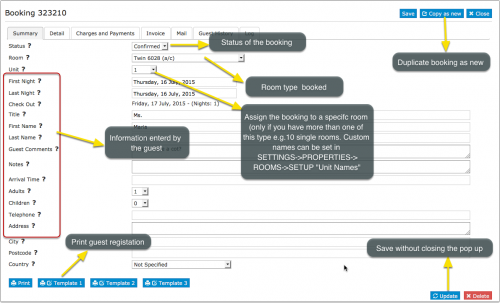
Status
"New" are bookings which have not been opened to view them. Once you open them the status will change to "Confirmed".
Add a new booking
Click on the ADD BOOKING Button on the top right. Alternatively you can add bookings in DASHBORARD -> ROOM GRID under INVENTORY.
Manage bookings
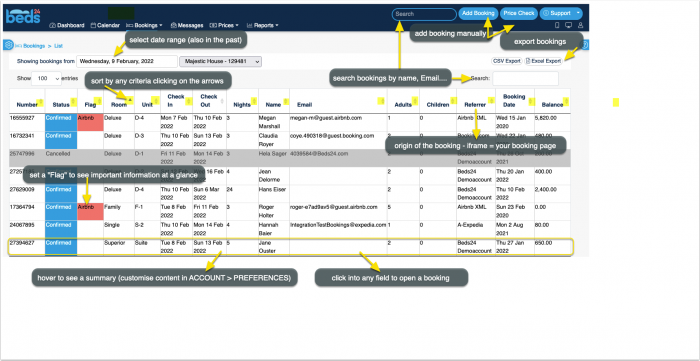
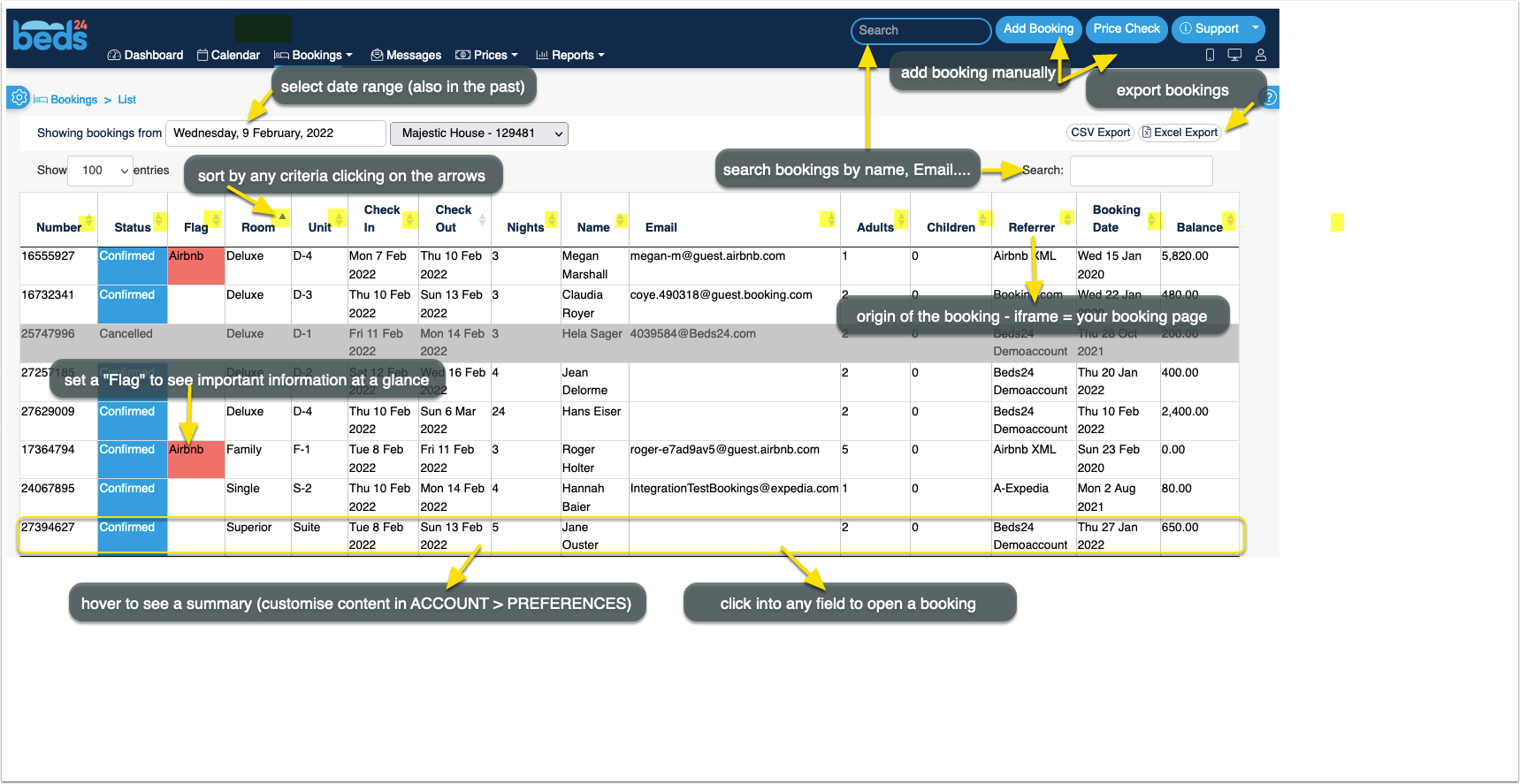
After clicking on BOOKINGS in the top menue you will see your bookings in a a CALENDAR view or LIST view. By default you will see all bookings from today. You can use the selector to view only certain bookings.
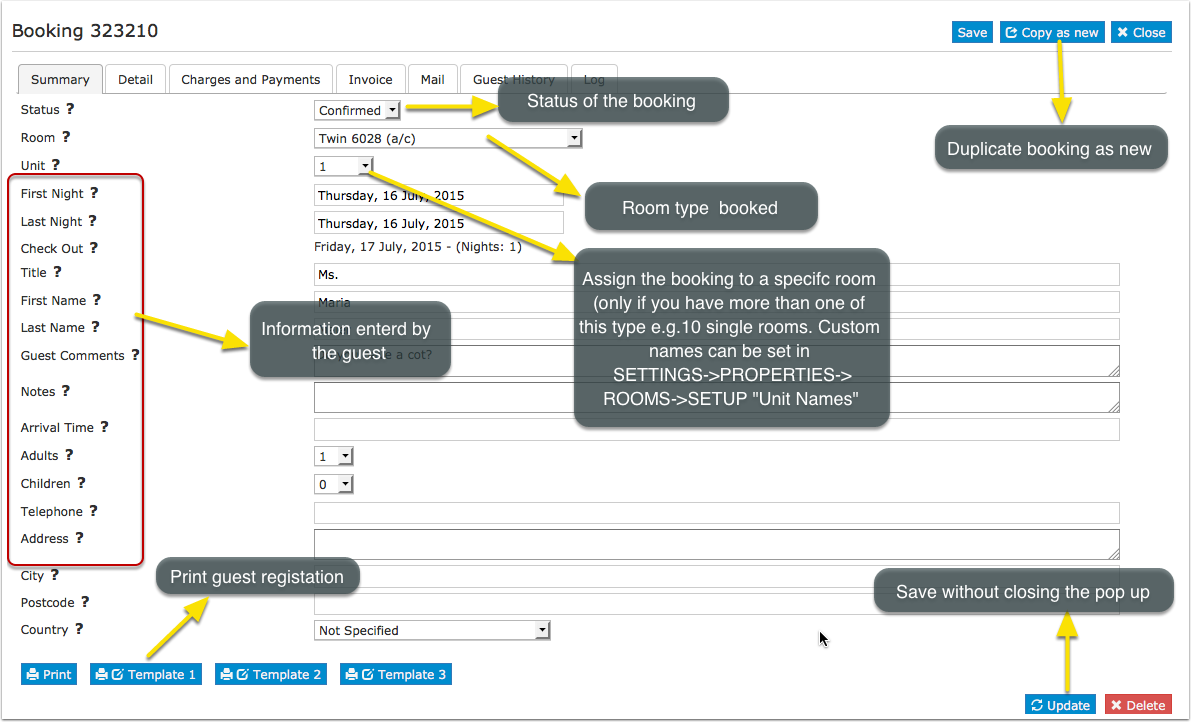
You can edit a booking by clicking on it to open the booking in a popup.
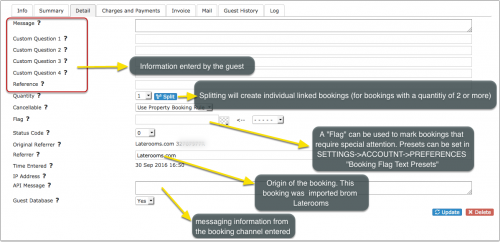
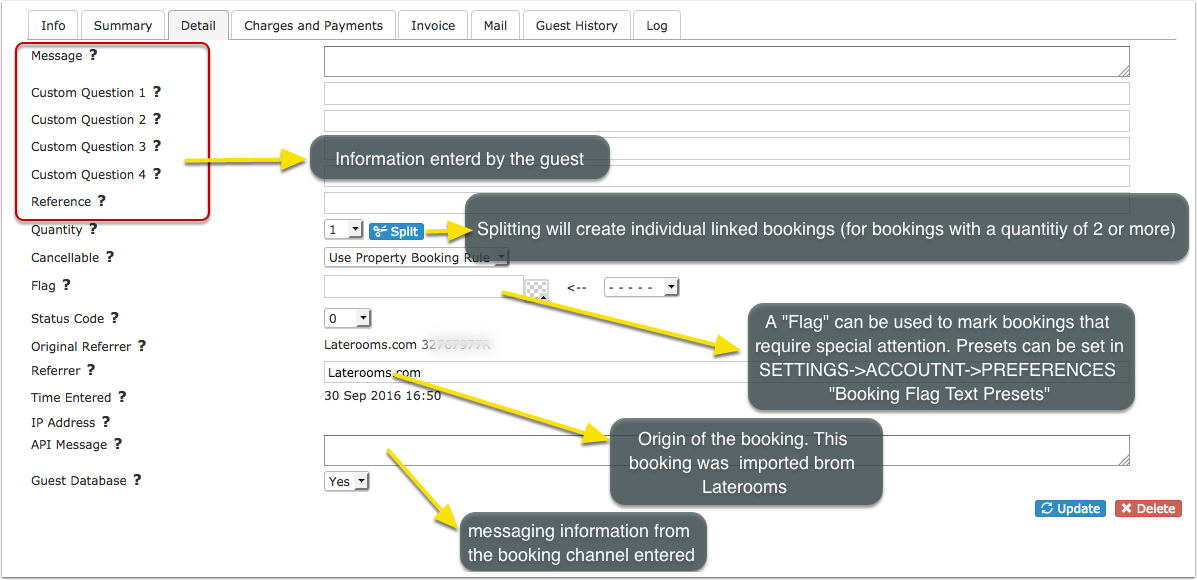
FLAG can be used to flag bookings that require special attention. The flag text is displayed with the other booking fields within the control panel and the [FLAG] template variable can be used to display this text as "hovertext" when the mouse cursor is positioned over the flagged booking in the Calendar view.
Split can be used to split a booking for multiple rooms into separate bookings so each can be assigned to an individual room. All split bookings will be linked so they can be easily managed.
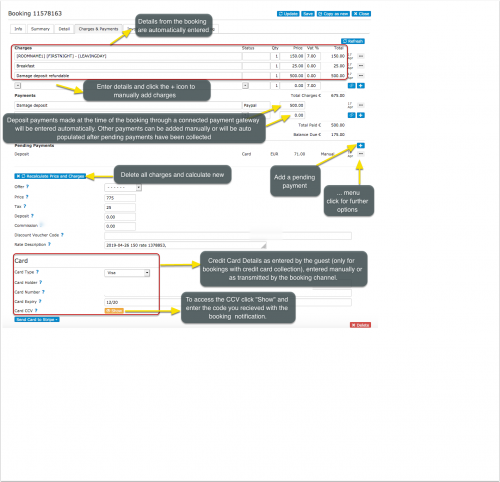
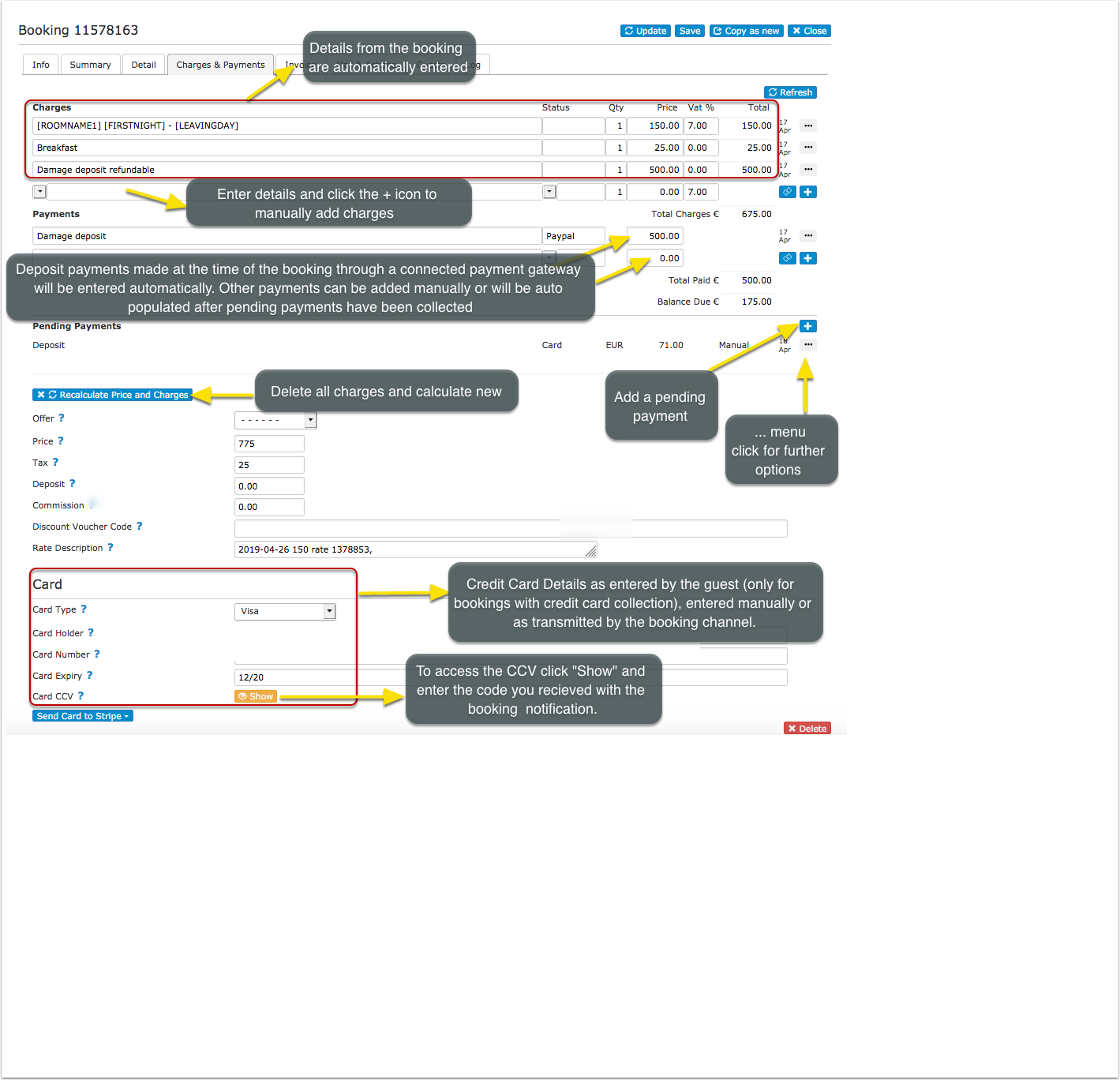
In the tab Charges and Payments you may enter more charges and payments manually.
- Enter chargeable items or and payments. Click Recalculate to update the balance and enter a blank new row.
- To remove an item check the remove box and click Recalculate.
- The balance will be calculated and displayed for this booking in the booking summary.
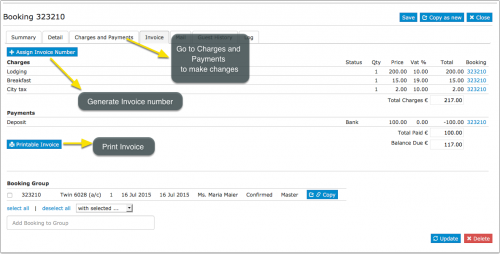
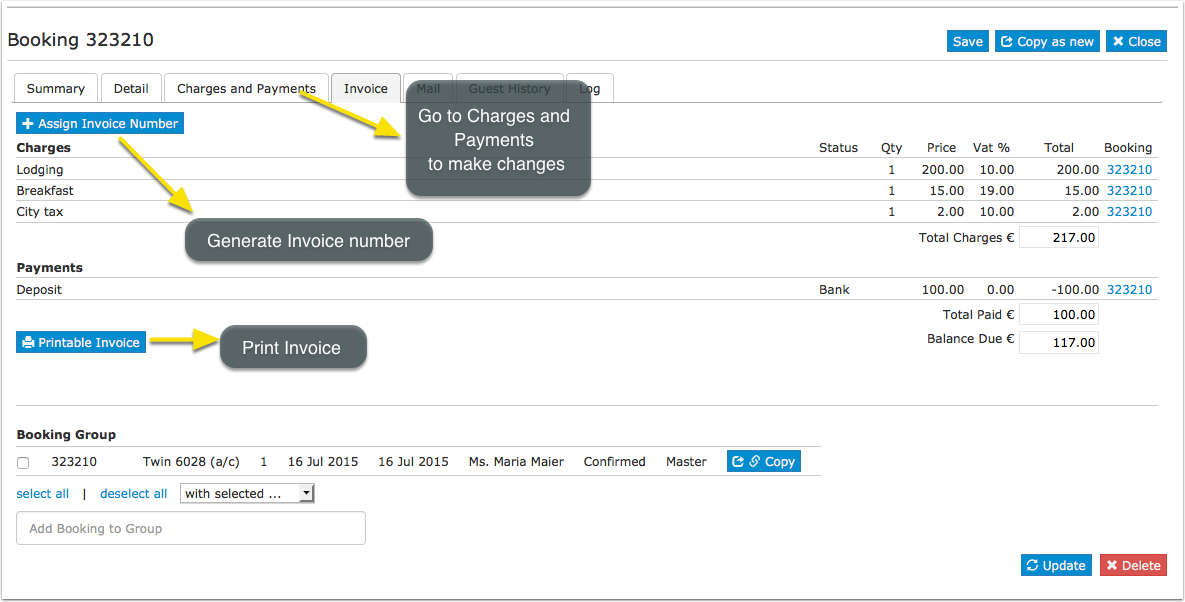
In the tab INVOICE you print an Invoice
- The invoice can also be printed with a message you can specify under SETTINGS -> GUEST MANAGEMENT -> INVOICE
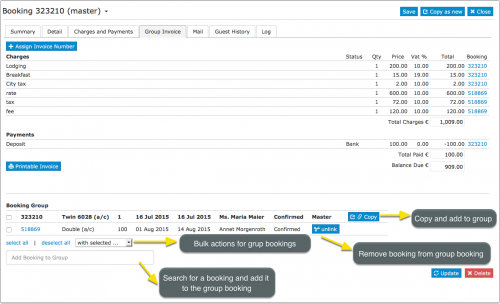
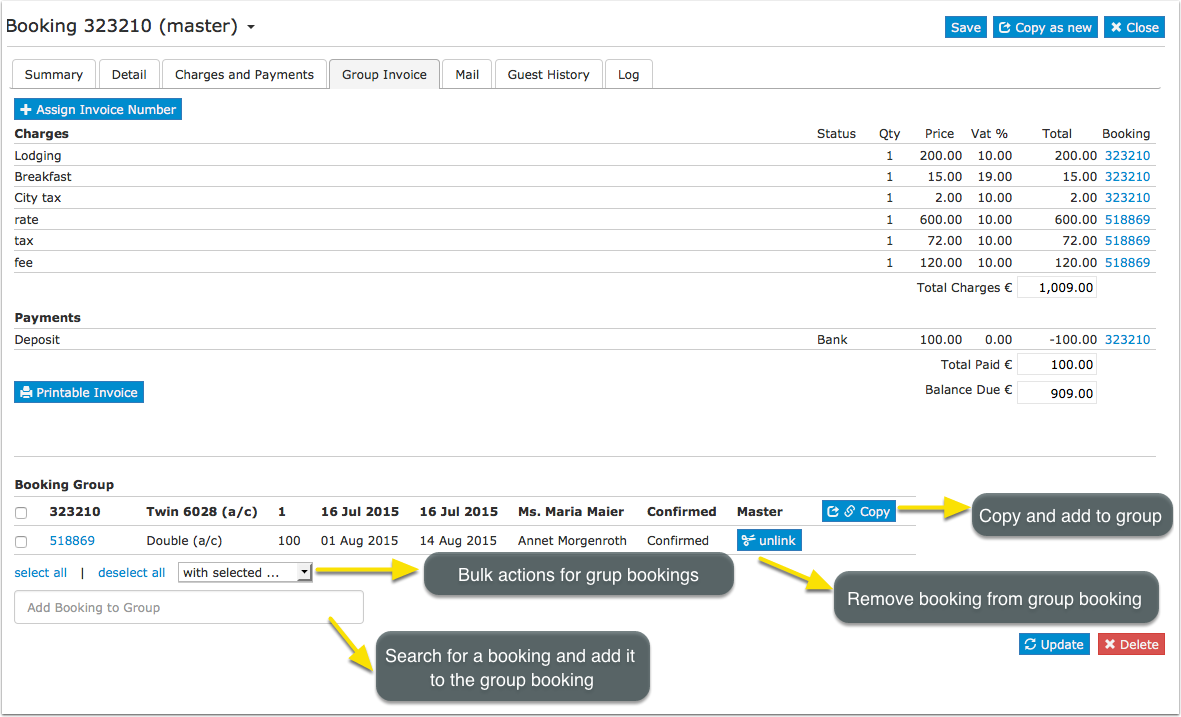
You can also manage and create group bookings.
- Changes have to be made in each individual booking
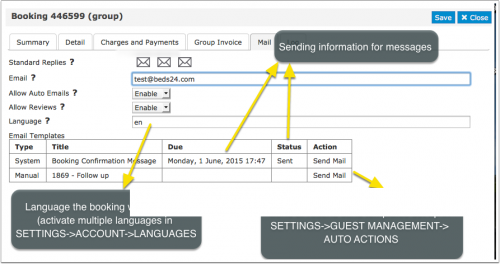
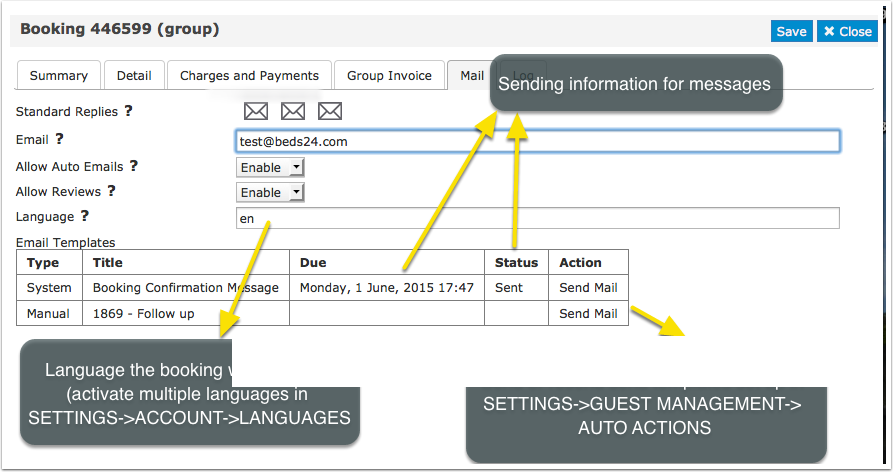
In the tab "Mail" you can send out the standard e-mails you have defined under GUEST MANAGEMENT
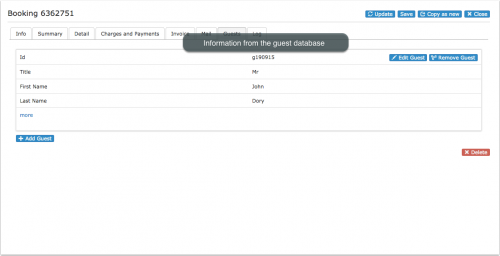
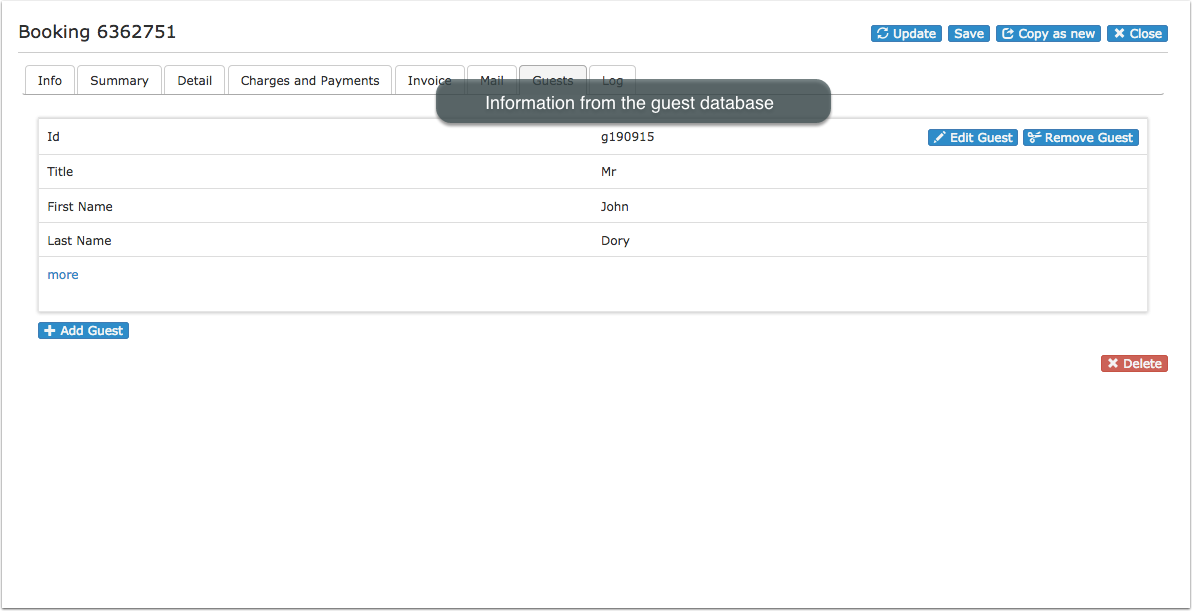
In the tab "Guests" tab you can see information from the guest database (GUEST in top menu)
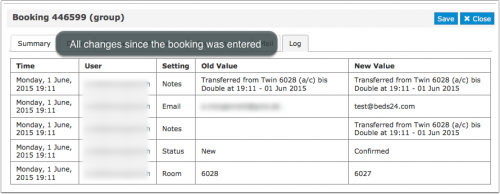
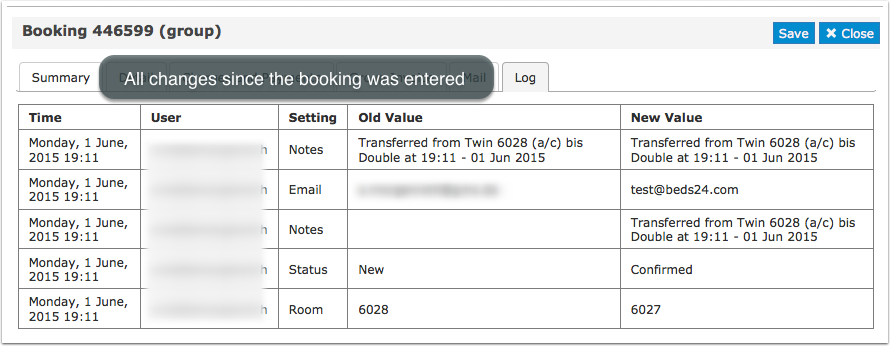
"Logs" shows all changes which have been made.
Subcategories
This category has the following 7 subcategories, out of 7 total.
Pages in category "Bookings"
The following 36 pages are in this category, out of 36 total. download this selection of articles as a PDF book
C
S
- Sell a room only if another room is unavailable
- Sell one room as more than one type
- Sell room as dorm and private room
- Sell Rooms with Priority
- Sending data to SEF
- Set Currency
- Stripe Channel Virtual Cards
- Stripe Credit Card
- Stripe deposit and balance
- Stripe full amount
- Stripe Payment Request
- Stripe Payment Schedule
- Stripe Security Deposit capture